Portable Kyno Premium 1.9.0.2 Multilingual
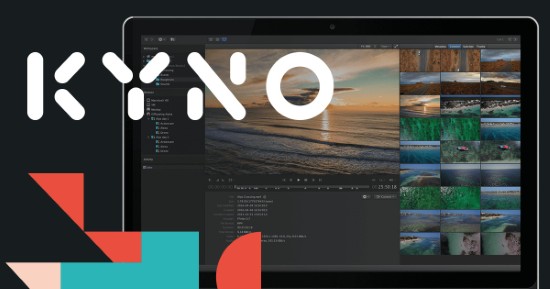
Kyno Portable is a professional-grade media management and workflow software designed to streamline video production processes for filmmakers, broadcasters, and content creators. It offers a comprehensive suite of features that support the entire media workflow—from on-set backup and logging to post-production organization, transcoding, and delivery. Kyno Portable is built to work cross-platform on macOS and Windows and integrates seamlessly with leading editing software like Adobe Premiere Pro, Final Cut Pro, DaVinci Resolve, and Avid Media Composer, making it a highly versatile tool for video professionals.
Core Features and Functionality
Media Browsing and Organization
Kyno Portable features a lightning-fast media browser that enables users to preview, organize, and select media files directly from storage devices without the need to import or copy files. Users can drill down into complex nested folder structures and flatten them into a single view for easier navigation. This efficient browsing capability supports a wide range of video, audio, and image file formats, including popular codecs like H.264, ProRes, DNxHD/DNxHR, and RAW formats such as RED R3D and Blackmagic RAW.
Advanced filtering options allow users to quickly find media based on metadata such as file format, resolution, frame rate, and custom tags. The software supports batch editing and assignment of metadata, which can be stored in sidecar files alongside the media, ensuring portability of metadata with the files. This metadata-driven organization improves the efficiency of producing shot lists, dailies, and logs, which streamlines collaboration across teams and devices.
High-Quality Playback
Kyno’s built-in player offers frame-accurate playback with exact timecode support, enabling precise review and analysis of media. Users can apply LUTs (Look-Up Tables) to preview log footage accurately and select specific audio tracks for monitoring. The player supports 4K video playback and handles image and audio files natively, making it a central tool for quick media inspection.
Efficient Media Backup and Offloading
One of Kyno Portable’s standout features is its ability to perform verified backups of camera media to multiple destinations—up to four at once. It uses industry-standard cryptographic checksum algorithms like xxHash, MD5, and SHA1 to verify data integrity, reducing the risk of data loss during offloading. This reliability makes Kyno an excellent tool for on-location media management where multiple backups are critical.
Powerful Transcoding and Conversion
Kyno Portable supports a wide variety of transcoding options, allowing users to convert media into industry-standard codecs and formats suitable for editing, archiving, or delivery. It supports transcoding to H.264, ProRes, XDCAM, Cineform, DNxHD, and MXF (including XDCAM and DNxHD variants). Users can apply LUTs during conversion to maintain color fidelity and burn in timecodes or add visual filters like denoise, sharpen/blur, and noise addition for quality enhancement.
The software also features advanced audio channel mapping during transcoding, enabling complex configurations for multi-track audio workflows. Batch transcoding and batch renaming capabilities make it easy to handle large volumes of media efficiently, matching modern production demands.
Integration with Professional Editing Tools
Kyno Portable integrates directly with popular nonlinear editing systems (NLEs), enabling users to send clips, subclips, metadata, and markers straight to Final Cut Pro, Adobe Premiere Pro, DaVinci Resolve, and Avid Media Composer. This integration enhances the editorial workflow by providing enriched metadata and structured clips ready for editing without the need for re-importing or manual metadata recreation.
Advanced Metadata Management
Kyno stores metadata in sidecar files located next to the media files, which avoids the need for centralized databases and allows metadata to travel with the media files. Users can batch-assign metadata presets, create and manage metadata logging presets, and pre-assign metadata on removable storage cards before production, which speeds up the initial organization on set.
Besides descriptive and technical metadata, users can add custom tags such as camera gear, location, shot details, and time of day, creating a robust search system tailored to individual workflows. Excel export options facilitate reporting, asset listings, and shot list creation, which further aids production documentation.
Specialized Broadcast Features in Premium Version
Kyno Portable includes additional support for broadcast-standard formats such as Panasonic P2 structures and RED RAW R3D files, along with the creation of MXF files tailored for broadcast requirements. It offers verified multi-destination delivery capabilities with FTP, SFTP, and file system transfers, supporting complex delivery pipelines.
Network caching and configurable metadata storage options enhance performance and collaboration in shared storage environments like NAS and SAN systems, making it suitable for larger teams and broadcast facilities.
User Interface and Usability
Kyno is known for its intuitive, easy-to-learn user interface, which combines multiple daily video production tasks into a single application. From on-location dailies and logging to post-production organization and delivery, it reduces dependency on multiple software tools.
The software is designed to accommodate individual creators, small teams, and large enterprise environments by scaling its functionality with tailored licensing and additional enterprise features. Its portability, enabled by the sidecar metadata approach, supports work across many devices without locking data into a single system.
Applications and Use Cases
-
On-Set Media Management: Quick backup, preview, annotation, and shot list creation directly from camera media cards.
-
Post Production: Detailed organization, proxy generation, transcoding, and delivery of media to editing platforms.
-
Collaborative Workflows: Managing shared storage with metadata tagging and search capabilities for efficient team collaboration.
-
Broadcast and Enterprise: Support for industry-standard formats, multiple backup destinations, network caching, and integrated file transfer for large-scale video production.
Kyno Portable combines a powerful suite of media management tools that significantly reduce the complexity and time required to handle media assets, enabling creatives and professionals to focus more on storytelling and less on technical hurdles. Its comprehensive format support, metadata-driven search and organization, and tight NLE integration establish Kyno as a go-to solution for media asset management in modern video production environments.
All Features at a Glance:
Browse
Browse drives or camera media with a media-aware file browser.
Search
Search files as if they were in a media-aware database without having to ingest first.
Screen
Play & quality-check footage in a player designed for video professionals.
Verified Backups
Offload your camera media or any folder to multiple destinations.
Convert
Easily batch-transcode or rewrap from and to many formats.
Combine
Combine multiple clips into one without NLE (aka assembly cut).
LUTs
Apply LUTs in player or during conversion.
Wide Format Support
Play and convert from an unparalleled range of formats
Markers
Use markers to log, describe or batch-export stills.
Subclips
Export subclips to quickly process or distribute only the content that really matters.
Audio & Image Support
Easy access to the audio & image files you use in your video projects.
Excel
Use markers to annotate and export to Excel®³⁾ for collaboration.
Non-intrusive
Files remain where they are – you decide how you organize your drives.
Integration
Send files with metadata to Final Cut Pro®¹⁾ X, Final Cut Pro®¹⁾ 7 or Premiere Pro®.
Tags & Ratings
Use tags & ratings to organize your material.
Rename
Batch-rename your media files quickly and flexibly.
Release Notes:
- New look & feel:
- More modern, darker appearance
- Improved contrast of selection color
- Improved readability with a larger font
- Drilldown button moved to general toolbar
- Activity view is now linked from the status bar, where progress is displayed
- System font on macOS
- Improved scrolling performance on macOS
- Updated the BRAW SDK and RED RAW SDK to support latest cameras and firmware versions
- Removed integrations with Frame.io and Archiware P5
- New volume settings that allow you to store technical metadata and thumbnails in a shared file system and allow you to optimize indexing on shared storage environments
- The behavior of the refresh button in the lower right corner of the application has been improved, hold SHIFT while clicking it for a hard refresh should you run into inconsistencies
- There’s a new context action for files “Show in Enclosing Folder”, which shows the enclosing folder of an item – very useful in drilldown mode!
- Preanalyze now runs in the background and no longer blocks the user interface
- Smart proxy presets to allow creating batches of proxies with automatic scaling
Fixes:
- Security updates and some minor bugfixes
- Fixed copy/paste keyboard shortcuts and enabled pasting while in browse panel
- Windows: Fixed an issue that sometimes caused the update-installer to fail