

Portable Nero AI Video Upscaler Pro 1.3.13.0 Multilingual
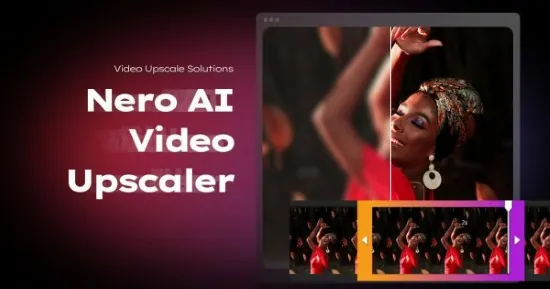
Nero AI Video Upscaler Portable is a cutting-edge standalone application from Nero that harnesses advanced artificial intelligence to transform low-resolution, grainy, or outdated videos into stunning high-definition masterpieces, supporting upscaling up to 8K resolution with remarkable detail reconstruction and smoothness.
This professional-grade tool stands out for its specialized AI models tailored to different content types—such as realistic live-action footage, animations, and facial close-ups—while incorporating frame interpolation for ultra-smooth motion up to 120 FPS, noise reduction, and color enhancements that breathe new life into archival family videos, vintage films, smartphone clips, or professional shoots.
Designed for Windows users ranging from hobbyists restoring old VHS tapes to content creators preparing 4K deliverables for YouTube or social media, Nero AI Video Upscaler Portable delivers professional results without the complexity of full editing suites, emphasizing one-click simplicity, batch processing, and real-time previews to streamline workflows and maximize quality gains.
Core AI Upscaling Engine
The powerhouse of Nero AI Video Upscaler Portable lies in its super-resolution AI engine, which intelligently analyzes each video frame pixel-by-pixel to infer and generate missing details that traditional bicubic or Lanczos interpolation methods simply blur over. Users select from upscale factors of 2x, 3x, or 4x, or choose from 11 predefined resolutions starting from 720×576 SD up to breathtaking 7680×4320 8K, with the AI filling gaps through trained neural networks on millions of high-quality video pairs. This process not only enlarges images but reconstructs textures—like fine hair strands in portraits, fabric weaves in clothing, or distant landscapes in nature shots—while suppressing artifacts such as aliasing, moiré patterns, or compression blocks common in web-sourced footage.
What sets it apart is the selection of six specialized AI models, each optimized for specific scenarios:
-
Realistic Model: Excels with real-world live-action videos, preserving natural skin tones, lighting falloffs, and depth cues for footage from cameras, drones, or smartphones.
-
Versatile Model: A balanced all-rounder for mixed content, delivering consistent sharpness across interviews, vlogs, or product demos without over-sharpening.
-
Animation Model: Tailored for cartoons, anime, or AI-generated graphics, maintaining clean edges, vibrant colors, and flat shading without introducing unwanted realism.
-
Fast Model: Prioritizes speed for quick turnarounds, ideal for batching large libraries while still achieving solid 2x-4x gains.
-
Face Enhancement Model: A dedicated module that isolates and refines human faces, sharpening eyes, smoothing blemishes, enhancing expressions, and restoring clarity in group shots or talking heads.
-
Custom Blends: Users can fine-tune model weights or chain them sequentially for hybrid results, like Realistic base with Face overlay.
Processing leverages GPU acceleration (NVIDIA CUDA, AMD, Intel), handling 1080p to 4K conversions in minutes on modern hardware, with CPU fallback for broader compatibility. The engine supports a vast array of input formats—MP4, MOV, AVI, MKV, WMV, FLV, WebM—and outputs to efficient H.264/HEVC or lossless intermediates, preserving alpha channels for compositing.
AI Frame Interpolation for Smooth Motion
Beyond resolution, Nero AI Video Upscaler Portable revolutionizes motion handling with AI-driven frame interpolation, analyzing optical flow between existing frames to synthesize entirely new intermediate ones. This boosts frame rates from standard 24/30 FPS to silky 60, 120, or even variable rates, creating fluid slow-motion from normal-speed clips without the judder or ghosting of optical flow plugins in traditional editors.
For example, a shaky 480p camcorder wedding video upscales to 4K at 120 FPS, turning jerky pans into cinematic glides. The AI predicts motion vectors with sub-pixel accuracy, handling occlusions (objects passing in front) and complex deformations (rippling flags or flowing water) intelligently. Users control interpolation strength via sliders—subtle for natural footage or aggressive for stylized slow-mo—while de-interlacing handles legacy NTSC/PAL sources flawlessly, doubling vertical resolution without combing.
This feature shines in sports highlights, action cams, or archival restorations, where temporal smoothness elevates perceived quality beyond static resolution bumps.
Noise Reduction and Artifact Removal
Low-light or compressed videos often suffer from grain, banding, or digital noise; Nero’s AI denoiser employs multi-scale wavelet analysis combined with learned patterns to suppress these surgically. It distinguishes signal from noise—preserving edge details like fur textures or starry skies—while adaptive temporal filtering averages across frames without smearing motion. Strength presets range from light (web videos) to extreme (high-ISO night shots), with real-time sliders for fine control.
Artifact correction targets JPEG/MPEG blocks, ringing, and mosquito noise, reconstructing clean frames as if shot natively in HD. Debanding smooths gradients in skies or shadows, and deflicker stabilizes exposure fluctuations in old film transfers.
Color and Detail Enhancement Suite
Post-upscale polish comes via intelligent color grading: auto white balance corrects tints from fluorescent lights or aged film, while vibrance boosts saturation without clipping. Contrast and sharpness curves enhance dynamic range, with HDR tone mapping for 10-bit outputs. Skin tone preservation ensures faces remain natural during aggressive upscales.
Detail amplification sliders recover fine structures—license plates, text overlays, or distant faces—using edge-directed interpolation. Stabilization integration smooths minor shakes, cropping minimally to maintain framing.
User Interface and Workflow Efficiency
Nero AI Video Upscaler Portable’s interface is refreshingly straightforward: a dark-themed window with drag-and-drop import zones, central preview split-screen (original vs. enhanced), and right-side controls for model/scale selection. Playhead scrubbing reveals motion quality instantly, with zoom-to-100% pixel-peep for scrutiny.
Clip selection allows targeted enhancement—process only highlight reels from long events—without pre-trimming in external editors. Batch queue supports unlimited videos, prioritizing by size or type, with pause/resume and progress ETAs. Real-time quality preview toggles models side-by-side, letting users A/B instantly.
Output options include direct social uploads (YouTube, TikTok presets), folder watching for auto-processing new downloads, and watch folder automation for unattended workflows. Logs detail processing stats—time saved, quality metrics (PSNR/SSIM scores)—exportable for reviews.
Batch Processing and Performance Optimization
Batch mode processes dozens of clips simultaneously across GPU cores, leveraging NVENC/AV1 encoding for 5-10x speedups. Queue management sorts by priority, pauses for low battery, or resumes post-sleep. For massive libraries (e.g., 100-hour wedding archives), smart chunking divides long videos, merging seamlessly.
Proxy previews use low-res surrogates during setup, switching to full-res for final renders. Resource throttling prevents overheating, ideal for laptops.
Format Compatibility and Advanced Outputs
Inputs handle virtually any codec/container: ProRes, DNxHR, CineForm for intermediates; H.265/10-bit for efficiency. Outputs match—8K HEVC, AV1 for future-proofing, or GIF/APNG for web loops. Metadata passthrough retains GPS, chapters, subtitles.
Pro version unlocks unlimited batching, custom model training (upload datasets for bespoke fine-tuning), and API access for integration into pipelines like Premiere or DaVinci Resolve via plugins.
Use Cases Across Content Types
Archival Restoration: VHS/DVD to 4K Blu-ray, de-interlacing flicker, colorizing B&W.
Social Media Creators: 720p phone clips to vertical 4K Reels/TikToks at 60 FPS.
YouTubers: Old gameplay to 1440p/4K with smoothed frame rates.
Professionals: Drone/low-light B-roll upscaled for commercials.
Film Enthusiasts: Silent movies to 8K with interpolated motion.
System Requirements and Accessibility
Windows 10/11 (64-bit), 8GB RAM min (16GB+ rec.), dedicated GPU (4GB VRAM) for peak speed. Intuitive enough for non-techies, with tutorials baked in.
Pricing and Value Proposition
Pro edition offers perpetual licenses or subscriptions, with trials watermarked. Compared to cloud services, local processing ensures privacy and unlimited use.
Nero AI Video Upscaler Portable democratizes Hollywood-level enhancement, turning pixel-poor relics into timeless gems. Its model variety, motion smarts, and ease make it the go-to for anyone elevating video heritage or content—proving AI isn’t just hype, but transformative craft.
Release Notes
– Bug fixes and performance improvements.