

Portable Nero Video 27.0.0.2 Multilingual
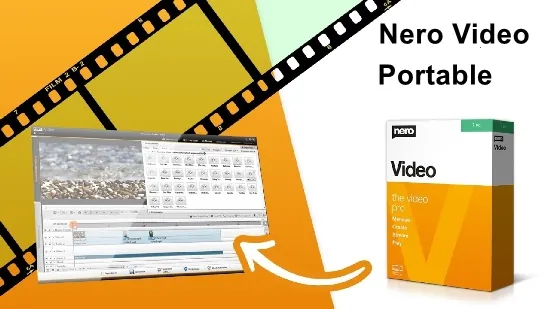
Nero Video Portable is a comprehensive and user-friendly video editing software that empowers both beginners and experienced creators to produce professional-quality videos with ease. Part of the Nero Platinum Suite, it offers a full suite of tools for importing, editing, enhancing, and exporting footage in resolutions up to 4K and beyond. With its intuitive timeline-based interface, AI-powered enhancements, and extensive effects library, Nero Video Portable transforms raw clips into polished productions suitable for social media, YouTube, DVDs, Blu-ray discs, or personal archives.
Interface and Workflow Overview
Nero Video greets users with a clean, modern interface divided into distinct modes: the Start screen for project creation, the full editing workspace with a central timeline, preview monitor, and contextual toolbars. The timeline supports unlimited tracks for video, audio, images, and titles, allowing complex layering without performance hiccups. Drag-and-drop simplicity lets users import media from cameras, smartphones, hard drives, or cloud services, automatically organizing clips into bins for easy access.
Newcomers benefit from wizard-guided projects—slideshows, disc menus, or quick edits—while pros dive into advanced multitrack editing. Real-time previews run at full resolution on supported hardware, with proxy workflows for slower machines. Keyboard shortcuts and customizable panels streamline repetitive tasks, making it adaptable for hobbyists crafting family videos or professionals handling client deliverables.
Basic Editing Tools
Core editing revolves around precise trimming via ripple edits, slip/roll tools, and multi-clip syncing. Keyframe animation controls position, scale, rotation, and opacity for dynamic motion—fade clips in from corners or zoom on subjects. Speed ramping creates smooth slow-motion or time-lapse without artifacts, with frame blending for natural flow.
Transitions library boasts 100+ effects—dissolves, wipes, spins, 3D flips—with adjustable parameters for custom timing. Audio editing includes waveform visualization, volume keyframes, noise reduction, and beat detection for sync points.
Advanced Editing Features
Multicam editing synchronizes multiple angles via timecode or waveform matching, switching seamlessly during playback. Picture-in-picture layers composites clips with chroma key (greenscreen) for virtual backgrounds or overlays. Motion tracking locks effects to moving objects, ideal for text follows or stabilizing shaky handheld shots.
Stabilization smooths footage using AI analysis, correcting rolls, pans, and zooms. Color correction suite offers scopes (waveform, vectorscope, parade), LUT import, and primary/secondary wheels for cinematic grading. HDR support handles 10/12-bit workflows with tone mapping for SDR output.
Manage
Bring your videos and image files from mobile devices, external hard drives, USB sticks, camcorders, and HD and 4K cameras to your computer with ease. Store them centrally in your media library from the Nero MediaHome software for further editing with a wealth of information such as the date of recording, locations, or people depicted. Now you can also archive and watch your movies and TV series in a flash. Film titles and posters are created automatically. New: Access your “OneDrive” online files (Files On Demand) and download your pictures, videos and music only when you need them for your project. This saves you a lot of storage space on your PC.
Create
Put your shots in the spotlight: 1-Click Video Story lets you create perfect movies and slideshows in no time. Complete with music, effects, entry and exit, you can share your movies in a flash. Captivate your audience with express or advanced video editing with countless effects like tilt shift, old movie, slow motion, titles, transitions, audio filters, keyframe animations and more. With the new 1-click bar remover, you’ll be able to spruce up your photo and video footage and get it ready for the optimal big-screen movie experience.
Templates
Quickly and easily create professional videos: With over 1000 movie templates and other effects, you give your videos a very personal touch. With the new various movie templates including effect drop zone, they automatically create their own personal movies on topics such as family, celebrations, children, travel, action and more. Black bars in widescreen TV are now a thing of the past. Even vertical videos and photos from your smartphone can be easily imported as a vertical video, edited and perfectly staged thanks to vertical video templates.
Exporting and burning
Best movies for happy viewers: Nero Video Portable software doesn’t compromise on format selection either. Edit movies in the highest quality in 4K, Full HD, and SD. Even export individual scenes from long movies in one go. Add the finishing touches to your DVD Videos™ and Blu-ray Discs™ with numerous high-quality disc menus on many themes. Then design your disc covers to your taste with Nero CoverDesigner software and play your video disc professionally with menu and chapter selection on the DVD and Blu-ray player in your living room.
Streaming
Turn your living room into a cinema: The Nero Video Portable software convinces with Oscar-worthy streaming functions. Slideshows or videos on the TV, music from your media library on your smartphone, videos on your tablet? All possible with the free app Nero Streaming Player. With the app WiFi Transfer, which is also free, you can transfer your videos and pictures wirelessly from your mobile device to your PC and vice versa. Both apps are available for iOS and Android devices.
Playback
Choose when it’s primetime: morning, noon or night – play audio and video files in a variety of formats when you feel like it. Playing photos, elegant slideshows, video DVDs and 4K/Ultra HD videos is now even easier. You can also easily manage and play your archive of movies and TV shows, just like primetime.
Release Notes:
– In this update, we have fixed some issues and improved stability.