

Portable Arthouse Studio DWG to PDF Pro 1.2.9
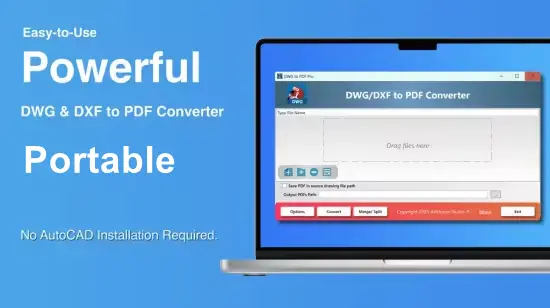
DWG to PDF Portable is a powerful and professional-grade software solution designed specifically to convert DWG files into high-quality PDF documents. As a specialized DWG converter tool, it caters to architects, engineers, designers, and other professionals who require efficient, reliable, and precise conversion of their AutoCAD and CAD drawings into universally accessible PDF format. This software is crafted to address the challenges around sharing, printing, and archiving DWG files by transforming them into PDFs without compromising detail or accuracy.
Introduction to DWG Format and Need for Conversion
DWG (short for “drawing”) is the native file format for AutoCAD, a standard in the architecture, engineering, and construction (AEC) industry. DWG files hold intricate vector designs, metadata, layers, annotations, and other detailed information crucial to these fields. While DWG files are essential for design and drafting, they require specialized software (such as AutoCAD) for viewing and editing. This dependency complicates file sharing and collaboration outside professional circles.
The PDF (Portable Document Format), in contrast, is a widely accepted standard for document exchange across platforms. PDFs preserve formatting, layouts, and visual fidelity and can be easily viewed on almost any device without dedicated software. Thus, a DWG converter like DWG to PDF Portable becomes indispensable for converting complex CAD drawings into universally accessible PDFs that maintain the precision and clarity required by professionals.
Overview of DWG to PDF Portable
DWG to PDF Portable distinguishes itself by combining ease of use with advanced conversion features. Its design philosophy focuses on providing users with a streamlined workflow for batch and individual file conversion, ensuring high output quality, customizability, and compatibility with a range of CAD software versions.
This DWG converter supports various DWG file versions, including legacy and latest releases, allowing users to convert files created using different AutoCAD versions or compatible CAD applications. Its ability to flawlessly handle large and complex drawings makes it suitable for professional environments where accuracy and detail are non-negotiable.
Key Features of DWG to PDF Portable
1. High-Fidelity Conversion
At the core of DWG to PDF Portable is its high-precision rendering engine that converts every geometric, textual, and graphical element within the DWG file into PDF format with meticulous detail. This includes line types, colors, line weights, hatches, layers, dimensions, and annotations. The output PDFs replicate the original drawing virtually identically, ensuring no loss of essential design information.
2. Batch Conversion Capability
Understanding the volume of files professionals work with, this DWG converter supports batch conversion, allowing multiple DWG files to be converted into PDFs simultaneously. Users can select entire project folders or individual files, streamlining workflows and greatly reducing manual effort in document preparation.
3. Customizable Output Settings
Users have fine control over PDF output parameters. This includes specifying page size and orientation, setting resolution, choosing color or monochrome output, and controlling line weights and scaling. There is also support for defining the PDF compression level to balance between file size and print quality depending on end use.
4. Layer and Layout Support
DWG to PDF Portable respects the layered structure of DWG files, enabling users to include or exclude specific layers during conversion. This is especially useful for sharing drawings with different stakeholders who may require only certain layers such as electrical, structural, or architectural details.
Additionally, the software supports layout tabs and viewports from DWG files, allowing users to convert specific layouts or sheet sets directly into dedicated PDF pages.
5. Security and PDF Standards Compliance
Given the sensitive nature of architectural and engineering drawings, DWG to PDF Portable includes security features such as password protection, PDF encryption, and restrictions on copying or printing the converted PDF files. It complies with the latest PDF standards, ensuring compatibility with industry-standard PDF viewers and printers.
6. Integration and Automation
This DWG converter integrates smoothly into existing workflows. It can be invoked via command line for automation purposes in large-scale projects or integrated into document management systems. This makes it an efficient choice for organizations requiring automated or unattended conversion processes, significantly boosting productivity.
7. User-Friendly Interface
The software provides an intuitive user interface designed to make conversion quick and painless. It balances straightforwardness for first-time users with advanced panels for expert users who want more granular control over their output. Drag and drop file input, preview options, and easy access to common settings enhance the user experience.
Why Use DWG to PDF Portable?
Precision and Accuracy
Accuracy in CAD drawings is paramount because slight distortions or missing details can lead to costly errors during construction or manufacturing. DWG to PDF Portable guarantees pixel-perfect fidelity, making it a go-to DWG converter for professionals who cannot compromise on quality.
Cross-Platform Sharing
By converting DWG files to PDF, users can share their work with clients, contractors, or colleagues without requiring them to have AutoCAD or other CAD software installed. PDFs preserve the visual and dimensional integrity of the original drawings while being universally accessible whether on desktop, laptop, or mobile devices.
Simplified Printing
Printing CAD drawings from DWG files can be challenging due to complex layers and formatting. PDFs generated with this DWG converter standardize print output, ensuring drawings print as intended with correct scale and detail, avoiding common issues such as missing layers or incorrect colors.
Project Archiving
Long-term storage of CAD projects is made more manageable by archiving PDFs alongside or instead of bulky DWG files. PDFs offer a stable format less susceptible to file corruption over time, preserving important project documentation safely and accessibly for future reference.
Technical Specifications and Compatibility
DWG to PDF Portable supports DWG files created with a comprehensive range of AutoCAD versions, from older releases like AutoCAD R14 to the latest ones. It supports the DXF format as well, providing additional flexibility.
Regarding system compatibility, the software runs natively on modern Windows operating systems, including Windows 10 and 11, supporting both 32-bit and 64-bit architectures. Its modest system requirements allow smooth functioning even on standard office computers.
How to Use DWG to PDF Portable
Using this DWG converter is designed to be straightforward even for users with minimal technical background:
-
File Selection: Users can drag and drop DWG files or browse directories to select drawings for conversion.
-
Configure Settings: Choose desired page size, orientation, color options, layer visibility, and security settings.
-
Batch Options: Add multiple files if batch conversion is needed.
-
Preview: Verify the output with the built-in preview function to ensure settings are correct.
-
Convert: Initiate the conversion process; the software efficiently generates high-quality PDFs.
-
Save or Share: Output PDFs can be saved locally or shared directly within the software’s environment.
Common Use Cases
-
Architecture Firms: Quickly convert detailed architectural plans into PDFs for client presentations and permit submissions.
-
Engineering Teams: Share precise mechanical and electrical schematics with collaborators in universally compatible format.
-
Construction Professionals: Provide contractors with clear, printable documents that maintain the integrity of design intent.
-
Educational Institutions: Distribute CAD project files to students in easy-to-open PDF formats for review and critique.
-
Government and Permit Offices: Receive consistent, readable plans from applicants in standardized PDF form.
Comparison with Alternative DWG Converters
Compared to many general-purpose DWG converters, DWG to PDF Portable stands out with its dedication to preserving CAD-specific details such as layers, annotation styles, and layouts. Its comprehensive security options and batch processing capabilities set it apart as an excellent choice for business-critical workflows.
While some converters offer cloud-based solutions, Arthouse Studio’s locally installed software ensures complete control over sensitive drawings, appealing particularly to organizations with stringent data privacy policies.
Benefits of Choosing DWG to PDF Portable
-
Reliability: Stable software designed for professional-grade output.
-
Efficiency: Rapid conversion times, even with large files or multiple documents.
-
User Support: Comprehensive help resources and customer service.
-
Cost-Effective: Competitive pricing tailored to individual users and large organizations.
-
Compatibility: Supports a wide array of DWG standards and integrates easily into existing CAD environments.
Quick and Easy PDF Converter
With the CAD To PDF Converter app, you can easily select one or multiple files and convert them to PDF with a single click. It’s a quick and convenient way to handle your files, making the process smooth and effortless.
Merged or Split PDF Output
With the CAD To PDF Converter app, you have the flexibility to receive your output in two ways. You can either get each PDF file separately as individual documents, or you can merge them all together into one single file. This allows you to customize the output based on your needs, making file management more efficient and tailored to your preferences.
Advanced Output Features
– Output in Color, Grayscale, or Black.
– Choose Paper Size for Output.
– Choose Actual Line Weight or Same Line Weight for All.
DWG/DXF to PDF Converter
– Transform DWG & DXF drawing files into stunning, professional-grade PDFs—no need for AutoCAD!
– Simplify your workflow with built-in tools to merge and split PDFs, making file management a breeze.
– Fast, reliable, and user-friendly—your ultimate PDF solution for CAD drawings!
Final Thoughts
DWG to PDF Portable is a superior DWG converter solution ideal for professionals seeking an accurate, secure, and efficient way to convert their CAD drawings into PDF format. Its rich feature set, user-friendly interface, and attention to preserving drawing integrity make it an indispensable tool within the architecture, engineering, and construction industries.
By turning complex DWG files into universally accessible PDFs, this software optimizes project collaboration, communication, documentation, and archiving. It empowers users to overcome the limitations of proprietary DWG viewing and sharing, ultimately simplifying the workflow and protecting design intent.
Anyone who regularly handles DWG files and requires consistent, high-quality converted PDFs will find DWG to PDF Portable an essential addition to their toolkit. It offers peace of mind, control, and professional results in one comprehensive DWG converter package.