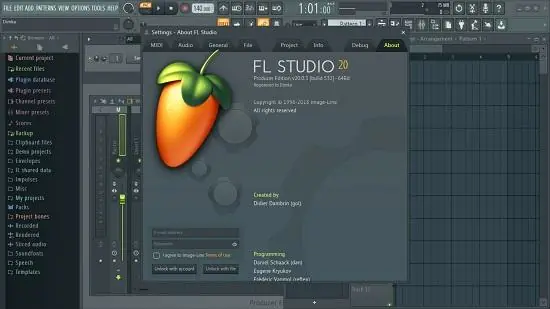
Portable FL Studio Producer Edition All Plugins Edition 26.1.4.5589 (x64) Multilingual

In the world of music creation, digital audio workstations (DAWs) are at the core of turning ideas into fully realized tracks. Among the plethora of options available to musicians, producers, and composers, FL Studio Producer Portable stands out as one of the most powerful, versatile, and user-friendly DAWs. Popularly known for its innovative workflow and engaging interface, FL Studio Portable empowers users to produce professional-quality music from start to finish.
What is FL Studio Producer Edition?
FL Studio Producer Edition is a premium version within the FL Studio DAW family, offering an expanded suite of features beyond the basic editions. It is designed specifically for music producers who demand more control, flexibility, and advanced tools in their production workflow.
FL Studio Producer Edition is a comprehensive platform for composing, recording, editing, mixing, and mastering music. Whether users are hip-hop beatmakers, electronic dance music creators, indie rock producers, or film score composers, FL Studio offers an environment equipped for all genres and styles.
Developed by Image-Line, FL Studio has evolved steadily since its inception, gaining a loyal base due to its intuitive pattern-based sequencing, extensive plugin ecosystem, and lifetime free updates policy.
Core Features of FL Studio Producer Edition
FL Studio Producer Edition packages a broad range of professional tools and workflows that address every stage of music production. Below are the key features that set it apart.
1. Pattern-Based Step Sequencer
At the heart of FL Studio is the iconic step sequencer, providing an accessible method for programming beats, melodies, and rhythms. It allows users to easily create and manipulate patterns with intuitive controls and real-time playback. This step sequencer works seamlessly with drum samples, synthesizers, and other virtual instruments.
2. Advanced Piano Roll Editor
The piano roll is renowned for its rich editing features and precision. Here, users can compose melodies, chords, and harmonies with tools that support velocity control, note snapping, slide notes, articulation editing, and pattern manipulation. The piano roll’s flexibility accommodates everything from simple loops to complex orchestration.
3. Multi-Track Playlist Arrangement
FL Studio Producer provides a multi-track playlist window to arrange patterns, audio clips, and automation clips into full song structures. It supports layering, clip grouping, and time-stretching, with an unlimited number of audio and automation tracks, giving producers ultimate freedom to build compositions.
4. VST and Plugin Support
FL Studio supports third-party Virtual Studio Technology (VST) plugins alongside its internal Instrument Plugins and Effects. Whether using synthesizers, samplers, or audio processing tools, producers benefit from an extensive plugin ecosystem.
Image-Line also includes excellent stock plugins like Sytrus, Harmor, and Fruity Squeeze for synths, plus parametric EQs, compressors, reverbs, delays, and mastering tools.
5. Audio Recording and Editing
The Producer Edition adds capabilities to record external audio sources such as vocals, guitars, or live instruments. The software offers waveform editing, comping, pitch shifting, time stretching, and slice editing to polish recordings effortlessly.
6. Mixer with Effects Chains and Routing
FL Studio’s mixer provides a flexible multi-channel mixing console, complete with insert effects, send channels, sidechaining, and grouping. Users can create intricate effect chains and process signals independently or layer multiple effects for creative sound shaping.
7. Automation Clips
Automation is seamlessly integrated for almost every parameter, allowing dynamic control of effects, instrument presets, volume, pan, and more. Automation curves can be drawn or recorded in real time directly in the Playlist.
8. Flexible Sampling and Looping
Sampling is streamlined with FL Studio’s built-in sampler supporting drag-and-drop sample loading, waveform editing, pitch shifting, and slicing tools. Producers can manipulate samples precisely to create engaging beats or texture layers.
9. Advanced Time-Stretching and Pitch-Shifting Algorithms
FL Studio features high-quality algorithms that enable producers to alter the tempo or pitch of audio clips with minimal artifacts—essential for remixing, layering, or creative sound design.
User Interface and Workflow
FL Studio Producer features a highly customizable interface designed to speed up production workflows while maintaining clarity. Some highlights include:
-
Dockable panels and resizable windows: Users tailor the layout depending on current tasks, whether composing, mixing, or mastering.
-
Step-sequencer and piano roll integration: Effortlessly switch back and forth when creating patterns or melodies.
-
Drag-and-drop support: Intuitive drag-and-drop of samples, plugins, and presets accelerates sound selection.
-
Color-coding and grouping: Organize tracks and patterns visually for quick identification.
-
Browser and Plugin Picker: Fast access to presets, samples, and instruments right inside the workspace.
This UX design philosophy ensures users focus on creativity and production without struggling with clunky workflows.
Who Uses FL Studio Producer Edition?
Electronic Music Producers
FL Studio’s rhythm-focused sequencer and extensive synth plugins make it a favorite among EDM, Dubstep, Trap, and House producers worldwide looking for versatile beat creation abilities.
Hip-Hop and Beat Makers
The step sequencer and easy sampling features allow beatmakers to chop and sequence drum hits quickly, layer melodies, and arrange beats efficiently.
Songwriters and Composers
Multi-track recording and detailed MIDI editing empower songwriters to compose, demo, and finalize songs all within a single environment.
Sound Designers
FL Studio’s plugin architecture and automation capabilities provide sound designers with tools to sculpt atmospheric pads, effects, and complex textures.
Educators and Students
Its accessibility and comprehensive feature set make FL Studio Producer ideal for teaching music production fundamentals and advanced techniques.
Independent Artists and Bands
Bands and artists use FL Studio Producer for multi-track recording, overdubbing, and mixing, reducing dependency on costly studio sessions.
Advantages of FL Studio Producer Edition
-
All-in-One Production Suite: Combines composition, recording, editing, mixing, and mastering tools in one package.
-
User-Friendly Yet Powerful: Intuitive enough for beginners while offering deep features for professionals.
-
Extensively Customizable: Interface and workflow adapt to user needs.
-
Broad Plugin Compatibility: Supports all major formats including VST, VST3, AU (macOS), and MIDI hardware.
-
Fast Workflow: Pattern-based sequencing speeds up beat-making; piano roll offers detailed melodic editing.
-
Strong Community and Resources: Online tutorials, forums, templates, and sound packs enhance learning and creativity.
-
Cross-Platform Support: Available for Windows and macOS (including Apple M1 support).
-
Lifetime Updates and Great Value: Continuous platform improvements without recurring costs.
Typical FL Studio Producer Edition Workflow
-
Project Setup and Template Selection
Begin with a blank project or a genre-specific template. Configure audio devices and MIDI inputs.
-
Beat Creation Using Step Sequencer
Create drum patterns and percussive elements in the sequencer panel using built-in or external drum kits.
-
Melody and Harmony Composition
Use the piano roll editor to enter notes, chords, and control expression parameters for synth or sampled instruments.
-
Layering and Arrangement
Drag patterns into the playlist, arrange sections to create full song structures with chorus, verses, intros, and outros.
-
Audio Recording and Editing
Record vocals or instruments on dedicated audio tracks, apply tuning, comping, and editing tools to refine takes.
-
Mixing and Effects Processing
Route signals through mixer tracks, apply EQ, compression, reverb, and creative effects to polish the mix.
-
Automation
Add dynamic changes in volume, filters, and plugin parameters to make the track evolve and express emotion.
-
Exporting the Final Track
Render the mix to WAV, MP3, or other formats ready for distribution or further mastering.
FL Studio Producer Edition Plugins and Instruments
Included plugins significantly broaden creative possibilities:
-
Sytrus: Versatile FM synthesizer with advanced modulation and sound design options.
-
Harmor: Powerful additive/subtractive synthesizer ideal for lush pads and intricate soundscapes.
-
Gross Beat: Time manipulation and glitch effects tool.
-
Fruity Slicer and Granulizer: Advanced sample playback and manipulation.
-
Fruity Parametric EQ 2: Precise equalization with spectrum analysis.
-
Maximus: Multi-band compressor and limiter for mastering.
-
FPC: Drum machine with customizable pads and effects.
These and many others compose a rich ecosystem within FL Studio Producer.
Learning and Support
Image-Line offers extensive resources:
-
Official tutorials and manuals.
-
Active community forums and third-party tutorials.
-
Regular updates and bug fixes.
-
Plugin marketplaces and sample packs curated for various genres.
Conclusion: Why FL Studio Producer Edition Is a Leading Choice for Music Production
FL Studio Producer Edition is more than just another DAW; it is a powerful creative toolkit that combines accessibility with professional-grade features. Musicians and producers at every level can compose, record, mix, and master their work seamlessly within its flexible environment.
Its pattern-based workflow, robust plugin suite, and commitment to continuous innovation place FL Studio Producer at the forefront of modern music production software. When combined with lifetime free updates and wide community support, FL Studio becomes an indispensable platform empowering creativity and artistry worldwide.
For those seriously invested in music production—whether starting a new project or perfecting a commercial release—FL Studio Producer Edition offers an unparalleled blend of usability, power, and value.
What can FL Studio Portable do:
- Audio editing and manipulation. Includes pitch correction, pitch shifting, harmonization, time-stretching, beat-detection and slicing, audio warping and standard audio manipulation (cut/paste etc).
- Automate most interface and all plugin parameters by recording, drawing, spline-based automation curves, automation generators with formula based control of links.
- Be hosted in other DAWs as a VST or connected through ReWire.
- Live music performance including video effect visualization.
- Mix and remix audio including apply realtime audio effects including delay, reverb and filtering.
- Multi-track audio recording.
- Record and play MIDI input recording from keyboards, drum pads and controllers.
- Sequencing and arranging.
- Synthesizer and effect plugin hosting (VST 32-bit and 64-bit, DX and FL Native format)
FL Studio Portable Release Notes:
Image-Line has officially bypassed the traditional version 21, 22 sequence and jumped straight into naming their latest major update FL Studio 2026. True to form, it arrives as a free upgrade under their Lifetime Free Updates policy.
Because the Producer Edition includes audio recording, playlist features, and core native plugins, it benefits from almost every heavy-hitting feature in this release. Here are the official release notes and key highlights for the Producer Edition:
The Highlights
1. Rebuilt FLEX Engine
The flagship preset synthesizer has been completely overhauled from the ground up.
-
Performance Boost: Loads faster and cuts CPU usage by up to 50% on newer generation packs.
-
New Interface: Features dedicated “Library” and “Store” tabs to find sounds in seconds.
-
Free Content: Every user gets 8 new Core Series sound packs adding over 200 fresh presets (Pianos, Strings, Bass, Guitars, etc.).
2. Gopher Turns into a True Production Assistant
Previously just a text guide to answer questions, FL Studio’s built-in assistant Gopher can now take direct action inside your project via natural language. You can type commands to have it:
-
Organize tracks and route audio.
-
Adjust mixer levels (e.g., “Lower the sub bass by 6 dB”).
-
Automatically generate Piano Roll or VFX scripts.
-
Note: Image-Line explicitly states that session data remains private and is not used to train AI models.
3. Audio Logger
Never lose an unrecorded jam session again. Mirroring the existing MIDI score logger, the Audio Logger continuously runs in the background and buffers the last 60 seconds of your Master output. If you play an amazing riff or sequence but forgot to press record, you can dump the audio straight into the playlist.
4. “Remix a Song” Tool
A major workflow acceleration tool added directly to the Tools menu and Welcome Window. Dragging a track into it automatically detects the BPM, matches the project grid, and triggers Stem Separation with a single click.
5. Encrypted Cloud Backup
You can now back up your project files seamlessly using native FL Cloud project storage directly from File > Save. All users receive 500MB of free encrypted storage (expanded to 5GB/1TB on Plus/Pro plans).
Piano Roll & Workflow Enhancements
-
Real-Time Chord Detection: A new Chord Panel in the toolbar detects and displays incoming notes or selected Piano Roll notes in real time (up to 10 notes).
-
Note Renaming: You can right-click and rename individual notes in the Piano Roll to leave arrangement cues.
-
Chord Stamp Tool: Updated with top-down and bottom-up voice-leading modes.
-
Audio Clip Gain Control: Right-clicking audio clips now gives you a Normalize option, allowing you to instantly normalize clips individually or relative to the loudest selection.
Core Plugin Updates
-
Fruity Slicer 2: The classic tool has been completely redesigned with a modernized workflow, tighter transient detection, and smoother real-time manipulation.
-
Luxeverb: Upgraded with a new Pitch Feedforward processing mode and 100 new presets.
-
FPC: Now supports dropping multiple samples onto a single pad to seamlessly create multi-velocity layers.
-
New Utility Additions: Includes a basic Note Arpeggiator and a streamlined SoundFont Player for loading classic
.sf2banks natively.