
Portable Macro Expert Enterprise 4.9.9.0
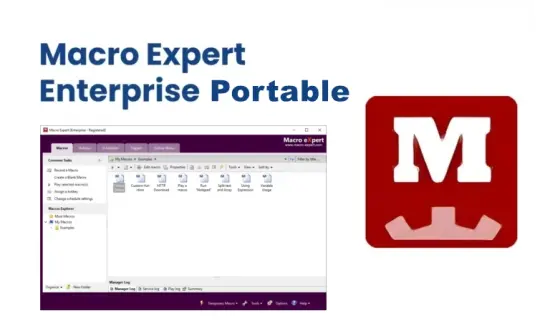
Macro Expert Portable is a Windows automation tool designed to help users perform repetitive tasks faster, more consistently, and with far less manual effort. It is built around the idea that a computer should be able to repeat actions on behalf of the user, whether those actions involve mouse clicks, keyboard input, menu navigation, application launching, file operations, web interactions, or other routine steps that normally consume time throughout the day. By recording, scripting, and replaying sequences of actions, the software offers a practical way to turn repetitive work into a manageable automated workflow.
The Portable label adds an important layer of convenience. A portable automation tool is especially useful because it can travel with the user and remain ready on different systems without the need for a traditional installation process. That makes Macro Expert Portable well suited for technicians, office workers, testers, administrators, and anyone who frequently works across multiple Windows machines and wants a consistent automation environment available at a moment’s notice.
What the software is for
Macro Expert Portable is intended to reduce the burden of repetitive computer tasks. Many activities on a Windows system are simple in isolation but become time-consuming when repeated again and again. Moving files, entering the same data, filling forms, clicking through applications, copying information between locations, and launching the same tools in the same order are all tasks that can become tedious. Macro Expert Portable addresses this by allowing users to build reusable automation sequences that perform those actions for them.
This kind of software is valuable because it helps users work more efficiently without changing the structure of the tasks themselves. It does not require the user to redesign an entire process. Instead, it helps automate the repetitive parts of the process so people can focus on the decisions, exceptions, and creative steps that still need human attention. That balance is one of the main reasons macro automation tools remain relevant.
Portable convenience
The portable version is particularly useful because automation often happens in different places and under different conditions. A user may need to run a macro at home, in the office, on a support machine, or in a temporary working environment. With a portable utility, the same tool can be carried across systems and used without having to perform a full installation every time.
That convenience matters a great deal for users who value flexibility. A technician might need to reproduce steps on a client computer. An office user might want to keep a personal automation toolkit on removable storage. A tester may need to run the same macro on several machines during validation. Macro Expert Portable fits all of those scenarios by making automation more mobile and less tied to one specific system.
Task recording and replay
One of the most practical strengths of a macro tool is its ability to record and replay sequences of actions. In real use, this means the user can perform a series of steps once, save them as a macro, and then execute them again later whenever needed. That is especially valuable for tasks that are consistent from one session to the next and do not require large changes in logic.
Recording and replaying actions helps transform repetitive workflows into predictable routines. If a user regularly opens a program, enters data, navigates to a few fields, and presses a particular set of buttons, those steps can be captured and reused. This creates a smoother workflow and significantly reduces the amount of attention required for routine work.
Mouse and keyboard automation
Macro Expert Portable is designed around the control of mouse and keyboard input, which are the most common ways users interact with software. That means it can simulate clicks, keystrokes, menu choices, text entry, and other interface actions in a way that feels like a user is performing them manually. This is the foundation of many useful macros because most computer work still depends on direct input.
The benefit of mouse and keyboard automation is that it can reproduce very specific behaviors. A user might need a precise click position, a certain sequence of keys, or a repeated pattern of typing and navigation. By automating those motions, the software helps reduce strain and saves time on tasks that would otherwise need to be repeated by hand.
Simple and advanced workflows
Macro Expert Portable is useful because it can support both simple and more advanced workflows. For a basic user, it may be enough to record a few steps and replay them later. For more experienced users, the software can be part of a larger process with conditions, triggers, timing adjustments, and multi-step logic. That flexibility gives the software a broad range of uses.
Simple tasks often include launching applications, opening files, entering repetitive text, or performing the same navigation path every day. Advanced workflows may involve handling multiple applications in a sequence, coordinating actions with timing, or building automation that behaves differently depending on the state of the system. The software’s strength lies in supporting both ends of that spectrum.
Scheduler and triggers
One of the most practical features in macro automation is the ability to run tasks on a schedule or in response to a trigger. Macro Expert Portable is suited to that kind of use because many repetitive activities are not just frequent but also predictable in timing or context. A macro that can launch at a certain time or under certain conditions becomes much more valuable than one that has to be started manually every time.
Scheduling can help users automate recurring maintenance, routine reporting, or everyday office operations. Triggers can help macros start when a specific event occurs, making the automation feel more responsive and less dependent on constant supervision. That gives the software a strong place in unattended or semi-unattended workflows where consistency matters.
Unattended operation
Macro Expert Portable is especially useful when tasks need to run unattended. Some work does not require constant human involvement, but it still requires a sequence of actions to happen in the right order. An automation tool can take over those steps while the user focuses elsewhere. This is one of the biggest practical benefits of macro software in general.
Unattended operation is valuable because it extends productivity beyond active keyboard time. A macro can perform routine work while the user handles something else, and that can be a major time saver over the course of a day. For repetitive office tasks, testing tasks, or information handling, this ability can make a real difference.
Application testing support
Automation tools are often useful not only for productivity but also for testing. Macro Expert Portable can support application testing by simulating user behavior in a repeatable way. That allows users to perform the same set of actions repeatedly, which is valuable when checking whether a program behaves correctly under the same conditions.
Testing benefits from consistency because it is easier to compare outcomes when the input is repeated accurately. A macro that performs the same steps every time helps reduce variability and makes it easier to identify changes in behavior. This is useful for support teams, testers, and developers who need a dependable way to reproduce workflows.
Browser and web tasks
Modern work often takes place in the browser, and macro automation tools are especially helpful there. Macro Expert Portable is well suited to browser tasks because so many common activities involve repeated online forms, account actions, report generation, information lookup, or site navigation. These are exactly the kinds of tasks that can benefit from automation.
Web automation can save time when the same steps need to be repeated in a browser-based system. That may include entering data, monitoring updates, submitting standard requests, or generating reports from online services. A macro tool can reduce the effort required and help make browser work feel more structured and less manual.
Data entry assistance
Data entry is one of the most obvious use cases for a macro tool. Repeated typing, form filling, and field navigation can be very time-consuming if done by hand over and over again. Macro Expert Portable can help by automating the routine parts of those jobs, making the overall process faster and less tiring.
This is particularly helpful when the same information must be entered in multiple places or when a data format needs to be reproduced consistently. The software can reduce human error by performing a defined sequence in the same way each time, which is one of the reasons it is attractive for office and administrative work.
File and system tasks
Beyond input automation, Macro Expert Portable can help with file handling and general system tasks. These may include moving files, organizing folders, launching programs, and performing routine operations that occur frequently in everyday computer use. By automating these steps, the software makes maintenance and organization easier.
File-based tasks are especially useful because they are often repetitive and highly procedural. If a user routinely moves files to certain folders, opens the same utilities, or performs the same cleanup steps, a macro can handle much of the routine work. That turns a manual maintenance sequence into a repeatable system.
Time savings
One of the biggest reasons to use Macro Expert Portable is time savings. Repetitive work may only take a few seconds at a time, but when those tasks are repeated many times per day, the total amount of time becomes significant. Automation helps reclaim that time and redirect it to more important or more interesting work.
Time savings also have a psychological effect. Work feels lighter when the most repetitive parts are handled by a macro. Users can move through tasks more quickly and with less frustration, which can improve focus and reduce fatigue. That makes the software useful not only as a productivity tool but also as a comfort tool for routine work.
Consistency and accuracy
Macro Expert Portable helps improve consistency because it performs the same sequence the same way each time. This is valuable in tasks where precision matters, such as form submission, testing, or structured office procedures. Manual repetition often introduces small differences, but a macro can repeat the same actions reliably.
Accuracy is closely related to consistency. When a process is automated, the steps are less likely to be skipped or altered accidentally. That means the user can trust the sequence to behave as expected. In repetitive workflows, this reliability is often just as important as speed.
Customization potential
The usefulness of a macro tool depends heavily on how much it can be customized to fit the user’s real workflow. Macro Expert Portable is designed with that flexibility in mind, allowing users to shape automation around the way they actually work rather than forcing them into a rigid process. That makes it more practical across a wide range of job types and routines.
Customization matters because no two workflows are exactly the same. One user may need a very short sequence, while another may need a longer and more conditional process. A good macro environment allows the user to build the workflow they need without unnecessary complexity, and that is part of the software’s appeal.
Learning curve and usability
Macro software can sometimes seem intimidating at first because automation is a technical concept. Macro Expert Portable is best understood as a tool that becomes more useful as users become more familiar with their own workflows. Once a person identifies the repetitive actions they perform most often, it becomes easier to see where automation can help.
Usability is important because the software should feel approachable enough for practical use while still allowing enough depth for more advanced tasks. A good macro tool rewards gradual learning. Users can start with simple recording and later move toward more structured automation as they become more comfortable. That makes the software suitable for a wide audience.
Why the portable format matters
The portable format matters because automation often needs to be available quickly and in different places. A self-contained macro tool can be moved from machine to machine, kept alongside other support utilities, and used when needed without a complicated setup process. That gives users freedom and convenience, both of which are important in real-world work.
For people who work across several systems, the portable form also provides continuity. A familiar automation environment can be a real advantage when the hardware changes but the workflow stays the same. Macro Expert Portable supports that continuity while keeping the software easy to carry and easy to launch.
Overall character
Macro Expert Portable is best understood as a practical automation tool built to make repetitive computer work faster, more consistent, and less tedious. It helps users record, replay, schedule, and trigger actions across the Windows environment, with support for mouse, keyboard, browser, file, and application tasks. The portable design adds flexibility and makes it easier to use the software in different settings without a traditional installation process.
The overall character of the software is focused on efficiency and control. It gives users a way to turn routine steps into repeatable workflows and to save time across both simple and more advanced tasks. That makes it useful for office work, testing, administration, support, and any situation where repetitive actions need to be handled more smoothly.
For users who want a portable macro solution that can adapt to routine tasks and longer automation sequences alike, Macro Expert Portable offers a strong and flexible approach. It brings together convenience, repetition, timing, and control in a way that makes everyday computing feel less mechanical and more efficient.
Release Notes:
- ‘Run a DOS command’ changed to ‘Run CMD/PowerShell command’, adding the option to execute PowerShell commands.
- Improved the Webpage action “Fill/Select Field” command by adding a browser command-based filling method, useful when the standard method fails.
