Portable SwapVoice 2.0.0
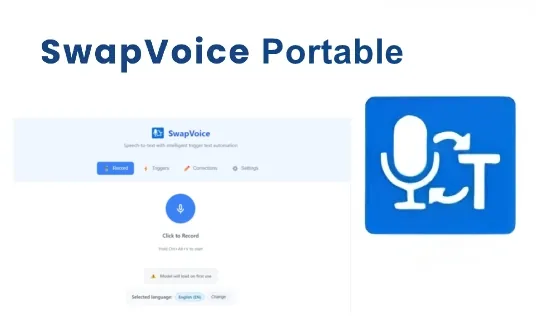
SwapVoice Portable is a cutting-edge voice recognition and transformation software designed to empower users with instant, highly accurate voice-to-text conversion coupled with intelligent trigger command capabilities. Unlike many voice recognition and voice changer tools that often rely on cloud services and subscription models, SwapVoice excels by offering a fully offline, privacy-focused solution that combines professional-grade accuracy with user-friendly configurability and multi-language support. This makes it an ideal tool for a wide variety of users including content creators, office professionals, developers, writers, and anyone looking to enhance their productivity by replacing traditional typing with seamless voice interaction. The software boasts a comprehensive feature set that extends beyond basic speech recognition into customizable workflow triggers, voice training, and global hotkey accessibility, making it a versatile addition to any productivity or creative toolkit.
Core Functionality and Unique Approach
At its essence, SwapVoice facilitates the transformation of spoken language into instantaneous text inputs with remarkable accuracy and speed. By functioning entirely offline, it assures users that sensitive information remains securely on their own devices, eliminating the risks associated with cloud-dependent software. This offline operation is a significant differentiator, addressing privacy concerns in an era when data security is paramount.
The core engine of SwapVoice is powered by advanced speech recognition technologies, leveraging innovations in AI to achieve recognition precision akin to cloud-based systems, yet without the internet dependency or ongoing subscription fees. This approach ensures that users pay only once for the software, enjoying unlimited, unrestricted voice conversion in a secure environment.
Intelligent Trigger Command System
One of SwapVoice’s standout features is its intelligent trigger recognition system. Beyond simply converting all spoken words into text, the software allows users to train and customize trigger commands — specialized voice prompts that initiate specific actions or insert predefined text snippets instantly. For example, a user can say “swap email” to automatically insert their email address into a document or text field without typing it out.
This trigger system elevates SwapVoice from a straightforward dictation tool to a productivity enhancer. It enables workflows where repetitive tasks, lengthy phrases, or complex inputs can be replaced with simple voice commands that save time and reduce typing fatigue. The ability to customize and train these triggers to match individual user needs makes the software highly adaptable across professional and personal use cases.
Multi-Language Support
SwapVoice is designed for global usability, featuring support for 15 languages including major European languages such as English, German, French, Spanish, Dutch, and Italian, as well as Asian languages like Chinese, Japanese, Korean, Hindi, and Arabic. This broad language coverage ensures that non-English speakers or multilingual professionals can utilize SwapVoice effectively in their native languages or switch seamlessly between languages during dictation.
The multilingual engine supports accurate recognition across diverse accents and dialects within these languages, maintaining transcription fidelity that matches user expectations for professional documentation, correspondence, or content creation.
User Interface and Usability
The user interface of SwapVoice is built with simplicity and immediacy in mind, allowing users to quickly master the tool without facing steep learning curves. The core dialog window facilitates real-time voice recognition and text output, showcasing precision and minimal latency. It integrates global hotkey support, notably the Ctrl+Alt+V shortcut, which enables users to activate the software instantly across any active application. This flexibility encourages usage in various contexts, whether composing emails, coding in an IDE, writing reports, or chatting on social media.
Voice training is another key aspect of usability, allowing users to improve recognition accuracy tailored to their voice, accent, or pronunciation. This feature makes the software more responsive and reduces the need for manual correction, saving time and frustration. Training custom triggers alongside voice model adaptation means SwapVoice learns continuously from its user, enhancing performance with ongoing use.
Performance and Accuracy
With professional-grade accuracy at its core, SwapVoice utilizes AI models that rival other leading online speech recognition systems. The software’s offline architecture does not compromise performance; rather, it provides an optimized balance of speed, efficiency, and precision. Users can expect near real-time transcription even during extended dictation sessions.
This high accuracy and speed are ideal for people who generate large volumes of text daily, such as writers, journalists, students, and office professionals. The reduction of typing burden is accompanied by a significant boost in workflow efficiency, enabling users to focus on content rather than form.
Security, Privacy, and Offline Operation
A crucial selling point for SwapVoice is its commitment to maintaining user privacy through complete offline functionality. Unlike many modern voice recognition services that rely on cloud processing, sending audio data to external servers, SwapVoice processes all data locally on the user’s device. This means no voice or text data is transmitted over the internet, making it highly secure against potential breaches or surveillance.
This offline paradigm appeals particularly to professionals handling confidential information—such as legal, medical, or government workers—as well as anyone valuing data sovereignty. Users can confidently use voice recognition without concern for exposure of sensitive conversations or documents.
System Requirements and Platform Support
SwapVoice is tailored for contemporary Windows-based systems, requiring at least Windows 10 version 17763.0 or later to run effectively. The software recommends a minimum of 4GB RAM and at least 1GB of video memory to support smooth operation. It is optimized as a lightweight application that does not impose heavy system loads, allowing it to run efficiently on typical office or home computers without detracting from other processes.
While primarily focused on Windows, the software’s design principles and underlying speech recognition models reflect adaptability for future cross-platform expansion, catering to evolving demands in diverse computing environments.
Practical Application Scenarios
SwapVoice fits seamlessly into numerous real-world applications:
-
Professional Documentation: Legal professionals, corporate employees, and academics can dictate reports, contracts, or research papers with high accuracy and utilize customized triggers to insert standard phrases, signatures, or frequently used data rapidly.
-
Creative Writing and Content Creation: Writers, bloggers, and social media managers benefit from fluid text generation and intelligent workflow shortcuts, reducing the mechanical effort linked to typing.
-
Programming and Development: Developers can use voice commands to insert code snippets, comments, or documentation text into Integrated Development Environments (IDEs), enhancing coding efficiency.
-
General Productivity: Everyday users, including students and remote workers, gain hands-free control over text input in emails, messaging apps, and notes, speeding up communication and reducing repetitive strain.
-
Multilingual Transcriptions: The multilingual support enables users operating in global teams or bilingual environments to switch languages on the fly while preserving transcription integrity.
Licensing Model and Cost Efficiency
Unlike many voice recognition and speech-to-text tools that rely on monthly subscription fees, SwapVoice employs a one-time purchase model for licensing. This approach provides unlimited, perpetual access to its complete feature set without recurring costs, making it a cost-effective choice for long-term use.
This licensing structure is particularly valuable for users seeking advanced voice recognition without the burden of ongoing payments or dependency on subscription renewals—ideal for professionals and enterprises managing budgets carefully.
Summary of Features
- Offline, cloud-independent speech recognition ensuring privacy and data security
- Multilingual recognition supporting 15 languages with accent and dialect adaptation
- Intelligent voice trigger commands allowing customized workflow automation
- Real-time, highly accurate voice-to-text transcription with professional-grade precision
- Voice training capabilities for personalized recognition enhancement
- Global hotkey support providing instant activation from any application
- Lightweight, efficient operation optimized for Windows 10 and above
- One-time purchase licensing with unlimited use and feature access
- Suitable for diverse users including content creators, office professionals, developers, and students
Conclusion
SwapVoice Portable stands as a formidable voice recognition software combining offline operation with advanced AI-driven transcription accuracy and intelligent automation capabilities. Its emphasis on privacy, usability, multilingual support, and customizability makes it a unique and valuable tool that goes beyond typical voice-to-text apps. Whether used for professional document creation, coding, creative projects, or everyday productivity, SwapVoice delivers a seamless, efficient voice interaction experience that helps users save time, reduce typing strain, and maintain the highest standards of data security.
By integrating powerful voice command triggers and providing a one-time purchase licensing model, SwapVoice addresses both the demands for innovation and practical cost savings. Its offline prowess and tailored language support build confidence in its adoption among diverse user groups seeking a reliable, flexible, and modern voice recognition solution.
In essence, SwapVoice is not just a voice-to-text tool; it is a smart voice assistant designed to adapt to the user’s workflows and protect their privacy while maximizing productivity and operational ease in an increasingly voice-driven digital world.
Release Notes:
Major Engine Upgrade
– Completely rebuilt transcription engine – up to 10x faster than v1.x
– New NVIDIA Canary 1B v2 ONNX engine replaces Python + Whisper
– Native audio capture – no browser encoding overhead
– Audio chunking – long recordings split automatically for fast processing
– Voice Activity Detection – silence trimmed before transcription
– 24 European languages supported (expanded from 15)
– Word correction glossary – fix commonly misspelled names and terms
– VS Code terminal paste support (Ctrl+Shift+V)
– Cancellable transcription – new recording discards in-progress result
– Progress indicator during transcription
– Improved recording popup with processing status
– Security hardened codebase
– Smaller install – no Python runtime needed
– Customizable hotkey (Settings → Hotkey Configuration)
– Improved model loading