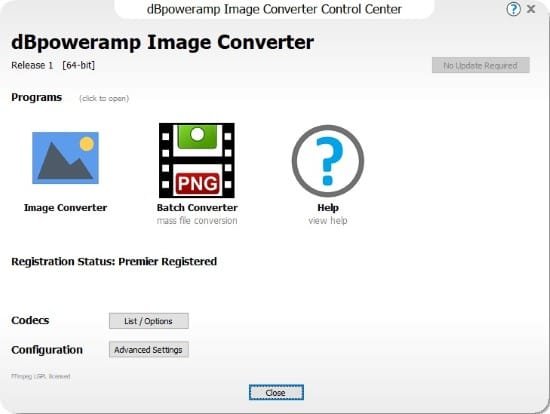
Portable dBpoweramp Image Converter Premier R2026.02.23

dbpoweramp-image-converter-portable


dBpoweramp Image Converter Portable is a high-performance, batch-oriented image processing powerhouse designed for professionals, photographers, web developers, and power users who need to convert, optimize, and transform thousands of images rapidly without compromising quality or workflow efficiency.

Built on the same robust multi-core architecture as its renowned audio counterpart, this Windows-exclusive software integrates seamlessly into Explorer, enabling right-click conversions across dozens of formats like PNG, JPEG, TIFF, WebP, BMP, GIF, HEIF, and RAW files, while applying DSP effects such as resizing, sharpening, watermarking, and metadata stripping in a single pass.

With no malware, no subscriptions, and a one-time purchase model, it delivers industrial-strength speed—leveraging every CPU core for parallel encoding—to process massive folders in minutes, making it indispensable for e-commerce cataloging, bulk photo archiving, or preparing assets for web deployment.

Core Conversion Engine

The beating heart of dBpoweramp Image Converter Portable is its format-agnostic conversion core, supporting over 30 input and output formats with lossless fidelity where possible. Input compatibility spans everyday staples—JPEG (including progressive and baseline variants), PNG (24/48-bit with alpha), GIF (animated and static), BMP (1-64 bit depths)—to professional workflows like TIFF (multi-page, LZW/CMYK compressed), RAW camera files (CR2, NEF, ARW via libraw integration), WebP (lossy/lossless/animated), HEIF/HEIC (Apple High Efficiency), OpenEXR (HDR floating-point), PSD (non-destructive layers optional), and legacy formats (PCX, TGA, XBM/XPM). Outputs mirror this breadth, with intelligent defaults: WebP for web optimization (40-60% smaller than JPEG at same quality), TIFF for archival printing, PNG for transparency needs.

Conversion quality options granularly control compression: JPEG quality sliders (1-100) with chroma subsampling (4:4:4 for photos, 4:2:0 for web), PNG compression levels (0-9 ultra), TIFF compressors (LZW, ZIP, JPEG-in-TIFF). Metadata handling preserves or strips EXIF/IPTC/XMP tags, embeds ICC profiles for color accuracy, or customizes with artist/copyright fields. Multi-page TIFFs split/merge seamlessly, while animated GIF/WebP sequences process frame-by-frame.

Batch conversion shines: select folders recursively (subdirectories intact or flattened), filter by extension/mask/date/size, and queue thousands of files. Secure mode prevents overwrites with incremental naming (“image_001.webp”), while output organization mirrors inputs or sorts by type/date/hash.

Multi-Core Supercharged Performance

Performance defines Premier: full CPU exploitation via thread-per-core encoding slashes times dramatically—a 16-core Ryzen converts 1,000 RAW-to-WebP images 15x faster than single-threaded rivals. Dynamic core allocation adapts mid-job: pause background processes, ramp threads for peaks. Benchmark mode profiles systems, reporting MIPS (megapixels/second) per format—expect 500-2000 MP/s on modern hardware.

GPU acceleration (optional via DirectML/Vulkan) offloads resize/sharpen to NVIDIA/AMD/Intel iGPUs, doubling throughput for effect-heavy batches. RAM efficiency caches intelligently: 8GB handles 50k thumbnails, spilling to SSD minimally. Headless CLI mode (dcimage.exe -in folder -out webp -q 85) suits servers/scripts, logging JSON stats for monitoring.

DSP Effects Studio

DSP (Digital Signal Processing) elevates from basic converter to full effects pipeline, chaining non-destructive operations pre-export:

  • Rescale: Pixel-perfect algorithms (Lanczos, Bicubic, Nearest) with aspect locks, fit-to-width/height, or DPI targets (72 web, 300 print). Canvas padding adds borders (color/transparent), cropping via coordinates/ratios.

  • Sharpen/Unsharp Mask: Radius/amount/threshold sliders restore detail post-resize, edge-only modes avoid halos.

  • Rotate/Flip: 90/180/270° or arbitrary angles, auto-orient via EXIF.

  • Color Adjust: Brightness/contrast/gamma/hue/saturation/vibrance sliders, auto-levels/histogram equalization.

  • Watermark: Text/graphics overlays with opacity, position (tile, center, edge), font/antialias controls. Dynamic tags insert dates/filenames.

  • Format-Specific: GIF dithering (Floyd-Steinberg), PNG transparency optimization (alpha premultiplied), WebP quality-vs-size tuning.

Effects queue visually previews (thumbnail mode), applies sequentially—resize then sharpen—for pro results. Batch presets save chains (“Web Optimize: WebP q85 + Lanczos80% + Light Sharpen”).

Explorer Integration and Workflow Simplicity

Seamless Windows integration transforms file management: right-click images/folders → Convert To → select format/effects → Convert. Popup details scan internals (dimensions, bit-depth, color space) pre-conversion. Drag-drop to tray icon queues jobs, monitoring via taskbar progress.

Batch wizard guides complex tasks: multi-select → Add Batch → Configure DSP/output → Secure Queue. Folder watcher auto-processes watched directories (Downloads → WebP archive). Secure mode renames outputs descriptively (“DSC_1234_2026-02-18_sharpened.webp”).

Advanced Batch and Automation

Batch Queue manager orchestrates fleets: prioritize jobs, pause/resume, multi-job parallel (encode JPEGs while queuing PNGs). Folder recursion processes nested structures, exclusion rules skip thumbs/.DS_Store. ID3-like tagging for images embeds custom fields (description, GPS stripped optionally).

Scripting exposes COM API: VBS/PowerShell automate (“Convert *.CR2 to TIFF q100 effect=sharpen”). Hotfolder drops trigger instant processing, ideal for scanners/printers.

Duplicate detection hashes files (perceptual + exact), consolidating near-matches during batches.

Metadata and Color Management

EXIF reader/writer handles 100+ tags: edit camera model, GPS coordinates, ratings. IPTC for press (caption, keywords), XMP for Lightroom/Photoshop. Batch strip privacy data (location, serials). ICC profile conversion (sRGB→Adobe RGB) ensures color fidelity across workflows.

Thumbnail embedding speeds previews, multi-resolutions for PDFs.

Quality Assurance and Verification

Post-conversion validation checks integrity: hash matches originals (lossless), PSNR/SSIM metrics for lossy (target >35dB). Error recovery retries failed encodes with fallbacks (libjpeg→libpng paths). Log viewer details skips, warnings (e.g., “8-bit PNG to HDR EXR”).

Use Cases Across Industries

Photographers: RAW→JPEG workflows with sharpen/auto-levels, client galleries to WebP (bandwidth halved).
Web Developers: PNG sprites to AVIF/WebP, resize cascades (1920→thumbnail chain).
E-commerce: Catalog batches—TIFF masters to JPEG q90 + watermark, 10k SKUs overnight.
Archivists: TIFF lossless from mixed legacies, metadata normalization.
Print Shops: High-DPI conversions, CMYK prep, bleed additions.
Scientific Imaging: Microscope TIFFs to PNG sequences, scale-invariant.

Users report 5-10x speedups vs Photoshop Actions, zero crashes on million-file jobs.

Customization and UI Design

Dark/light themes, resizable panels, dockable queues. Preset manager saves profiles (“Instagram Square: PNG 1080×1080 sharpen20”), shares via .dsp files. Tooltip scanners reveal file stats on hover.

Multi-language UI (English primary), accessibility via high-contrast/keyboard nav.

Performance Benchmarks and Hardware Scaling

Idle 50MB RAM, peaks 4GB on GPU effects. Scales linearly: 4-core i5 → 400 MP/s JPEG; 32-core Threadripper → 5k MP/s. SSD queues 50% faster than HDD.

Windows 10/11 optimized, ARM preview for Snapdragon X.

Security and Cleanliness Ethos

Zero bloatware—15+ years clean. No telemetry, local processing. Sandboxed encoders prevent exploits. Installer verifies signatures, auto-updates optional.

Integration Ecosystem

Right-click enhancers: “Convert & Upload FTP,” “Resize to 1024 & Embed Logo.” PowerToys/Explorer extensions compatible. CLI pipes to ImageMagick for hybrids.

Reporting and Analytics

Job summaries CSV: files processed, time/file, error rates, size savings (e.g., “80% reduction to WebP”). Visual charts track batch history.

Getting Started Flow

Install (batch mode free, Premier unlocks DSP/multi-core), right-click sample.jpg → Convert To PNG → tweak sharpen → done in seconds. 21-day trial full-featured.

Lifetime license, R3 updates perpetual.

Advanced Pro Techniques

Chained batches: RAW decode → resize → WebP encode → FTP. Metadata scripting: embed hashes/IPTC from CSV. GPU chaining for 4x RAW batches.

Custom DSP via DLLs (devs extend sharpen variants).


Download dBpoweramp Image Converter Portable

Filespayout – 51.2 MB
RapidGator – 51.2 MB

You might also like