

Portable Eclipse PDF 1.0.7 (x64)
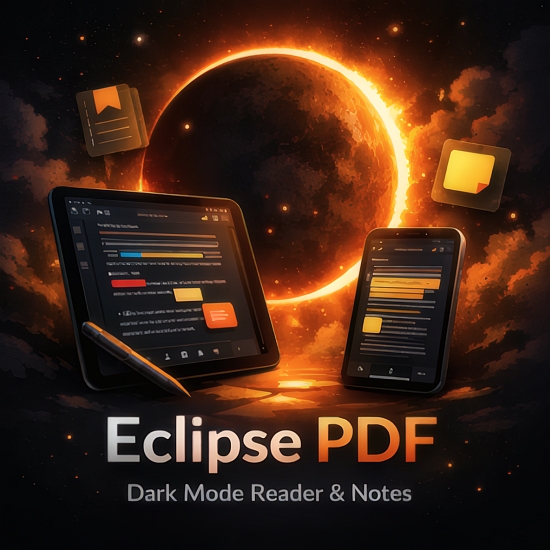
Eclipse PDF Portable – Dark Mode Reader & Notes is a sleek, privacy-focused PDF viewer and annotation application optimized for Windows, macOS previews, and mobile platforms, revolutionizing document reading, studying, and note-taking with its fully customizable dark mode themes, powerful markup tools, offline operation, and seamless integration for research, education, legal review, and content creation workflows.
Designed from the ground up for modern displays with eye-friendly interfaces that adapt to ambient light, this lightweight app (under 100MB) opens local PDF files instantly—handling everything from simple ebooks and research papers to complex multi-layered engineering drawings, scanned textbooks, and interactive forms—while offering advanced features like infinite zoom without lag, text reflow for dyslexic users, handwriting recognition for stylus notes, collaborative highlighting with color-coded teams, and export options preserving annotations in editable PDF or synchronized notes apps.
Completely offline with zero ads, sign-ins, or data collection, Eclipse PDF Portable ensures documents remain private on-device, supporting encrypted files, password protection, and secure sharing via password-protected links or direct exports to OneDrive/Dropbox without uploading content.
The app’s intuitive, gesture-driven interface centers around a distraction-free reading pane flanked by collapsible toolbars: left sidebar thumbnails/bookmarks, right annotations panel, bottom search/highlight history. Dark mode isn’t just a toggle—fully customizable with 50+ themes (Solarized, Dracula, Grayscale), per-page brightness sliders, and blue-light filters calibrated to circadian rhythms, making late-night study sessions comfortable and sustainable.
Core Reading Experience
Eclipse PDF Portable renders PDFs with pixel-perfect fidelity using a custom engine supporting PDF 1.7/2.0 standards, AcroForms, XFA (partial), embedded fonts/subsets, transparency layers, and 3D models (U3D previews). Infinite scroll paginates smoothly, with dual-page spreads for books, continuous mode for articles.
Zoom gestures (pinch/mouse wheel) reach 6400% without artifacts; reflow mode extracts text into justified paragraphs, adjustable font sizes/line heights/spacing for accessibility. Night mode inverts colors selectively (text black-on-white → white-on-black), preserving images.
Search scans full-text (OCR auto-applied to scans), regex support, case sensitivity, whole words. Results highlight contextually, jump via arrows.
Annotation and Markup Tools
Annotations layer non-destructively:
-
Highlight/Strikeout/Underline: 20+ colors/opacity, thickness. Auto-quote to notes.
-
Notes/Sticky: Popups with rich text, attachments (images/screenshots).
-
Drawing/Freehand: Pressure-sensitive stylus/pen (Wacom/Surface), shapes (arrows, rectangles, ovals), stamps (check/approved/X).
-
Text Box: Typewriter tool matches page fonts, editable fields.
-
Handwriting: Converts scrawls to text (95% accuracy), signature capture.
Layer manager toggles/groups annotations (Review Layer, Personal Notes), exports subsets. Collaborative mode color-codes users (Team Blue, Client Red).
Dark Mode and Theme Customization
50+ themes: OLED-optimized blacks, sepia for ebooks, high-contrast accessibility. Per-document profiles save preferences. Blue-light scheduler auto-adjusts 8PM-6AM.
Document Management and Organization
Sidebar thumbnails drag-rearrange, crop pages, extract selections. Bookmarks tree-foldable, hyperlinks clickable (internal/external).
File browser supports folders, drag-drop opens, recent/history pins. Password PDFs prompt securely.
Advanced Features
-
OCR Engine: Scans convert to selectable text (100+ languages).
-
Form Filling: AcroForms editable, calculations/JavaScript (sandboxed).
-
Measurement: Engineering PDFs annotate dimensions/areas.
-
Compare: Side-by-side diffs highlight changes.
Exports: Annotated PDF (Flatten/Editable), images (PNG/JPG per-page), text (RTF), notes (Markdown/Word).
Offline and Privacy Commitment
Zero internet required—rendering/OCR local. No tracking/analytics. Encrypted storage (AES-256).
Microsoft Store verified, regular security patches.
Cross-Platform and Performance
Windows 10/11 native (Store/MSIX), 64-bit ARM preview. GPU acceleration (Direct2D) smooths 4K docs. Low RAM (200MB peak).
Use Cases
Students: Annotate textbooks, highlight key passages, OCR notes.
Researchers: Markup papers, extract quotes, compare revisions.
Lawyers: Redline contracts, stamp approvals, secure shares.
Teachers: Grade PDFs, add feedback, export reports.
Eclipse PDF Portable redefines reading/annotation—dark comfort, markup power, offline privacy. Themes, gestures, layers elevate PDFs beyond static files.