
Portable FreeFileSync 14.5 Donation Edition
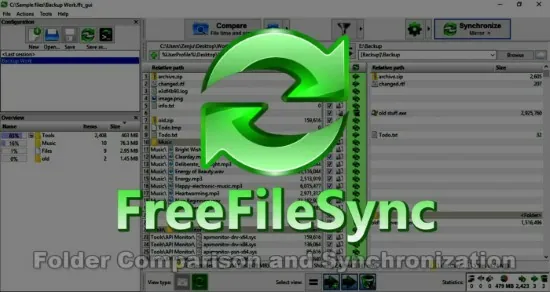
FreeFileSync Portable Donation Edition stands as a remarkably efficient and user-friendly file synchronization and backup software tailored for personal users who seek enhanced features and support the ongoing development of this popular open-source tool. This edition is essentially an upgraded variant of the free version of FreeFileSync Portable and offers several exclusive capabilities that improve usability, automation, performance, and convenience, all packaged in a modern interface that caters both to novices and power users.
Overview and Core Purpose
At its core, FreeFileSync Portable Donation Edition facilitates the essential task of folder and file synchronization—making sure the contents of two folders are identical or appropriately mirrored. This synchronization supports many practical scenarios such as backing up important data, replicating files across devices, or maintaining current versions of projects on multiple computers. The software intelligently detects differences between directories and transfers only changed or new files, thus optimizing time and computer resources. Its underlying engine employs multiple comparison methods including file size, date, and binary content comparison to ensure accuracy and reliability in synchronization tasks.
The Donation Edition not only preserves all functionalities of the free version but also includes enhancements designed to increase efficiency and user experience. By donating, users contribute to software maintenance and development, and in return gain access to these bonus features and conveniences that make managing data safer, faster, and more streamlined.
Exclusive Features of Donation Edition
One of the prominent advantages of the Donation Edition is the inclusion of an auto-updater, which allows users to receive program updates automatically for a predefined period after donation. This feature alleviates the need for manual checks and installations of new versions, ensuring that users benefit from the latest bug fixes, performance improvements, and feature additions without interruption.
Another significant enhancement is the introduction of parallel file copying. This feature utilizes the capability of modern multi-core processors by enabling simultaneous copying of multiple files, considerably speeding up the synchronization process especially when dealing with large datasets or numerous small files. Users notice a substantial reduction in overall synchronization time, making daily or routine backups more convenient.
The Donation Edition also includes portable installation options. This means it can be installed on removable drives such as USB sticks or external hard drives, allowing users to carry their synchronization tool and preferences anywhere and operate on different machines without requiring traditional installation. This portability suits professionals and users who work across multiple physical locations or devices.
A silent installation mode is present in this edition as well, making it suitable for automated deployment or scripting scenarios where user interaction during installation is undesirable. This feature is particularly useful for IT administrators who handle deployment across multiple personal computers within a household or small office.
Supported Platforms and Usage
FreeFileSync Portable Donation Edition supports major operating systems, including Windows, macOS, and Linux. Donors can freely download and use the software across all their personal computers regardless of the platform, promoting a flexible and unified backup and sync strategy in mixed-OS environments. This cross-platform compatibility ensures everyone from casual users to tech-savvy enthusiasts can benefit from consistent and reliable file synchronization.
It is important to note that the Donation Edition is strictly designated for personal, non-commercial use. Businesses or commercial entities require purchasing a Business Edition, which includes additional features and licensing to accommodate commercial environments.
Ease of Use and Interface
FreeFileSync Portable Donation Edition features a clean and intuitive interface that lays out folder comparisons visually with side-by-side folder views. Differences between file sets are color-coded for immediate recognition—highlighting new files, changed files, conflicts, and identical files. This transparency empowers users with complete control over what gets synchronized and backs up before executing the operations.
The software allows users to define synchronization settings such as two-way sync, mirror sync (one folder mirrors the other), or update sync (only newer files copied), to accommodate a variety of backup and synchronization philosophies. Advanced filtering options allow exclusion or inclusion of files based on names, extensions, size, or modification dates, offering fine-grained control over the process.
Batch processing and saving of sync configurations is supported, making it easy to run repetitive synchronization jobs precisely without reconfiguration. Scheduling integration is also possible using system task schedulers, thus supporting fully automated backup routines.
Robust Technical Capabilities
The Donation Edition supports several technical features that ensure data integrity and flexibility. Volume Shadow Copy Service (VSS) on Windows enables copying of locked or open files, making it possible to back up databases or active documents without interruptions. Long file path support exceeding 260 characters accommodates modern file systems and complex directory structures without errors.
File attribute preservation, including NTFS security permissions, extended attributes, and alternate data streams, ensures that files retain their metadata and security settings after synchronization, crucial for advanced users and corporate scenarios.
The software handles symbolic links intelligently and detects synchronization conflicts, alerting users when files have been changed in both locations since the last sync to avoid data loss.
Community and Support
As an open-source project, FreeFileSync Portable benefits from a passionate user community. Donating users contribute directly to the continuous improvement of the software through financial support that sustains development, bug fixes, and feature enhancements. Donation Edition users often enjoy priority attention in forums and support channels. Additionally, the ongoing revenue allows the developers to provide timely updates and support compatibility with new operating system versions.
Donation Model and License
The Donation Edition is accessed through a modest financial contribution. Unlike many commercial applications, the cost model is transparent and user-friendly, inviting users to donate merely to support the project and unlock enhanced capabilities rather than imposing mandatory payment barriers.
Donors gain access to a version of the software that remains valid indefinitely, although auto-update privileges last for a limited duration after each donation. After this period, users can continue using the Donation Edition without losing any functionality but may have to update the software manually or renew their support to receive the latest versions automatically. Donations can be renewed flexibly as needed, reflecting user willingness and the pace of required features.
Performance and Reliability
The Donation Edition leverages 64-bit architecture and multi-threading to maximize processing speed and efficiency. It is optimized to utilize modern CPUs fully, which makes synchronizing large volumes of data fast and reliable. Extensive testing ensures that synchronization errors are minimized, making it a trusted tool for safeguarding critical personal data.
Careful attention is paid to conflict detection and error handling processes, reducing the chances of accidental overwrites or data corruption. Users can simulate sync operations with a dry-run mode to preview changes before committing, adding an additional layer of security.
Practical Use Cases
The Donation Edition is suited to a wide range of personal and professional-like tasks:
-
Creating incremental backups of important documents and media.
-
Syncing files between a desktop and a portable external drive or cloud storage sync folder.
-
Maintaining up-to-date copies of project folders on multiple devices.
-
Synchronizing files between different operating systems in a mixed environment.
-
Automating synchronization through saved scripts and scheduled tasks.
-
Carrying a portable sync tool on a USB drive for use on multiple machines without installation.
Summary
FreeFileSync Portable Donation Edition represents a refined, high-performance file synchronization and backup solution designed for personal users who value reliability, speed, and enhanced functionality along with supporting sustainable software development. Its rich feature set, including auto-updates, parallel processing, portable and silent installation, and cross-platform compatibility, provide a compelling advantage over the free version while retaining ease of use and flexibility.
The software’s intelligent file comparison and synchronization algorithms, combined with broad technical support for attributes and security settings, ensure data integrity and confidence during backups and sync jobs. The transparent and community-driven donation model encourages ongoing advancement, making it not just a tool, but part of a wider ecosystem committed to robust, accessible data management.
It is a standout choice for anyone wanting a hassle-free, powerful, and continually improving personal synchronization tool that grows with their needs while honoring the open-source ethos of free availability and collaborative enhancement.
Changelog:
- Quotation not needed anymore for external application macros
- Unambiguous license key file extension
- Fixed crash when resizing config panel during comparison
- Fixed log file viewing when config name contains special characters