
Portable KLS Backup Pro 2027 v15.0.0.6
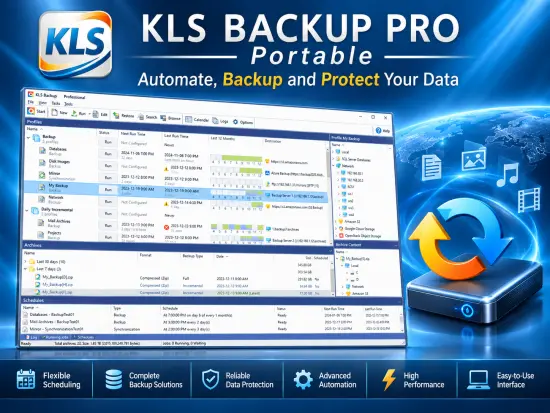
KLS Backup Portable is a comprehensive backup, synchronization, and recovery solution designed to help users protect important data against accidental deletion, hardware failures, malware incidents, and other forms of data loss. Built with flexibility in mind, the software provides a complete environment for creating automated backup jobs, synchronizing files between locations, and restoring information whenever necessary.
Data protection has become increasingly important as computers store larger amounts of personal and business information than ever before. Documents, photos, videos, databases, emails, and configuration files are often irreplaceable. KLS Backup Portable addresses this challenge by giving users a centralized platform that can automate backup operations while maintaining full control over storage methods, scheduling options, and recovery procedures.
Whether used by home users seeking peace of mind or by professionals managing critical business information, the software offers a balanced combination of simplicity and advanced functionality. Its interface makes routine backup operations accessible to less experienced users while still providing enough customization options for demanding environments.
Comprehensive Data Protection for Modern Systems
One of the strongest aspects of KLS Backup Portable is its ability to protect virtually any type of file. Instead of limiting users to predefined categories, the software allows complete freedom when selecting what should be included in backup jobs.
Users can choose individual files, entire folders, network locations, databases, external storage devices, or combinations of multiple sources. This flexibility ensures that backup strategies can be tailored to specific requirements rather than forcing users into a standardized workflow.
The software also supports multiple backup methods, allowing users to select the most appropriate strategy based on storage availability, performance requirements, and data retention policies. This adaptability makes KLS Backup Portable suitable for a wide range of applications, from simple personal backups to sophisticated professional deployments.
Easy Backup Job Creation
Creating backup jobs in KLS Backup Portable is a straightforward process. The software uses a logical workflow that guides users from source selection to destination configuration and scheduling.
Each backup job can be customized independently, allowing different datasets to follow different protection strategies. For example, important business documents can be configured for frequent incremental backups, while multimedia archives can use less frequent full backups.
This level of customization helps optimize storage usage while ensuring critical information receives the highest level of protection.
The backup wizard simplifies the configuration process by presenting options in an organized manner. New users can quickly create functioning backup tasks, while advanced users can refine settings according to their specific needs.
Multiple Backup Types
A major advantage of KLS Backup Portable is support for different backup methodologies. These approaches give users flexibility in balancing speed, storage efficiency, and recovery convenience.
Full Backup
A full backup creates a complete copy of all selected data. This method offers the simplest restoration process because all required information is stored in a single backup set.
Full backups are ideal for initial protection and periodic backup baselines.
Incremental Backup
Incremental backups store only the files that have changed since the previous backup operation. This approach significantly reduces storage requirements and backup duration.
Organizations dealing with large datasets often benefit from incremental strategies because they minimize system resource consumption.
Differential Backup
Differential backups capture all modifications made since the last full backup. Recovery is generally faster than with incremental backups while still providing substantial storage savings.
Versioned Backups
Version management allows multiple generations of files to be retained. This feature is particularly useful when users need to recover older document revisions or reverse unwanted changes.
The ability to access historical file versions can significantly improve disaster recovery capabilities.
File Synchronization Capabilities
In addition to conventional backup functions, KLS Backup Portable includes advanced synchronization features.
Synchronization makes it possible to maintain identical content across multiple locations. This functionality is particularly useful for users who work across multiple computers or maintain copies of data on external storage devices.
Unlike traditional backups, synchronization ensures that selected folders remain updated as changes occur. This creates an efficient workflow for maintaining consistent file structures across different systems.
Users can configure one-way or bidirectional synchronization depending on operational requirements.
Support for Various Storage Destinations
Storage flexibility is one of the most important characteristics of modern backup software, and KLS Backup Portable performs strongly in this area.
Backup data can be stored on:
- Local hard drives
- Solid-state drives
- External USB devices
- Network storage
- NAS systems
- FTP servers
- SFTP servers
- WebDAV servers
- Cloud storage services
- Optical media
This variety enables users to implement diverse backup strategies that reduce risks associated with storing all data in a single location.
Maintaining copies on different storage platforms can improve resilience against hardware failures, ransomware attacks, and site-specific disasters.
Cloud Backup Support
Cloud integration has become a critical requirement for modern backup software. KLS Backup Portable supports cloud-based storage environments, enabling users to create offsite copies of important information.
Cloud backups provide several advantages:
- Geographic redundancy
- Improved disaster recovery preparedness
- Reduced dependency on local hardware
- Accessibility from multiple locations
- Increased protection against theft or physical damage
The software streamlines cloud backup operations through integrated management tools, making remote storage practical even for users with limited technical expertise.
Advanced Compression Technology
Storage efficiency is another area where KLS Backup Portable excels.
The software supports compressed backup archives that reduce storage consumption while preserving data integrity. Compression can significantly decrease backup sizes, especially when working with document collections and other compressible file types.
Reduced archive sizes offer several benefits:
- Lower storage costs
- Faster transfers
- Improved bandwidth efficiency
- Easier archive management
Users can adjust compression settings according to their performance and storage priorities.
Strong Encryption Features
Protecting backup files is just as important as protecting the original data itself.
KLS Backup Portable includes encryption capabilities that help safeguard backup archives against unauthorized access. Encryption is particularly valuable when backups are stored on portable devices, network locations, or cloud platforms.
Sensitive business records, financial documents, personal information, and confidential projects can all benefit from enhanced security measures.
By combining backup functionality with strong encryption, the software helps users satisfy both data protection and privacy requirements.
Scheduling and Automation
Manual backups are often forgotten or postponed, which creates significant risks.
KLS Backup Portable addresses this problem through automated scheduling features. Users can configure backup jobs to run according to specific schedules without requiring constant supervision.
Available scheduling options typically include:
- Daily backups
- Weekly backups
- Monthly backups
- System startup triggers
- User logon triggers
- Customized schedules
Automation ensures that protection remains consistent even when users are busy with other tasks.
The integrated scheduler helps create reliable backup routines that reduce the likelihood of data loss.
Running Backup Tasks as a Service
For business and professional environments, KLS Backup Portable can be configured to operate with minimal user intervention.
Running backup operations in the background increases reliability and reduces dependence on user actions.
This capability is especially valuable on servers and workstations where uninterrupted data protection is essential.
Automated execution allows backup activities to continue even when no user is logged into the system.
Efficient Restore Operations
A backup solution is only as valuable as its ability to recover data when needed.
KLS Backup Portable features restoration tools designed to make data recovery straightforward and efficient.
Users can browse available backup versions, select required files, and restore information to original or alternative locations.
The recovery process is designed to be flexible enough to support various scenarios, including:
- Accidental file deletion
- Corrupted documents
- System migrations
- Hardware replacement
- Data rollback requirements
Fast and reliable recovery minimizes downtime and ensures critical information remains accessible.
Version Management System
Version management is one of the software’s most useful features.
Instead of overwriting previous backup data, KLS Backup Portable can maintain multiple file generations.
This capability enables users to:
- Recover older document versions
- Reverse mistaken edits
- Restore historical data
- Track file evolution over time
Version retention policies can be customized according to storage availability and operational requirements.
For organizations working with frequently modified documents, version management adds an extra layer of security that traditional backup methods may not provide.
Log and Reporting Features
Monitoring backup operations is essential for maintaining confidence in data protection strategies.
KLS Backup Portable includes detailed logging mechanisms that record backup activities, warnings, errors, and completed operations.
Comprehensive logs help users:
- Verify successful backups
- Troubleshoot failures
- Audit backup activities
- Monitor performance
- Confirm storage utilization
These reporting capabilities improve visibility and simplify long-term backup administration.
User-Friendly Interface
Despite its considerable functionality, KLS Backup Portable maintains an accessible interface.
Menu structures are clearly organized, helping users locate settings without unnecessary complexity.
Backup jobs, synchronization tasks, scheduling options, and restore operations are grouped logically, reducing the learning curve.
The software balances advanced capabilities with usability, making it suitable for both beginners and experienced professionals.
Business and Professional Applications
Organizations can utilize KLS Backup Portable for numerous data protection scenarios.
Common applications include:
- Document archiving
- Database backups
- Project preservation
- File server protection
- Remote office backups
- Disaster recovery planning
- Regulatory compliance support
The software’s flexibility allows businesses to adapt backup strategies as data requirements evolve over time.
Home User Benefits
While business environments benefit from its advanced features, home users also gain significant advantages.
Families often maintain extensive collections of:
- Photos
- Videos
- Personal documents
- Educational materials
- Music libraries
- Creative projects
KLS Backup Portable simplifies the protection of these valuable digital assets while minimizing ongoing maintenance requirements.
Automated schedules and straightforward recovery procedures help ensure personal data remains protected.
Performance and Reliability
Backup software must operate reliably without disrupting normal workflows.
KLS Backup Portable is designed to handle routine data protection tasks efficiently while maintaining system responsiveness.
Its backup engine focuses on balancing speed, resource utilization, and reliability.
Incremental processing and optimized archive handling help reduce backup windows while preserving data integrity.
For users managing large datasets, performance efficiency becomes particularly important, making intelligent backup processing a valuable feature.
Why KLS Backup Portable Stands Out
Several characteristics distinguish KLS Backup Portable from many standard backup solutions:
- Extensive storage destination support
- Multiple backup methodologies
- Advanced synchronization tools
- Flexible scheduling capabilities
- Integrated encryption
- Archive compression
- Version management
- Detailed reporting
- Cloud compatibility
- Scalable deployment options
These features combine to create a comprehensive data protection environment capable of addressing a wide variety of backup requirements.
Final Thoughts
KLS Backup Portable represents a mature and versatile solution for data protection, backup automation, synchronization, and disaster recovery. Its combination of flexibility, security, automation, and ease of use makes it suitable for both individual users and professional organizations.
The software provides a broad range of backup methods, supports diverse storage destinations, includes strong encryption capabilities, and offers detailed version management tools. Whether the goal is protecting personal files, safeguarding business information, maintaining synchronized folders, or implementing a structured disaster recovery plan, KLS Backup Portable delivers the functionality necessary to create dependable backup workflows.
Its emphasis on automation helps eliminate many of the risks associated with manual backups, while comprehensive restoration features ensure that protected data can be recovered quickly when required. For users seeking a complete backup and synchronization platform, KLS Backup Portable remains a highly capable solution that can adapt to changing storage technologies and evolving data protection requirements.
Features at a Glance
- Easy-to-use but powerful integrated workspace
- Backup data from local and network drives, cloud storage, SFTP, FTP and WebDAV servers
- Backup of databases (Microsoft SQL Server, MySQL) and application data (Outlook, Thunderbird)
- Backup to local, removable and network drives, SFTP, FTP and WebDAV servers
- Backup to cloud: Microsoft Azure, Amazon S3, Google Cloud Storage, OpenStack, OneDrive, Dropbox
- Full, incremental and differential backups
- Highly configurable backup profiles and plugins
- Encrypted backups using standard ZIP and 7z compression formats
- Powerful archive management and search functions
- Selective restore of files and folders to original or custom locations
- Secure archives with AES encryption, SSL/TLS support for remote transfers
- Two-way file synchronization engine with version support
- Automated backups with the built-in scheduler service
- Detailed backup logs and email notifications
- Web Interface (Monitor)
- Command Line Interface (Console)
- Compatible with Windows 10, 11 and Windows Server 2025