
Portable Photomatix Pro v7.1.4 (x64)
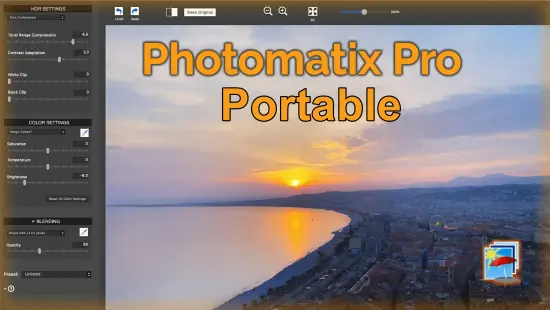
Photomatix Pro Portable is a premier high dynamic range (HDR) imaging software designed specifically for photographers seeking to master scenes with extreme contrast, merging multiple bracketed exposures into single, detail-rich images that capture the full tonal spectrum from deepest shadows to brightest highlights.
Whether working with landscapes where foreground rocks demand shadow recovery while skies retain cloud textures, architectural shots balancing interior warmth against harsh window light, or real estate interiors revealing room details without blowing out exterior views, Photomatix Pro Portable delivers professional-grade tone mapping and exposure fusion algorithms that produce natural-looking or creatively stylized results.
Available as a standalone application or Lightroom plugin, this tool processes RAW, JPEG, or TIFF files with precision alignment, ghost removal, and batch automation, making it indispensable for pros and enthusiasts aiming to transcend camera sensor limitations without expensive tripods or complex post-processing workflows.
HDR Merging Fundamentals
Photomatix Pro Portable begins every workflow with intelligent bracketed exposure merging, automatically loading sets of 2-10 images (typically ±1, ±2 EV spacing) and computing 32-bit floating-point HDR intermediates that preserve every photon captured across the sequence. Unlike basic stacking, its algorithms employ local tone operators to prevent haloing and noise amplification, ensuring smooth gradients in skies or foliage transitions. Tripod-free handholding works seamlessly via source image alignment—perspective correction, 2D scaling, or feature matching compensates for camera shake, even in burst-mode handheld sequences.
Ghost removal stands out as a flagship capability, detecting motion between frames (pedestrians, waving trees, moving cars) through difference mapping and offering three modes: automatic (AI-driven selection of cleanest source regions), manual selection (click-to-choose static frames per ghosted area), and advanced masking (paint precise boundaries with adjustable brushes). Saved ghost masks persist across sessions or batches, accelerating reprocessing of tricky scenes like busy streetscapes or wildlife.
Single-image processing extends utility beyond brackets: feed a lone RAW, and Photomatix simulates derived exposures via intelligent demosaicing, fusing them for subtle HDR enhancement. JPEG singles gain contrast boosts or painterly looks, ideal for scanned prints or smartphone shots lacking dynamic range.
Tone Mapping Methods
Six distinct tone mapping styles provide a spectrum from photorealistic to artistic, each with dedicated sliders for fine control:
Details Enhancer: Excels in natural realism, locally boosting microcontrast in foliage, bricks, or fabric textures while compressing global dynamic range. Strength, saturation, and light smoothing sliders tame over-enhancement, with color saturation recovery preventing desaturation in neutrals.
Realistic (Two Variations): Prioritizes faithful reproduction, blending exposures via luminance-guided fusion. Subtle adjustments yield even illumination across rooms or landscapes, with white point clipping prevention and shadow filling that avoids muddiness.
Painterly: Infuses artistic flair with brush-stroke simulation and s-curve remapping, ideal for surreal skies or metallic sheens. Canvas texture overlays and vibrancy boosts create gallery-worthy pieces.
Surreal and Grunge: Push boundaries with intensified local contrast, glow effects, and vignette darkening—perfect for dramatic urban decay or fantasy realms. Temperature shifts and highlight tuning craft moody atmospheres.
Each method previews instantly with zoomable 100% views, split-comparison toggles, and luminance histograms revealing clipped channels pre/post-process.
Preset System and Customization
Over 40 factory presets span categories—Natural, Architectural, Landscape, Real Estate, Artistic—each thumbnail-previewed for rapid selection. “Real Estate Bright” balances warm interiors with exterior light; “Landscape Enhanced” recovers petal details under harsh sun. Users tweak via 20+ sliders (strength, light smoothing, white/black points, midtone contrast, color tweaks) then save as custom presets, exportable for team consistency or importable from community shares.
Batch presets automate workflows: apply “Twilight Natural” to 100 sunset brackets, overriding per-image if ghosts demand. Interactive batch previews individual results before committing, adjusting strength globally or selectively.
Finishing Touches Suite
Post-merge refinement polishes outputs: Contrast Optimizer selectively boosts local/microcontrast without global shifts; Sharpening applies intelligent edge enhancement (amount, radius, threshold) avoiding halos; Crop & Straighten auto-detects horizons or manual drags levels buildings; Perspective Correction fixes converging lines in architecture via vertical/horizon sliders.
Color tools include white balance eyedroppers, vibrancy/saturation curves, and temperature/tint wheels. Vignetting adds subtle darkening, noise reduction smooths high-ISO shadows non-destructively.
Batch Processing Powerhouse
Interactive Batch elevates high-volume shoots: drag folders of bracketed sets (auto-grouped by filename timestamps or EXIF), preview preset effects thumbnail-by-thumbnail, tweak sliders per image or globally, then process overnight. Selective ghost handling applies saved masks; output naming schemes embed dates/sequences (“HDR_Building_001_2026-02-20.tiff”). Lightroom plugin integrates directly—select brackets in Filmstrip, Edit In → Photomatix, roundtrip edits non-destructively.
Automated Watch Folders monitor imports (e.g., card readers), triggering merges with default presets while you edit elsewhere. DNG output (32-bit HDR, 16/8-bit tone-mapped) feeds Photoshop/Lightroom for further layers or curves.
File Format and Camera Support
Universal RAW decoding via libraw handles Canon CR3, Nikon NEF/Z-RAW, Sony ARW, Fujifilm RAF, Panasonic RW2, and 500+ models, with lens profiles auto-correcting distortion/vignetting. Outputs span 8/16-bit TIFF (multi-layer), PNG, JPEG (progressive), OpenEXR (HDR floating-point), DNG (editable linear gamma). Batch exports size variants (web/print) with watermarks or metadata embeds.
Performance and Workflow Efficiency
GPU-accelerated previews (OpenCL/CUDA) render adjustments fluidly on modern cards, batch processing scales multi-core (16-thread i9 merges 50 sets/hour). 64-bit architecture handles 100MP+ panoramas, M1/M2 native on macOS plugin. Footprint stays lean—500MB RAM typical, autosave prevents crashes.
Standalone interface offers dark UI, resizable previews, before-after splits, loupe zooms. Keyboard shortcuts (Cmd+T tone map, G=ghost) accelerate muscle memory; workspaces save layouts (“Real Estate,” “Landscape”).
Real Estate and Architectural Workflows
Specialized for interiors: Real Estate Preset floods rooms evenly, removes window glare, enhances textures (wood floors, fabrics). Vertical Perspective straightens skyscrapers; batch processes MLS listings overnight. Twilight mode balances artificial lights with dusk skies, shadows filled naturally.
Landscape and Creative Photography
Landscape presets recover petal veins, bark details, distant mountain haze without flatness. Creative fusions yield ethereal fog or metallic waters, blending fusion methods for hybrid realism.
Integration and Extensibility
Lightroom/Aperture/Darktable plugins embed seamlessly; Photoshop actions script merges. Command-line batching automates servers; SDK hints at custom plugins.
Use Cases Across Genres
Landscape Photographers: Merge dawn brackets revealing dew drops to fiery sunrises.
Architectural Shooters: Balance cathedral stained glass against stone shadows.
Real Estate Pros: Virtual tours with even room lighting, no flash artifacts.
Portraitists: Single-image HDR softens skin tones, recovers backdrop details.
Astrophotographers: Stack Milky Way exposures, tame star halos.
Product Shooters: Even illumination on glossy packaging.
Workshops report 3x faster edits vs manual blending.
Color Management Precision
sRGB/Adobe RGB/ProPhoto profiles embed accurately; soft-proofing previews print gamut. White/black point pickers clip warnings via histograms.
Automation and Scripting
Preset chaining sequences merges→tone map→sharpen→export. Watchfolder rules tag outputs by folder (e.g., “Client_Bridal_HDR”).
Accessibility and Learning
High-contrast previews, scalable UI, tooltips. Tutorials cover bracketing setups (AEB dials), 100+ sample brackets downloadable. Forums share presets.
Features:
– Merge to HDR, Tone Mapping and Exposure Fusion
– Automatic Alignment of hand-held photos
– Automatic Ghost Removal and Selective Deghosting tool
– Options for real estate photography
– Automation with Batch Processing
Benefits for professional photographers:
– Saving on lighting equipment. No need to acquire expensive lighting equipment -and carry it- when you shoot high contrast scenes. Just enable the Auto Exposure Bracketing feature of your camera, and let Photomatix merge your photos into an image with extended dynamic range.
– Great pictures on cloudy days. Shadowless hazy sunlight or an overcast sky usually results in dull-looking photographs. The tone mapping tool of Photomatix can turn them into great-looking images. Check out this image as an example.
– Saving time in post-processing. Photomatix Pro Portable is designed for productivity — automatic blending, unlimited stacking, easy comparison of results and batch processing save hours of masking and layers work in image editing programs.
– Well exposed panoramas. A panoramic scene is almost always a high contrast scene — you can’t limit your view to areas with the same brightness when shooting a 360° panorama. By taking views under several exposures and processing them in Photomatix Pro Portable, you can create a panorama that will show details in both the dark and bright areas of the scene. Photomatix Pro Portable offers both exposure fusion (also known as exposure blending) and HDR tone mapping.
HDRsoft Photomatix Pro Portable 7
Batch with preview
This new interactive feature lets you see a preview of each HDR image before batching bracketed photos. You can also adjust each image by applying a different preset or HDR settings. This is particularly useful when processing photos of scenes with varying lighting conditions.
Save ghost removal selection
The selective ghost removal feature adds an option to save the areas marked for deghosting. This avoids to start over again when you need to merge the same bracketed photos. It also allows you to use the ghost removal selection for batching.
Customizable watermark tool
You can add your own text watermark to images with the new watermark tool, with options to select the font, size, layout, and position of the watermark.
Save HDR images as 32-bit DNG
Version 7 adds the option to save images in DNG format, including 32-bit DNG for the merged HDR image.
Start batching via drag & drop
You can now initiate the batch processing by drag-and-drop or browsing bracketed photo sets.