
Portable IObit Smart Defrag PRO 12.1.0.619 Multilingual
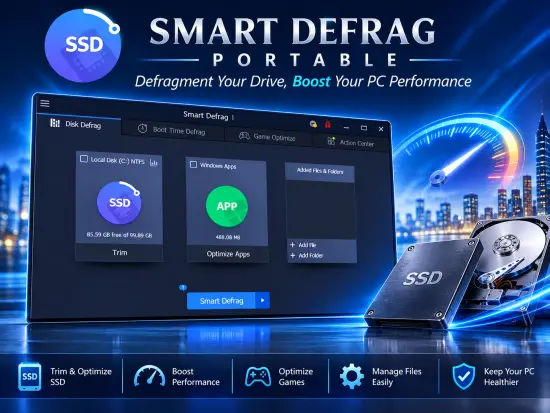
IObit Smart Defrag Pro Portable is a comprehensive disk defragmentation and optimization utility designed to help Windows users maintain better storage performance, improve file accessibility, and keep their computers running smoothly. Combining intelligent disk analysis, advanced defragmentation technology, automated maintenance, and specialized optimization features, the application provides a convenient solution for managing traditional hard drives and maintaining an efficiently organized storage environment.
Over time, everyday computer activities can gradually affect the way information is stored on a hard disk. Installing applications, downloading files, editing documents, updating Windows, copying folders, and deleting unnecessary data all contribute to changes in the physical arrangement of information. On traditional mechanical hard drives, files may become divided into multiple fragments distributed across different locations on the disk. Consequently, the drive may need additional time to retrieve the information required by Windows and installed applications.
This phenomenon, commonly known as disk fragmentation, can contribute to slower file access, longer application loading times, and reduced responsiveness, particularly on computers that rely heavily on conventional HDD storage. Regular disk maintenance can help address these problems by reorganizing fragmented information and creating a more efficient arrangement of stored data.
IObit Smart Defrag Pro Portable brings several disk optimization technologies together in one accessible interface. Rather than concentrating exclusively on conventional defragmentation, the software provides different optimization approaches for individual files, entire drives, available disk space, large files, games, and selected system components.
Another important aspect of the application is automation. Users can configure maintenance routines to operate automatically or according to a predefined schedule, reducing the need to remember to perform manual maintenance. Its boot-time defragmentation functionality also makes it possible to process certain system files that cannot easily be modified while Windows is running.
With its combination of intelligent analysis, flexible optimization methods, background operation, and straightforward controls, IObit Smart Defrag Pro Portable offers a practical maintenance environment for users who want greater control over their computer’s storage organization.
Intelligent Disk Defragmentation Technology
The main purpose of IObit Smart Defrag Pro Portable is to analyze storage devices and reorganize fragmented files to improve data accessibility. Its defragmentation engine examines the organization of information stored on compatible drives and identifies opportunities to consolidate fragmented data.
When a file is fragmented, its contents are distributed across multiple physical locations rather than being stored together. On a mechanical hard drive, the read/write mechanism must move between these locations to retrieve the complete file. Although modern hardware and operating systems are designed to handle fragmentation, excessive fragmentation can introduce unnecessary mechanical activity and additional access delays.
The application addresses this situation by reorganizing fragmented files into more continuous storage locations whenever appropriate. This can reduce the amount of physical movement required to access information and help improve overall disk responsiveness.
Users can analyze their drives before starting an optimization operation. This provides an overview of the current storage condition and helps determine whether maintenance is necessary. Instead of immediately launching a lengthy operation, users can first evaluate the available information and select an appropriate optimization method.
The intelligent defragmentation engine is designed to balance optimization effectiveness with operational stability. Different storage conditions may require different approaches, and the software provides several methods to accommodate these requirements.
For computers containing large collections of documents, applications, multimedia files, archives, and games, maintaining a more organized HDD can contribute to a smoother everyday experience.
Comprehensive Hard Drive Optimization
IObit Smart Defrag Pro Portable extends beyond basic file consolidation by offering additional optimization techniques intended to improve the organization of storage devices.
A conventional defragmentation operation concentrates on fragmented files, whereas broader disk optimization can also consider how information is arranged and how efficiently available storage space is organized.
The application provides dedicated optimization options for supported drives, allowing users to choose between different maintenance approaches depending on their requirements.
Its intelligent optimization technology can arrange files according to their access frequency, helping prioritize frequently used information. This approach is particularly relevant to traditional mechanical hard drives, where the physical location of stored information can influence retrieval performance.
By organizing commonly accessed files more efficiently, the application aims to reduce unnecessary access delays and improve the responsiveness of frequently used applications.
The optimization process can also address fragmented free space. When available storage space is scattered into numerous smaller sections, writing large files may become less efficient. Consolidating suitable areas of free space can help create larger continuous storage regions for future operations.
These techniques make the application useful for users who regularly install software, download large files, work with multimedia projects, or maintain extensive collections of documents and archives.
Automatic Defragmentation and Scheduled Maintenance
One of the most convenient features of IObit Smart Defrag Pro Portable is its support for automated disk maintenance.
Regular optimization is easier to maintain when it does not depend entirely on manual intervention. Instead of opening the application every time a drive needs attention, users can configure automatic maintenance routines to perform selected operations in the background.
Automatic defragmentation helps maintain drive organization while reducing the amount of time users spend managing storage manually. The application can perform suitable operations during idle periods, helping minimize interruptions during normal computer use.
Scheduled defragmentation provides another level of flexibility. Users can establish maintenance routines according to their preferred working habits and computer usage patterns.
For example, a computer used primarily during office hours could be scheduled for maintenance outside working periods. Similarly, a personal computer used for entertainment and gaming could perform suitable optimization tasks when it is not actively being used.
This approach is particularly useful for computers that remain operational for extended periods and frequently receive new files or application updates.
Automated maintenance also helps establish a consistent approach to disk management. Rather than waiting until a drive becomes noticeably fragmented, users can maintain a more organized storage environment through regular optimization.
The application is therefore suitable for both experienced users who prefer customized maintenance routines and less technical users who want a simpler, largely automated solution.
Boot-Time Defragmentation for Windows System Files
Some Windows system files are continuously accessed or protected while the operating system is running. As a result, conventional defragmentation operations may not be able to reorganize every selected component during normal Windows operation.
IObit Smart Defrag Pro Portable addresses this limitation through its boot-time defragmentation functionality.
Boot-time defragmentation allows selected files to be processed before Windows has fully started. Because these files are not being actively used by the running operating system, the application can perform maintenance operations that would otherwise be restricted.
This capability is particularly useful for certain important system components and files that are difficult to optimize through conventional maintenance procedures.
The objective is to improve the organization of selected Windows-related files and potentially contribute to more efficient startup operations.
For users who want a more thorough disk maintenance routine, boot-time defragmentation complements ordinary optimization by extending maintenance beyond the files that can be processed while Windows is active.
It is important to understand that actual startup improvements depend on several factors, including the storage device, Windows configuration, installed applications, and the condition of the computer. Nevertheless, having access to a dedicated boot-time maintenance feature provides additional flexibility when managing supported HDD-based systems.
Faster File Access and Improved Application Responsiveness
The organization of stored information can influence how efficiently a mechanical hard drive retrieves files.
When frequently accessed files are fragmented, applications may require additional disk operations to load the information they need. This can become particularly noticeable when launching larger applications, opening extensive projects, or accessing frequently used collections of files.
IObit Smart Defrag Pro Portable is designed to improve this situation by reorganizing fragmented information and optimizing selected files.
The application focuses on making storage access more efficient rather than changing the contents of the files themselves. Documents, photographs, videos, application data, and other stored information remain intact while their physical arrangement is optimized.
Improved file organization may contribute to shorter loading times and a more responsive experience on computers where HDD fragmentation is a relevant performance factor.
The benefits can vary considerably depending on the computer’s hardware and workload. Systems equipped with modern SSDs, for example, generally experience different storage-related limitations than computers using traditional mechanical drives.
For HDD-based computers, however, regular maintenance can remain an important part of long-term system management.
Large File Defragmentation and Storage Optimization
Large files can present particular challenges when maintaining an efficiently organized hard drive.
Modern computers frequently store large video recordings, high-resolution photographs, installation packages, backup archives, virtual machine images, game resources, and multimedia projects. These files may occupy substantial storage space and can become fragmented as they are repeatedly modified or moved.
IObit Smart Defrag Pro Portable includes specialized large-file optimization functionality intended to improve how selected large files are organized on supported drives.
Its dedicated large-file defragmentation algorithm is designed to reduce unnecessary read/write latency by arranging suitable data more efficiently.
This functionality can be especially relevant to users working with extensive multimedia collections, large archives, software development projects, and other storage-intensive workloads.
The application also provides a more targeted approach to disk maintenance, allowing optimization to concentrate on selected files and storage locations instead of always processing an entire drive.
By combining conventional defragmentation with specialized large-file optimization, the software provides a broader set of maintenance possibilities for computers that regularly handle substantial amounts of data.
Game Optimization for a Smoother Gaming Experience
Games are among the applications that can make intensive use of storage devices.
Modern PC games frequently contain large collections of textures, audio resources, models, configuration files, and other assets. These files can occupy many gigabytes and may be accessed repeatedly while a game is launching or during gameplay.
When game files are fragmented on a traditional HDD, loading the required resources may involve additional disk activity.
IObit Smart Defrag Pro Portable includes game-oriented optimization capabilities designed to improve the organization of selected game files and help reduce unnecessary storage access delays.
Its optimization approach is intended to make relevant game data more efficiently accessible, potentially contributing to faster loading operations on compatible HDD-based systems.
This feature can be useful for gamers maintaining large libraries of installed titles, particularly when games are frequently updated, installed, removed, or moved between storage locations.
Rather than treating all files identically, the application provides targeted optimization options that address the specific requirements of game-related data.
It is worth noting that disk optimization cannot independently increase graphics performance, improve network latency, or eliminate limitations caused by insufficient memory or processing power. Its contribution is concentrated on storage organization and file accessibility.
Nevertheless, for computers using mechanical drives, maintaining an organized collection of game files can be a useful part of a broader performance maintenance routine.
Intelligent File and Free Space Optimization
Another important component of IObit Smart Defrag Pro Portable is its ability to optimize selected files and available storage space.
A hard drive is constantly changing as files are created, edited, downloaded, moved, and deleted. These activities can leave the remaining free space distributed across different areas of the disk.
This situation can make it more difficult to allocate continuous storage regions for new files, particularly when dealing with large amounts of data.
Free-space optimization is designed to consolidate suitable available storage areas and create a more organized arrangement.
The benefit is not simply about increasing the total amount of available capacity. Instead, the objective is to improve how free space is distributed so that future file-writing operations can potentially be performed more efficiently.
The application also provides targeted file optimization options. Users can concentrate maintenance on selected files or folders when a particular location requires attention.
This flexibility can be useful for computers containing frequently modified working directories, multimedia libraries, large software installations, or other collections that undergo regular changes.
Combining file optimization and free-space organization provides a more comprehensive approach to managing traditional hard drives.
Disk Cleanup and Additional Maintenance Capabilities
Disk maintenance is not limited to reorganizing fragmented information. Unnecessary files can also occupy valuable storage capacity and contribute to an increasingly cluttered computer.
IObit Smart Defrag Pro Portable incorporates disk cleanup improvements designed to help identify and remove suitable unnecessary files.
Recovering storage space can be useful on computers with limited disk capacity, particularly when temporary files and other unnecessary data accumulate over time.
A more organized storage environment can make it easier to manage available capacity and maintain sufficient room for future downloads, application installations, and personal files.
Cleanup operations should always be performed carefully, especially when working with system-related locations or files that may still be required by installed applications.
The application brings these maintenance capabilities together with its primary disk optimization functions, offering users a more centralized environment for routine storage management.
User-Friendly Interface and Straightforward Operation
A disk optimization utility should provide powerful functionality without making routine maintenance unnecessarily complicated.
IObit Smart Defrag Pro Portable uses a graphical interface designed to make its principal operations accessible through clearly organized controls.
Users can inspect available drives, analyze their storage condition, select suitable optimization methods, and monitor the progress of ongoing operations.
The interface is intended to make disk maintenance understandable even for users who do not have extensive technical knowledge of file systems or storage management.
At the same time, its additional controls provide more flexibility for experienced users who prefer to customize maintenance operations.
The ability to select individual optimization methods helps users avoid unnecessary operations and concentrate on the areas that require attention.
Progress information also makes it easier to understand what the application is doing while a maintenance task is running.
This combination of accessible controls and configurable functionality makes the program suitable for different types of Windows users.
Portable Convenience and Flexible Usage
IObit Smart Defrag Pro Portable provides a convenient way to access disk maintenance functionality without relying on a conventional installation workflow in its portable package.
Portable software can be particularly useful for users who maintain several computers, prefer keeping selected utilities in a dedicated software collection, or want to access maintenance tools from removable storage.
A portable application package can simplify software organization and make it easier to keep frequently used utilities together.
Depending on the packaging and configuration, users can launch the program from an appropriate storage location without following the usual installation procedure.
This approach is practical for technicians, computer enthusiasts, and users who regularly manage multiple Windows systems.
It also offers greater flexibility when organizing a collection of maintenance applications and diagnostic utilities.
However, portable packaging does not eliminate Windows permission requirements. Some disk optimization operations require elevated privileges, and certain system-level functions may depend on Windows services, drivers, or additional components.
Users should also remember that the portable nature of a software package does not automatically guarantee that every configuration or license-related component will remain independent of the host computer.
HDD and SSD Compatibility Considerations
Storage technology has changed considerably over the years, and modern Windows computers may use traditional hard disk drives, solid-state drives, or a combination of both.
Understanding the differences between these devices is important when choosing an appropriate optimization method.
Traditional HDDs rely on rotating magnetic platters and mechanical read/write components. Consequently, the physical distribution of information can influence access times. Defragmentation can therefore provide meaningful benefits when a mechanical drive contains heavily fragmented files.
SSDs, on the other hand, use flash memory and do not depend on mechanical read/write heads. Their access characteristics are fundamentally different, and conventional HDD-style defragmentation is generally unnecessary.
Windows already provides storage optimization mechanisms that handle SSD maintenance differently, including the appropriate TRIM-related operations.
For this reason, users should allow the operating system and supported storage optimization tools to apply the correct maintenance procedures for SSDs rather than treating them like traditional mechanical drives.
IObit Smart Defrag Pro Portable is particularly relevant to users maintaining HDD-based computers. When managing mixed-storage systems, it is important to select suitable operations for each drive type and follow the manufacturer’s recommendations.
Everyday Uses and Practical Benefits
IObit Smart Defrag Pro Portable can be useful in several everyday situations.
Users who frequently install and uninstall applications may appreciate the ability to reorganize fragmented data and maintain a more efficient storage layout.
People working with large collections of photographs, videos, and documents can use its analysis and optimization functions to maintain supported HDDs.
Gamers can take advantage of targeted game optimization to help organize relevant files on traditional hard drives.
Office users may benefit from automated maintenance routines that reduce the need for manual disk management.
Technicians and advanced Windows users can also appreciate the combination of drive analysis, file optimization, boot-time defragmentation, and scheduled operations.
Its greatest value comes from combining these functions in one application rather than requiring users to rely on several separate utilities for routine HDD maintenance.
The results will depend on the existing condition of the storage device, the amount of fragmentation, the operating system, and the type of hardware being used.
Overall Performance and Reliability
Maintaining an efficiently organized storage device is an important part of computer maintenance, particularly when using traditional mechanical hard drives.
IObit Smart Defrag Pro Portable provides a collection of tools designed to address several aspects of this task, including fragmented files, large-file organization, available storage space, game data, and selected Windows system files.
Its automated operation helps simplify routine maintenance, while manual optimization options give users greater control over individual operations.
The redesigned defragmentation engine and improved large-file algorithm introduced in the latest major generation focus on faster and more stable optimization, while additional cleanup improvements help users manage available storage capacity.
Although disk defragmentation cannot resolve every computer performance problem, it can be a useful maintenance procedure when fragmentation is contributing to slower access on HDD-based systems.
For SSDs, users should rely on the appropriate Windows optimization mechanisms and avoid unnecessary conventional defragmentation.
Overall, IObit Smart Defrag Pro Portable offers a practical combination of intelligent defragmentation, targeted optimization, automatic maintenance, and boot-time processing for users who want to keep compatible Windows storage devices organized and efficiently maintained.
Conclusion
IObit Smart Defrag Pro Portable is a versatile disk optimization utility that combines traditional defragmentation with more advanced maintenance capabilities.
Its intelligent defragmentation engine, automated scheduling, boot-time optimization, large-file handling, game optimization, and disk cleanup functions provide a comprehensive set of tools for managing compatible storage devices.
The application is particularly valuable for users who continue to rely on traditional HDDs and want to maintain a more organized storage environment without performing every maintenance operation manually.
Its accessible interface makes everyday operations straightforward, while its additional optimization methods offer greater flexibility for users who need more control over disk maintenance.
Whether maintaining a personal computer, organizing a large collection of files, managing game installations, or performing routine Windows maintenance, IObit Smart Defrag Pro Portable provides a centralized solution for improving storage organization and supporting a smoother computing experience.
Features at a Glance
- Advanced disk defragmentation engine for supported hard drives.
- Intelligent analysis of disk fragmentation and storage organization.
- Deep defragmentation and disk optimization capabilities.
- Automatic defragmentation during suitable idle periods.
- Flexible scheduled disk maintenance.
- Boot-time defragmentation for selected Windows system files.
- Specialized large-file defragmentation algorithm.
- Targeted optimization of selected files and folders.
- Intelligent file organization based on access frequency.
- Free-space consolidation and optimization.
- Dedicated game file optimization.
- Disk cleanup improvements for recovering unnecessary occupied space.
- Support for multiple storage devices.
- Centralized management of available drives.
- Progress monitoring during optimization operations.
- Portable package for flexible software management.
- Multilingual interface.
- Windows-compatible disk maintenance environment.
- Additional performance improvements and stability enhancements.
Latest Changelog
IObit Smart Defrag 12.1.0.619 – November 2026
- Updated to the 12.1.0.619 release.
- Continued improvements to disk defragmentation and optimization.
- Enhanced storage maintenance experience.
- General performance and stability refinements.
Version 12.0.0 – Major Update
- Revamped the core defragmentation engine to deliver faster and more stable disk defragmentation.
- Redesigned the Large File Defrag algorithm to minimize disk read/write latency and help extend drive lifespan.
- Enhanced Disk Cleanup to recover more valuable storage space.
- Expanded language localization support.
- Introduced a new promotional lucky draw offering opportunities to win Smart Defrag Pro licenses and exclusive discounts on IObit software.
- Implemented general performance improvements.
- Fixed various known bugs.