
Portable Rain Cleaner Pro 2.9.1 Multilingual
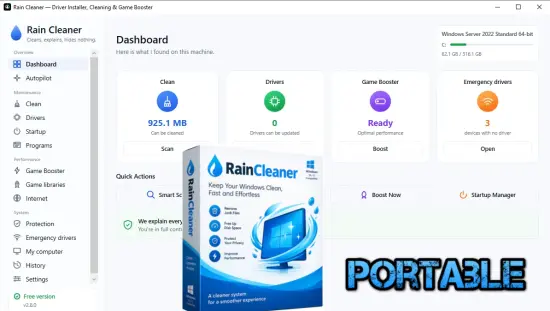
Rain Cleaner Pro Portable finds what is filling your drive, keeps your drivers current, and frees up resources while you play. Before anything is deleted, it shows you what it found and why it can go.
You decide when and what.
For each tool below: what it does, what you get from it, and what you can actually do with it.
Cleaning
Finds the files that take up space for no good reason: caches, update leftovers, old crash reports. For every item you see what it is, where it came from and what changes if you delete it. Nothing is removed on its own.
Drivers
Checks your drivers through Microsoft’s catalogue — those have been through certification and it is the safest source. Sometimes the manufacturer releases a newer version first; then Rain Cleaner tells you and points you at their page. No “driver packs” from places nobody has heard of.
Game booster
Frees memory and lowers the priority of background programs while you play. The changes are temporary: stop the booster and everything goes back as it was. It does not promise a certain number of frames — that depends on the machine.
Emergency drivers
A familiar situation: you reinstall Windows and the network driver is missing — and you cannot download it, because there is no internet. Rain Cleaner carries basic Wi-Fi and network drivers and can install them offline, from a USB stick if needed.
Ransomware protection
A few decoy files are placed in your folders. You never touch them, but a program encrypting the folder runs into them early, because it works through the files in order. If it starts changing them, Rain Cleaner sees it: it takes a disk snapshot and stops the program that is writing. This is not an antivirus and does not replace one.
Internet
DNS is how Windows finds the right server when you open a site. If your DNS is slow, every first visit is slow. Rain Cleaner sends a few real queries to several DNS services and shows you which answers fastest, in milliseconds. The speed of the connection itself does not change.
Action history
Everything Rain Cleaner changes is written down: what it was before, what it became, and whether it can be undone. You can export the history as a page or as JSON to send to someone who helps you — user names, the computer name, serial numbers and addresses are left out.
Release Notes:
- Rain Cleaner Pro is here: Fix My PC, Make My PC Faster, Never Run Out of Space, Update Everything and Undo Anything.
- Undo from the history: DNS, network settings, boost, startup entries and quarantined files go back with one click.
- The free version keeps everything the website lists as free. Installing every driver at once and the scheduled autopilot, open until now, are now part of Pro.
- Licence activation fixed: keys activated again (the server signed its answers with the product’s old name).
- The menu fits without a scrollbar.
- Redesigned Pro screen: it fits without scrolling, with bigger prices, new buttons and shorter feature cards.
