Portable Aurora 3D Text & Logo Maker 20.01.30 Multilingual
Aurora 3D Text & Logo Maker Portable is a focused design application built for creating eye-catching 3D text, logo graphics, and polished promotional visuals with a workflow that stays approachable even when the finished result looks highly refined. The program brings together template-based design, direct object editing, material control, lighting, and animation in one compact environment, allowing users to build branded titles, channel intros, product labels, presentation graphics, and decorative typography without needing to assemble a complex production pipeline. Its portable nature makes it especially convenient for users who move between workstations or prefer a self-contained creative tool that can be launched from a folder or removable drive without a traditional installation process. Because all project work stays close to the application itself, the software fits neatly into portable creative setups, temporary editing environments, and shared computers where keeping the system untouched matters just as much as the result on screen.
Visual Design Focus
The main strength of Aurora 3D Text & Logo Maker Portable lies in its ability to turn plain text into dimensional artwork with a relatively short learning curve. Instead of forcing the user to build every object from scratch, it offers a framework where the essential visual decisions are easy to reach: shape, depth, surface, lighting, color, and motion. That makes the software suitable for users who want a practical design tool rather than a full general-purpose 3D modeling environment. It is especially attractive for projects where the goal is not technical modeling but presentation, branding, and visual identity. The result can range from a glossy logo with reflective surfaces to a bold title card with sharp extrusion, bevels, shadows, and animated motion.
The design philosophy is centered on speed and clarity. Users can begin with a blank canvas or choose from ready-made templates, then adjust the text to suit the desired style. This structure lowers the barrier for people who need polished graphics but do not want to spend hours learning advanced object construction techniques. At the same time, the available controls provide enough depth to support more elaborate creative work. That balance between immediacy and flexibility is one of the reasons the application remains useful for a wide range of desktop publishing, video branding, and graphic presentation tasks.
Text Creation Tools
Text creation is at the heart of the application. Aurora 3D Text & Logo Maker Portable allows text to be inserted, edited, and transformed into a three-dimensional object that can be styled in numerous ways. The user can adjust the font, size, spacing, depth, curvature, and other typographic properties to build a custom visual identity. A simple word can become a metallic badge, a neon sign, a beveled headline, or a glossy emblem depending on how the settings are combined. Since the text remains editable, it is easy to refine wording and structure during the design process without starting over.
The text tools are particularly useful when building logos based on stylized lettering. Some projects depend on shaped letters with strong highlights and shadows, while others require a more understated title treatment that remains readable at smaller sizes. Aurora 3D Text & Logo Maker Portable supports both approaches by allowing the user to tune the text for readability, prominence, and visual style. The software also makes it possible to work with multiple text elements in a single composition, which is important when a logo needs separate parts, different color regions, or layered typographic effects. This ability to break a word into design segments opens the door to more expressive layouts and more precise art direction.
Logo Construction Workflow
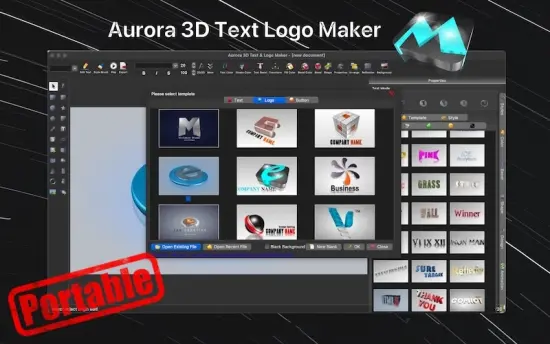
Logo creation in Aurora 3D Text & Logo Maker Portable follows a practical workflow that encourages experimentation without making the process feel intimidating. Users can start from a library of templates or build a logo from an empty project, then adjust the fundamental components piece by piece. That makes the program useful for brand marks, website headers, social media graphics, channel branding, and presentation elements that need a more striking appearance than flat typography alone can provide. Because the interface is centered around visual editing, changes appear in a way that is easy to inspect and refine immediately.
One of the advantages of this workflow is the ability to treat each element in a logo as a separate visual component. Letters, shapes, and decorative parts can be edited individually or grouped when a unified treatment is needed. This is helpful for complex identities where some characters require different color treatments, different depths, or unique surface textures. The software supports the kind of careful tweaking that makes a logo feel intentional rather than generic. It is not simply about adding effects; it is about building a composition that feels designed from the start.
For users creating symbolic marks, the application also supports the combination of text with graphical forms. A logo can include icons, abstract shapes, and stylized lettering arranged into a single coherent object. This is ideal for cases where the final image must convey an idea, a name, and a mood all at once. The workflow is flexible enough to support corporate branding, event titles, content branding, and decorative identity pieces while remaining straightforward enough for occasional users to handle comfortably.
Templates and Presets
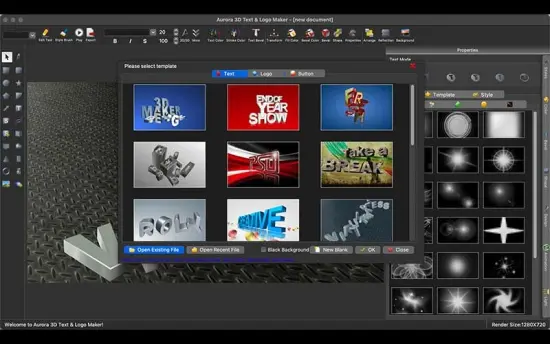
Templates are one of the most practical features in Aurora 3D Text & Logo Maker Portable because they let users move quickly from concept to result. Rather than building a design entirely by hand, users can begin with a prebuilt structure that already contains a useful visual arrangement, then adjust the text, materials, colors, and shape to match the intended style. This is especially useful when producing visuals under time pressure or when working from a specific aesthetic direction. A good template provides a reliable starting point while still leaving room for individual customization.
The preset approach also helps less experienced users learn the software more comfortably. By opening a template and changing one control at a time, it becomes easier to understand how a surface responds to changes in light, how depth affects readability, or how color choices influence the tone of a composition. In that sense, templates are not just shortcuts; they are also an educational tool that helps users explore the relationship between the software’s different visual systems. Over time, this can lead to more confident and more original compositions because the user has seen how the parts interact in practice.
Templates can be useful in professional settings as well, especially when brand consistency matters. A user might reuse a preferred layout, then adjust the wording and color scheme for a new project while preserving a familiar visual language. This saves time and helps maintain continuity across related assets. Whether the goal is consistency or quick turnaround, the template system gives the software a practical advantage in real-world production work.
Materials and Surface Styles
The software’s material system is central to the visual appeal of its output. Aurora 3D Text & Logo Maker Portable gives users a way to shape not only the form of a design but also the surface character of that design. A text object can be made to resemble polished plastic, brushed metal, glass, stone, or other stylized finishes depending on the settings chosen. The surface treatment affects how light behaves across the object, which in turn changes the overall impression of the design. Even a small adjustment in gloss or reflection can move the result from playful to formal, from futuristic to classic, or from soft to dramatic.
Material control is especially important in logo design because the surface often carries part of the brand personality. A shiny reflective finish can suggest energy and modernity, while a matte surface may feel more understated and professional. Textures can add depth and variety, helping a design avoid flatness even when the composition itself is simple. Aurora 3D Text & Logo Maker Portable gives the user enough control to fine-tune these details without turning the process into technical material engineering. That makes the software accessible while still allowing for rich results.
The ability to apply distinct material choices to different parts of a composition expands the creative range even further. One part of a title can have a metallic edge while another part uses a clean colored face, or a logo can combine several material tones to achieve a more layered identity. This kind of surface contrast is often what gives an otherwise simple design its visual rhythm. The software supports that kind of controlled variation in a way that feels practical rather than cumbersome.
Lighting and Depth
Lighting plays a major role in the final appearance of any 3D text composition, and Aurora 3D Text & Logo Maker Portable offers controls that make this aspect easy to shape. By changing the position, intensity, and character of the light sources, users can bring out different contours and surface responses in the design. Strong directional light can emphasize sharp edges and extrusion depth, while softer light can create a smoother and more elegant appearance. Because the software shows these changes in the composition itself, it becomes easier to refine the mood and clarity of the result.
Depth settings are equally important. A small amount of extrusion can make text feel subtly dimensional, while deeper structures create a stronger sense of physical presence. The correct balance depends on the purpose of the design. A logo that must sit quietly in a banner may need controlled depth and restrained highlights, while a title meant to serve as a centerpiece can benefit from strong extrusion and prominent bevels. The application supports that kind of decision-making by making depth adjustments easy to explore visually.
Lighting and depth also work together to improve readability. Well-placed light can separate overlapping elements, bring out edges, and improve contrast against the background. This is particularly useful in promotional graphics where a logo or title must remain legible even while appearing decorative. By managing both depth and light, users can produce results that are attractive without becoming visually confusing.
Animation Possibilities
Aurora 3D Text & Logo Maker Portable is not limited to static graphics. It also supports animation features that allow the user to create motion-based title sequences and logo presentations. This makes it suitable for video intros, outro cards, promotional clips, and presentation visuals that need a sense of movement. Animation can transform a static logo into a more memorable visual event, especially when paired with changes in camera angle, object rotation, lighting transitions, or reveal effects.
The animation workflow is helpful for users who need motion graphics but want to keep the process manageable. Instead of constructing a complex timeline from scratch, the software provides a way to animate the object and preview the movement within the same design environment. That means a user can focus on how the logo appears as it moves through space rather than wrestling with a separate motion pipeline. For many branding tasks, this is exactly the right level of motion control: enough to create impact, but simple enough to remain efficient.
Animation also enhances the perceived quality of the final project. A slight rotation, a shine sweep, or a transition in lighting can make a logo feel far more polished than a static version alone. This is useful when the design will appear in a video, a digital presentation, or a web intro where movement naturally attracts attention. The software makes these effects approachable so that users can add motion without needing specialized animation training.
Export and Presentation
Once a project is complete, Aurora 3D Text & Logo Maker Portable gives users ways to export their work into practical formats for broader use. That is important because the software is often used not just for viewing compositions inside the application, but for producing assets that will be inserted into other creative workflows. A finished logo may need to be placed into a website header, a presentation slide, a social banner, or a video sequence. The export process ensures that the visual work can move cleanly into those contexts.
The application’s presentation focus means that output is intended to look good in real-world use rather than only inside the editor. The design can be framed, refined, and prepared with its destination in mind. If the asset is going into a video production, the user can create a logo that feels dramatic and attention-grabbing. If the goal is a simple branded heading for a corporate slide, the same software can produce something cleaner and more restrained. That adaptability makes the output relevant across many communication needs.
Because the project stays editable during the design phase, it is easy to revisit a composition and make adjustments before final export. This encourages iteration and improvement rather than forcing the user to settle on the first pass. The result is a more deliberate and more professional final graphic.
Portable Working Style
The portable version of Aurora 3D Text & Logo Maker Portable is valuable because it supports a mobile and self-contained creative routine. Users can keep their design environment together with their assets, preferences, and project work in one place, which is practical when moving between studio machines, office computers, or temporary workstations. This is especially useful for people who maintain a small toolkit of reliable applications and want to avoid repeated setup on every system they use.
A self-contained workflow also suits users who prefer to keep creative tools separated from the wider system environment. The software can be launched directly from its own folder, used when needed, and set aside afterward without leaving a heavy footprint behind. That can be particularly appealing in shared or managed environments where installing additional software is inconvenient. The portable approach helps the program feel immediate and flexible, which aligns well with its visual, project-oriented purpose.
Because the application is compact in operating style, it can fit naturally into a broader production routine that includes image editing, video assembly, presentation creation, or branding preparation. Instead of being a one-off novelty, it becomes a reusable part of the user’s toolkit for generating strong decorative typography and logos on demand. That makes the portable format more than a convenience feature; it helps define how the software is used in practice.
Creative Use Cases
Aurora 3D Text & Logo Maker Portable serves a wide range of creative use cases. It can be used for YouTube channel branding, event titles, webinar visuals, product showcase graphics, title screens for videos, branded signatures, and simple promotional art. In each case, the software provides a direct path from idea to polished visual output. Users who need fast results can rely on templates and preset styles, while users who want a more individualized look can build up the design from basic elements and fine-tune the details.
It is also suitable for small businesses and freelancers who want to produce clean branding materials without commissioning every graphic from outside sources. A logo or wordmark can be shaped into something visually expressive and reused across different forms of communication. The 3D treatment adds a sense of presence that flat text often lacks, which can be useful when trying to establish a stronger identity or to stand out in a crowded visual space.
For educators, presenters, and content creators, the software can act as a quick way to generate polished title material that makes a project look more finished. A carefully built 3D title can improve the perceived quality of a presentation or video without requiring a long production timeline. That makes the application especially practical when visual impact matters but time is limited.
Ease of Use and Learning Curve
Despite its visual depth, Aurora 3D Text & Logo Maker Portable is designed to remain approachable. The interface is organized around the tasks that matter most in logo and text design, which means users are not forced to navigate a confusing array of unrelated tools. Instead, the software keeps the creative process centered on the object being designed. That makes it easier to understand how one adjustment affects the overall composition and reduces the chance of feeling lost in a complicated workspace.
The learning curve is further softened by the fact that the program provides visible feedback for most changes. When a user adjusts color, texture, depth, or lighting, the effect is visible directly in the design preview. This makes experimentation safer and more intuitive because the user can see what works before committing to it. As a result, the software encourages trial and refinement rather than rigid, one-directional editing.
For many users, this blend of immediacy and visual clarity is the ideal way to work. It allows fast progress without sacrificing the opportunity to develop something refined. Beginners can create attractive results early on, while more experienced users can push the software further by combining multiple effects and building custom compositions.
Conclusion
Aurora 3D Text & Logo Maker Portable is a practical and visually oriented application for producing 3D text, stylized logos, and motion-ready title graphics in a self-contained portable format. It combines template support, editable typography, depth controls, surface materials, lighting, and animation in a way that favors fast production without abandoning creative flexibility. That makes it useful for branding, presentations, web graphics, video intros, and decorative text design across a broad set of everyday creative tasks. Its portable structure adds an additional layer of convenience for users who move between computers or prefer a tool that stays self-contained and easy to carry. For anyone who wants a straightforward route to polished 3D typography and logo visuals, Aurora 3D Text & Logo Maker Portable offers a balanced mix of speed, style, and control.
Features at a Glance
- 3D text creation with editable fonts, size, spacing, depth, and shape control.
- Logo design tools for building branded graphics from text, shapes, and combined compositions.
- Template-based workflow for fast starts and repeatable design structures.
- Blank project support for fully custom logo and title creation.
- Surface material controls for glossy, matte, metallic, glass-like, and textured looks.
- Color editing for individual objects and grouped design elements.
- Lighting controls to shape highlights, shadows, and overall visual mood.
- Depth and bevel settings for more convincing dimensional text effects.
- Animation support for motion-based titles, logo reveals, and presentation visuals.
- Object grouping tools for managing complex multi-part compositions.
- Editable projects that remain easy to refine throughout the design process.
- Practical preview workflow with immediate visual feedback on changes.
- Suitable for branding, intros, banners, presentation graphics, and decorative typography.
- Portable working style that supports use from a folder or removable drive.
- Self-contained project workflow for users who prefer a compact creative setup.
- Accessible interface designed for fast results and manageable learning.
- Useful for both quick production and more detailed visual customization.