
Portable BitTorrent Pro 7.11.0 Build 47391
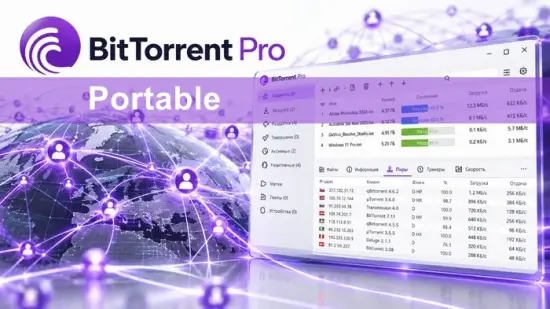
BitTorrent Pro Portable is a practical file-sharing application designed to make torrent downloading faster, more organized, and easier to control. Built around the BitTorrent peer-to-peer protocol, the software helps users download large files by receiving different pieces from multiple connected peers rather than relying on a single central server. This approach can improve transfer efficiency, reduce pressure on individual servers, and make large downloads more manageable.
The Portable edition is especially convenient for users who want to run BitTorrent Pro Portable from a removable drive, external storage device, or a selected folder without completing a traditional installation on every computer. This can be useful for technicians, students, travelers, and anyone who works across multiple Windows systems. Instead of repeatedly configuring the same torrent client, users can keep the application and its settings together in one portable location.
BitTorrent Pro Portable combines a familiar interface with advanced downloading controls. It supports multiple simultaneous transfers, bandwidth management, torrent prioritization, scheduling, remote management, and tools for monitoring the health of a torrent swarm. Its interface is suitable for beginners, while its deeper configuration options give experienced users more control over downloads and uploads.
What Is BitTorrent Pro Portable?
BitTorrent Pro Portable is a portable torrent client based on the BitTorrent ecosystem. A torrent client is software that communicates with other computers participating in a peer-to-peer network. When a user opens a torrent file or magnet link, the client identifies available peers, requests pieces of the selected content, checks those pieces, and assembles them into the completed file.
Unlike conventional downloads, which generally depend on one website or server, BitTorrent transfers data among multiple connected users. Each participant may download pieces from several sources at the same time. Once a piece has been received and verified, it can also be uploaded to other peers. This distributed approach is one of the main reasons torrent technology remains useful for large files, open-source projects, public datasets, software distributions, and other legitimately shared content.
BitTorrent Pro Portable adds convenience by placing the application in a self-contained folder. Users can store it on a USB flash drive, external hard drive, memory card, or another portable storage device. The exact behavior of portable settings depends on the distribution package and configuration, so users should obtain the software from a legitimate source and confirm that the package is intended for portable use.
Portable Torrent Software for Flexible Use
The biggest advantage of BitTorrent Pro Portable is mobility. A conventional installation ties program files and settings to a specific computer. A portable application can be moved between compatible systems, allowing users to keep their preferred interface settings, download preferences, queue organization, and bandwidth rules in one location.
This is useful in several situations:
- Working from more than one Windows computer
- Maintaining a dedicated torrent environment on an external drive
- Using a shared or temporary computer without a full installation
- Carrying a prepared download manager while traveling
- Testing torrent settings without changing the host system extensively
- Keeping downloads and application data together on external storage
A portable setup can also simplify backup. If the program configuration, torrent metadata, and unfinished downloads are stored in the same folder, users may be able to copy that folder to another supported device. Large active downloads still require adequate storage space, and moving them while they are running can cause errors. Pausing transfers before relocating the portable folder is a sensible practice.
Clean and Familiar User Interface
BitTorrent Pro Portable is designed around a traditional torrent-client layout. The main window generally presents the active transfer list in a central panel, while navigation options and categories appear along the side. Users can view downloading, completed, active, inactive, and queued torrents without searching through multiple menus.
The transfer list typically displays information such as:
- Torrent name
- Current download speed
- Current upload speed
- Progress percentage
- Estimated remaining time
- Number of connected peers
- Number of available seeds
- Downloaded and uploaded amounts
- Status and health
- Priority level
This arrangement makes it easy to understand what is happening at a glance. A user managing one download can keep the interface simple, while someone managing dozens of transfers can sort, filter, and prioritize the queue.
The interface also provides access to detailed information for individual torrents. Selecting a transfer may reveal its files, trackers, peers, activity history, and connection statistics. These details help users identify slow sources, unavailable pieces, stalled transfers, or files that have been excluded from the download.
Fast and Efficient Torrent Downloads
BitTorrent Pro Portable can download different portions of a file from multiple peers simultaneously. When a torrent has a healthy swarm, this may provide more consistent performance than a single-source download. The actual speed depends on many factors, including the number of seeds, peer availability, upload capacity, network congestion, storage performance, and the condition of the torrent itself.
The program supports multiple active downloads, allowing users to queue several files at once. This is useful when downloading a collection of documents, a software archive, a public video library, or a large group of related files.
Users can also prioritize certain transfers. For example, an important archive can be assigned higher priority while less urgent downloads remain active in the background. Priority settings help distribute available bandwidth according to the user’s needs rather than treating every torrent equally.
Bulk Downloading and Queue Management
One of the strongest features of BitTorrent Pro Portable is its ability to manage multiple torrent jobs. Instead of opening and monitoring each transfer separately, users can add many torrents to a single queue.
Queue management tools can help users:
- Limit the number of active downloads
- Limit the number of active uploads
- Set a maximum number of completed torrents
- Arrange transfers by priority
- Pause individual jobs
- Start selected torrents immediately
- Move queued items up or down
- Automatically begin the next transfer when one finishes
This is particularly useful for users with limited bandwidth or storage capacity. Running every torrent at full speed may create network congestion and reduce performance for browsing, video calls, gaming, or other online activities. A controlled queue often produces a better overall experience.
Adjustable Download and Upload Speeds
BitTorrent clients use both download and upload bandwidth. Uploading is an important part of peer-to-peer distribution because completed pieces can be shared with other users. However, unrestricted uploading may affect other applications that use the same network.
BitTorrent Pro Portable gives users the ability to set speed limits. A global limit can apply to all transfers, while individual torrent limits can be used for special cases. Users may also create different rules for downloading and seeding.
Examples of useful speed-management settings include:
- Reducing upload speed during work hours
- Allowing higher speeds overnight
- Limiting downloads when streaming media
- Giving one important torrent extra bandwidth
- Reserving network capacity for video meetings
- Temporarily stopping uploads on a metered connection
A scheduler can make these changes automatically at selected times. This lets users maintain faster transfers when the network is idle and reduce activity during busy periods.
Built-In Scheduling Tools
Scheduling is valuable for people who want torrent activity to follow a routine. Rather than manually starting and stopping downloads, users can create time-based rules.
A typical schedule may allow:
- Full-speed downloading during off-peak hours
- Reduced speeds during the daytime
- Upload-only periods for seeding
- No torrent activity during specific hours
- Automatic queue changes at scheduled times
Scheduling can also help reduce battery use on portable computers. Users may choose to run downloads only when the computer is connected to power. On desktop systems, scheduled activity can make better use of overnight periods without requiring constant supervision.
Torrent Health and Swarm Information
Before starting a transfer, it is useful to know whether a torrent has enough active sources. BitTorrent Pro Portable provides information about seeds, peers, trackers, and availability so users can evaluate a download.
A torrent with many seeds is generally more likely to complete reliably than one with no active seeds. A torrent can still make progress with a limited number of peers, but completion may be slow if certain pieces are unavailable. Health indicators can help users distinguish between a healthy transfer and one that is stalled because the swarm is inactive.
Detailed swarm information may include:
- Connected seed count
- Connected peer count
- Tracker responses
- Availability of individual pieces
- Current transfer rates
- Connection status
- Ratio between uploaded and downloaded data
These statistics are useful for troubleshooting. If a transfer remains at the same percentage for a long time, the problem may be a missing piece, an inactive tracker, limited peer availability, or a local connection restriction.
Selective File Downloading
Many torrent packages contain several files. Users may not always need everything included in a torrent. BitTorrent Pro Portable can allow individual files to be selected, skipped, or assigned different priorities.
For example, a torrent may contain:
- Several language versions
- Multiple video resolutions
- Optional documentation
- Bonus files
- Duplicate formats
- Separate installation packages
- Large files that are not needed immediately
Selective downloading can save storage space and reduce unnecessary network usage. Users can choose the files they need while leaving unwanted content unchecked or marked with a low priority.
This feature is especially helpful when storage space is limited on a portable drive. It also makes it easier to organize a large content collection without downloading every file in a package.
Magnet Link Support
Magnet links provide a convenient way to open torrent content without first downloading a separate torrent file. When a user clicks a magnet link, BitTorrent Pro Portable can receive the necessary metadata from the peer network and begin preparing the transfer.
Magnet links are useful because they are easy to share and can be opened directly from a web browser. Once the link is associated with the portable client, users can send it to BitTorrent Pro Portable with a single click or by copying and pasting it into the application.
As with torrent files, magnet links should be used only for content that the user is authorized to download and share. The technology itself is neutral, but the copyright status and distribution rights of the content remain important.
RSS Automation for Repeated Downloads
For users who regularly follow legitimate content feeds, RSS automation can reduce repetitive work. RSS support can monitor an approved feed and identify new torrent entries that match predefined rules.
A user may create filters based on:
- Title keywords
- File size
- Quality tags
- Category
- Episode or release information
- Minimum and maximum size
- Preferred file extension
When a new matching item appears, the client can add it to the queue automatically. This can be useful for public-domain media, open-source project releases, podcasts, educational materials, and other authorized distributions.
Automation should be configured carefully. Broad filters may add unwanted files, consume storage, or create excessive network activity. Setting size limits and reviewing the feed source can help keep automated downloads under control.
Remote Torrent Management
BitTorrent Pro Portable may support remote management through a browser or compatible mobile application, depending on the version and configuration. Remote access allows users to control the client without sitting in front of the computer running the downloads.
Remote features can include:
- Adding a torrent
- Pausing a transfer
- Resuming a download
- Removing a completed job
- Checking progress
- Viewing transfer speeds
- Managing the queue
This can be convenient when the download computer is located in another room or connected to a home network. Users should configure remote access carefully, use strong authentication, and avoid exposing management services directly to the public internet.
Integrated Media and File Handling
Some BitTorrent Pro editions provide media playback or file-conversion tools. These functions can make it easier to preview downloaded content or prepare files for compatible devices. Availability may differ between the Classic, Web, mobile, and premium editions.
A built-in media function can be useful when users want to check whether a video or audio file is complete before moving it to another application. File conversion may help create a more compatible version for a phone, tablet, television, or media player.
These tools are conveniences rather than replacements for full professional media software. Their value is that they keep basic playback and conversion tasks close to the download workflow.
Security and Responsible Downloading
BitTorrent Pro Portable should be used responsibly. Users should download software, media, documents, and other materials only from trustworthy sources and only when they have permission to access or share them.
The Pro edition may include features designed to help identify malicious files or block certain threats. However, no scanner can guarantee that every file is safe. Users should still maintain updated operating-system security tools, avoid suspicious torrent descriptions, and be cautious with executable files.
Good security practices include:
- Downloading from reputable, authorized sources
- Checking file names and extensions
- Avoiding unexpected executable files
- Scanning downloads before opening them
- Keeping the application updated when possible
- Using a separate folder for untrusted downloads
- Reviewing applications that request administrator access
- Avoiding unknown remote-access configurations
A torrent client is a transfer tool, not a guarantee that the content being transferred is safe or lawful.
Resource Usage and Portable Storage
BitTorrent Pro Portable is intended to remain relatively lightweight, but torrent activity can still use substantial network, processor, memory, and disk resources. Multiple high-speed transfers may place pressure on a hard drive, especially when many pieces are being written simultaneously.
Users can improve performance by:
- Limiting the number of active torrents
- Setting reasonable upload speeds
- Saving downloads to a fast drive
- Avoiding constant activity on a nearly full disk
- Pausing transfers during demanding tasks
- Using a reliable USB or external drive
- Safely ejecting portable storage after closing the program
- Keeping sufficient free space for incomplete downloads
Portable storage devices should not be disconnected while the application is writing data. Doing so may corrupt the active download or damage the file system.
BitTorrent Pro Portable for Beginners
New users can begin with a simple workflow:
- Open BitTorrent Pro Portable from its portable folder.
- Choose a legitimate torrent file or magnet link.
- Select the destination folder.
- Review the files included in the torrent.
- Start the download.
- Monitor progress in the main transfer list.
- Pause or remove the torrent when appropriate.
- Allow authorized files to seed if desired.
The default settings may be sufficient for basic use. After becoming comfortable with the interface, users can explore speed limits, scheduling, queue rules, file priorities, and remote management.
The most important beginner concept is that torrent downloading and seeding are connected. A completed download may continue uploading pieces to other peers. Users who want to control this behavior should configure upload limits, seeding rules, or automatic stop conditions.
BitTorrent Pro Portable for Advanced Users
Experienced users can take advantage of more detailed controls. These may include tracker management, peer inspection, connection preferences, queue rules, protocol options, proxy settings, scheduling profiles, and per-torrent bandwidth limits.
Advanced users may also organize downloads by category. For example, separate folders can be assigned to software packages, documentaries, Linux distributions, research data, and personal backups. Automatic category rules can reduce manual file management.
Another useful approach is to separate incomplete downloads from completed files. Incomplete content can be stored in a temporary directory, while finished downloads are moved automatically to a library folder. This keeps partially downloaded files from being mistaken for finished content.
Advantages of BitTorrent Pro Portable
BitTorrent Pro Portable offers several notable strengths:
- Portable operation from a selected folder or removable drive
- Support for torrent files and magnet links
- Multiple simultaneous downloads
- Bandwidth and speed controls
- Torrent and file prioritization
- Download scheduling
- Swarm-health information
- Selective file downloading
- Queue management
- RSS automation
- Remote management options
- A familiar interface for beginners
- Advanced controls for experienced users
- Optional premium features depending on the edition
Its combination of mobility and detailed transfer management makes it suitable for users who want more control than a basic browser download tool can provide.
Limitations to Consider
BitTorrent Pro Portable also has practical limitations. Portable operation may depend on the specific package, and some versions or features may be designed for installation rather than direct execution. Compatibility can vary by operating-system version and product edition.
The software also depends heavily on torrent health. A poorly seeded torrent may remain slow or incomplete regardless of the client’s settings. Network restrictions, firewall rules, router configuration, and storage performance can also affect results.
Users should review available features before choosing between BitTorrent Web, BitTorrent Classic, mobile editions, and premium plans. Some functions may be limited to certain platforms or paid editions. Users should also verify whether the portable package is legitimate and has not been modified by an unknown distributor.
Final Verdict on BitTorrent Pro Portable
BitTorrent Pro Portable is a versatile torrent-management solution for users who want portable access to a capable peer-to-peer downloader. Its combination of bulk downloading, transfer prioritization, speed limits, scheduling, selective file control, swarm statistics, and remote management makes it useful for both casual and advanced users.
The portable format adds flexibility by allowing the application to travel with the user. When stored on reliable media and used with sensible bandwidth, storage, and security settings, it can provide a convenient way to manage authorized torrent downloads across compatible computers.
For beginners, the straightforward transfer list and magnet-link support make it easy to get started. For experienced users, the queue controls, RSS automation, scheduling tools, and detailed statistics provide room for more sophisticated workflows. The most important considerations are obtaining the software from a trusted source, checking platform compatibility, and using the BitTorrent protocol only for content that is legal and properly authorized.
Features at a Glance
- Portable torrent client for flexible use
- Runs from a selected folder or compatible removable drive
- Supports torrent files
- Supports magnet links
- Downloads files from multiple peers
- Manages multiple torrents at the same time
- Provides download and upload speed controls
- Supports global and per-torrent bandwidth limits
- Includes torrent prioritization
- Supports file-level prioritization
- Offers queue management
- Includes scheduling tools
- Supports download and seeding schedules
- Displays seed and peer information
- Provides torrent-health and availability details
- Allows selective file downloading
- Supports automatic RSS-based downloads
- Offers remote torrent management options
- May include media playback features
- May include file-conversion tools in supported editions
- Helps organize incomplete and completed downloads
- Suitable for beginners and advanced users
- Designed for authorized peer-to-peer file sharing
