
Portable ConceptDraw OFFICE 10.2.0.0 (x64)
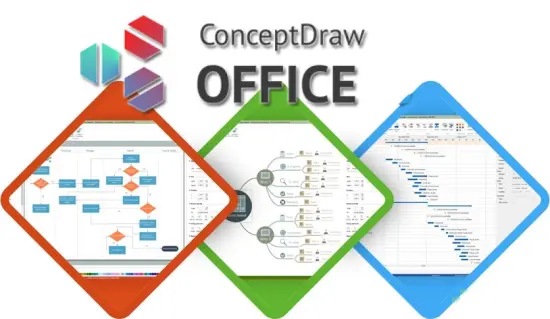
ConceptDraw Office Portable is a comprehensive, integrated business productivity suite designed for professionals, project managers, team leaders, educators, and knowledge workers who need to visualize complex ideas, streamline collaboration, and execute projects with precision across Windows and macOS platforms.
This all-in-one software package seamlessly combines three powerhouse applications—ConceptDraw DIAGRAM for professional diagramming, ConceptDraw MINDMAP for dynamic mind mapping and brainstorming, and ConceptDraw PROJECT for robust project management—linked through innovative INGYRE technology that enables fluid data exchange and “Open in…” functionality, allowing users to transform mind maps into Gantt charts or diagrams into project timelines in seconds without manual re-entry.
Whether crafting organizational charts, flowcharts, network diagrams, strategic mind maps, or multi-phase project plans, ConceptDraw Office Portable delivers enterprise-grade tools with an intuitive interface, extensive template libraries, Visio compatibility, and versatile export options, empowering teams to communicate ideas visually, plan strategically, and deliver results efficiently—all from a single, perpetually licensed suite that eliminates the need for multiple disparate applications.
Core Integration via INGYRE Technology
ConceptDraw Office Portable’s standout feature is its INGYRE integration engine, which creates a unified ecosystem where data flows effortlessly between applications. A mind map outlining a marketing campaign in MINDMAP can “Open in…” PROJECT as a fully populated Gantt chart with tasks, durations, and dependencies automatically mapped; that same mind map converts to a flowchart in DIAGRAM with shapes and connectors preserving hierarchy. This bidirectional exchange supports drag-and-drop object transfer, live linking (updates propagate changes), and format-agnostic import/export, reducing errors and saving hours in multi-tool workflows. Teams collaborate via shared .cdn files (ConceptDraw Network Format), with version control, change tracking, and cloud sync options ensuring consistency across departments.
ConceptDraw DIAGRAM: Diagramming Powerhouse
ConceptDraw DIAGRAM serves as the suite’s visual cornerstone, offering a professional vector drawing platform equipped with thousands of pre-built shapes, smart connectors, and automation tools for creating diagrams of any complexity—from simple flowcharts to intricate technical schematics, infographics, and interactive dashboards. Its Rapid Draw library enables self-drawing objects that auto-connect on drag: drop a “Process” shape, and it snaps to decision diamonds or data stores with intelligent routing, perfect for depicting workflows in minutes. Chain and Tree views accelerate linear processes (e.g., customer onboarding) or hierarchical structures (org charts), with auto-layout algorithms rearranging elements dynamically as content changes.
Live Objects technology introduces interactivity: embed dynamic gauges, charts, and sliders that update in real-time from linked data sources (Excel, CSV, databases), transforming static diagrams into clickable dashboards for sales KPIs or network monitoring. Over 50 solution parks provide domain-specific libraries—Business Process (BPMN 2.0), AWS Architecture, Cisco Networks, Floor Plans, UML, ERD—each with themed stencils, formatting rules, and validation checks to ensure standards compliance.
Formatting prowess includes 100+ pre-designed themes (Modern Flat, Glassy, 3D), gradient fills, shadows, glows, and transparency; smart guides snap to grids, rulers, and object geometry for pixel-perfect alignment. Visio import/export (VDX/VSDX/VSSX/VSTX) round-trips files flawlessly, making DIAGRAM the premier cross-platform Visio alternative. Presentation Mode turns diagrams into full-screen slideshows with transitions, animations, and embedded GIFs/videos, while multi-page documents support master slides for consistent branding.
ConceptDraw MINDMAP: Brainstorming and Knowledge Management
ConceptDraw MINDMAP revolutionizes idea capture and organization through its dynamic radial mapping interface, where central topics branch into unlimited sub-levels with one-click expansion, compression, or smart layouts (Organic, Horizontal, Vertical, Fishbone, Circular). Drag-and-drop freedom lets users attach images, icons (10,000+ library), hyperlinks, notes, and calculations to any node, with auto-balancing algorithms preventing cluttered “spaghetti maps.” Multimedia integration embeds audio clips, YouTube videos, and live web previews directly into branches, ideal for training modules or research overviews.
Strategic planning tools shine: SWOT analysis templates auto-populate quadrants, timeline views convert maps to chronological Gantt-like sequences, and relationship connectors draw curved arrows between non-adjacent nodes to visualize dependencies or influences. Presentation mode exports animated “drill-down” slideshows, navigating from overview to details with zoom effects. Knowledge base features include topic merging/splitting, clone-with-link (edit one, sync all), progress bars for task tracking, and formula calculations (sum child costs, average ratings).
Cross-application synergy flows both ways: export mind maps to PROJECT for task scheduling or DIAGRAM for process visualization, with INGYRE preserving styles, colors, and metadata. Collaboration supports multi-user editing, topic comments, and export to PDF/Word/PowerPoint with vector fidelity.
ConceptDraw PROJECT: Professional Project Management
ConceptDraw PROJECT brings Gantt chart mastery with a clean, interactive timeline canvas supporting unlimited tasks, milestones, dependencies (FS/SS/FF/SF with lags/leads), resource assignments, and cost tracking. Drag-resize bars adjust durations visually, auto-recalculation ripples changes across the plan, and critical path highlighting flags bottlenecks instantly. Multiple baselines compare planned vs actual progress via variance charts, while resource leveling resolves overallocations automatically.
Portfolio management scales to enterprise: group projects into portfolios, allocate shared resources across initiatives, and generate executive dashboards with earned value metrics (CPI, SPI, CV, SV). Risk registers link threats to tasks with probability/impact scoring, mitigation plans as subtasks. Calendar integration syncs holidays, workweeks, and overtime rules, with PERT charts visualizing probabilistic estimates.
INGYRE imports from MINDMAP (topics→tasks) or DIAGRAM (swimlanes→work breakdown), exporting back to mind maps for brainstorming refinements. Reports engine produces 50+ templates—burndown charts, resource histograms, S-curves—in PDF/Excel/PowerPoint, customizable with logos and branding.
Unified User Interface and Workflow Efficiency
ConceptDraw Office Portable employs a consistent, ribbon-based interface across all apps, minimizing learning curves: Home tab for core actions (New, Open, Save), Insert for shapes/media, Design for themes/layouts, View for grids/zoom/outlines, and app-specific contextual ribbons. Dockable palettes (Shapes, Colors, Layers, Pages) float or tab, with searchable asset browsers filtering thousands of stencils by keyword (“router,” “decision”). Touch/mouse/keyboard nav supports tablets, trackpads, and precision work alike.
Macros and scripting (VBScript/Python) automate repetitive tasks—batch import Visio folders, standardize org chart formatting—while templates gallery jumpstarts projects with 1000+ samples (Sales Funnels, IT Networks, Office Layouts). Undo/redo stacks deeply (200+ steps), live previews show edits instantly, and overview windows navigate massive canvases.
Collaboration and Sharing Ecosystem
Teamwork thrives via ConceptDraw Cloud (optional sync), shared libraries (custom shapes across users), and real-time co-editing with presence indicators. Layer permissions lock elements for reviewers, comment threads annotate changes, and version history snapshots diffs visually. Guest access generates view-only links with watermarks.
Interoperability and File Support
Universal import: Visio (all versions), PowerPoint, Word, Excel, PDF (editable vectors), Gliffy, Draw.io, OmniGraffle, XMind. Export: SVG, PNG (transparent/retina), EMF/WMF (Office native), HTML5 (interactive SVGs), Flash (legacy). Print engine handles large formats (A0 posters, tiled outputs) with color separations and bleeds.
Performance and Platform Optimization
64-bit architecture handles 1000+ object diagrams smoothly on 8GB RAM, GPU-accelerated rendering on modern cards. Universal binary optimizes Intel/Apple Silicon Macs, Windows 10/11. Portable mode runs from USB without installation.
Industry-Specific Solution Parks
40+ packs target verticals: IT (Azure/AWS diagrams), HR (org charts/performance matrices), Marketing (funnels/campaign maps), Education (lesson plans/mind maps), Manufacturing (value stream maps), Healthcare (patient flows).
Advanced Features for Power Users
-
Layers and Grouping: Unlimited layers with visibility/locking/print controls, groups with editable internals.
-
Data Linking: Shapes bound to live Excel/ODBC sources, auto-updating labels/pies.
-
Validation Rules: BPMN compliance checks, network topology verification.
-
Custom Shapes: SDK builds parametric stencils (e.g., resizable database icons).
-
Animation Timeline: Morphing transitions for presentations.
Use Cases Across Professions
Project Managers: Mind map requirements → Gantt schedule → Dashboard reports.
Business Analysts: BPMN processes → swimlane diagrams → Visio handoff.
Educators: Concept maps → lesson timelines → interactive PDFs.
IT Teams: Network inventories → cloud migrations → documentation.
Marketers: Campaign mind maps → funnel visuals → pitch decks.
Accessibility and Customization
High-contrast themes, scalable UI, screen reader support, multilingual (15+ languages). Themes recolor palettes globally, hotkeys remap fully.
What is New in ConceptDraw OFFICE 10
The latest edition of the ConceptDraw OFFICE Portable software suite provides business professionals with advanced features for each of its components and enhanced access to integrated solutions for business diagramming, mind mapping, and project management.
The new ConceptDraw OFFICE 10 has all the features you preferred in the previous version. It introduces a set of new features and tools not available in current versions of ConceptDraw products. ConceptDraw product line for macOS has been successfully adapted to Apple Silicon and is compatible with the latest macOS 14 Sonoma. Each of the individual applications included in OFFICE v10 for both macOS and Windows has been updated and improved. Please review the individual products: ConceptDraw DIAGRAM 17, ConceptDraw MINDMAP 15, and ConceptDraw PROJECT 14 for a summary of the new features of each product. Below is a brief overview of the updates made to ConceptDraw products.
DIAGRAM 17 lets you create diagrams faster than ever with the updated Rapid Draw tool. Rapid Draw automatically draws and connects the next object on the diagram. Simply click the directional arrow on the selected object and Rapid Draw will automatically draw and connect the next object on your diagram. Assign the Rapid Draw property to a single library or set of objects on a page, and you can quickly draw a diagram of any complexity in just a few minutes. Rapid Draw saves you time by making diagramming fast and easy.
MINDMAP 15 has completely redesigned the Outline mode interface and added new features, including the ability to move topics in the Outline using the mouse. The Outline page style now matches the mind map style. Also, enjoy the ability to publish your mind maps on more social networks with one click.
PROJECT 14 has additional export capabilities to MS Excel. As MS Excel continues to be an important data exchange tool in project management, we have implemented the ability to convert all project spreadsheets to Excel, including task and resource lists, and resource usage tables in “as is” format.
