
Portable HiDownload Phoenix 13.1
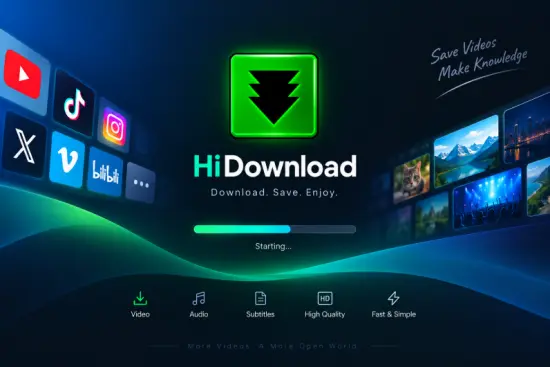
Streamingstar HiDownload Phoenix Portable is a Windows-based stream downloader designed for users who want to save online video and audio content for offline use. The software combines a download manager, stream URL sniffer, media recorder, playlist handler, podcast manager, built-in player, and media converter in one application. Instead of relying only on a visible download button, it can monitor supported media connections and identify stream addresses used by websites, online radio services, video platforms, and other multimedia sources.
The name Phoenix is associated with the newer generation of HiDownload software, which extends the traditional download-manager concept with support for modern streaming technologies. Streamingstar HiDownload Phoenix Portable is particularly useful when a video or audio file plays inside a browser but is not offered as a regular file that can be saved through the standard “Save As” command.
Its portable format makes the software convenient for users who prefer not to perform a conventional installation. A portable application can be stored on a removable drive or another folder and launched when required. This approach is useful for technicians, students, media professionals, and anyone who works across multiple Windows computers.
What Is Streamingstar HiDownload Phoenix Portable?
Streamingstar HiDownload Phoenix Portable is an all-in-one media downloading and stream-capturing utility for Windows. It is built to detect supported media links, process online streams, download files, organize completed transfers, and convert saved media into commonly used formats.
The software is intended for lawful personal, educational, professional, and archival tasks. For example, users may need to save an online course that their institution permits them to archive, download a podcast for offline listening, preserve their own livestream, or record an internet radio program when the broadcaster allows it.
Unlike a basic file downloader, Streamingstar HiDownload Phoenix Portable focuses on streaming media. Many modern services deliver video and audio in small segments through playlist files rather than sending one large file directly to the browser. The application can work with supported playlist and streaming structures, including M3U8, HLS, DASH, and MP4 links. It may also recognize older protocols such as HTTP, RTMP, RTSP, and MMS, depending on the source and configuration.
The interface is organized around download tasks. Users can add one link or create a queue containing multiple videos, audio files, playlists, and podcast episodes. Each task can display its current status, file name, size, progress, speed, and destination folder.
Streamingstar HiDownload Phoenix Portable Stream URL Sniffer
One of the most important features in Streamingstar HiDownload Phoenix Portable is its built-in stream URL sniffer. The sniffer monitors media requests made during a browsing session and presents detected URLs in a list. This can be useful when a website does not expose the actual media address on the page.
After opening a supported page and starting playback, the sniffer can look for media resources such as:
- M3U8 playlists
- HLS streams
- DASH or MPD manifests
- MP4 video files
- MP3 audio files
- HTTP media downloads
- RTMP streams
- RTSP streams
- MMS-based media
- Online radio streams
- Playlist and metadata files
The sniffer helps separate ordinary webpage resources from actual video or audio content. Once the relevant stream appears, the user can inspect it, choose the desired version, and add it to the download queue.
This feature can save time compared with manually examining browser developer tools or attempting to guess the address of a media file. It is also helpful when the visible page contains several quality levels, language tracks, or audio and video variants.
The sniffer cannot bypass every form of content protection. Encrypted, DRM-protected, login-restricted, or technically unsupported streams may not be downloadable. Its function is to identify accessible media resources, not to defeat security controls.
Download M3U8 and HLS Streams
M3U8 and HLS support is central to the Phoenix generation of HiDownload. HLS, or HTTP Live Streaming, divides video and audio into smaller segments. An M3U8 file acts as a playlist that tells the player where those segments are located and how they should be assembled.
Streamingstar HiDownload Phoenix Portable can use supported M3U8 playlists to download the available media segments and create a local media file. This is helpful for online lectures, permitted event recordings, training videos, news broadcasts, and live streams.
When several quality levels are available, the software may present more than one playlist option. A user can select the version that best matches the intended use. Higher-quality streams require more storage space and bandwidth, while lower-quality versions may be preferable for mobile playback or long-term storage.
For live HLS broadcasts, the software can record available segments while the stream is active. The final result depends on the length of the broadcast, the stability of the connection, and whether the stream remains accessible until recording is complete.
DASH and MPD Stream Support
Dynamic Adaptive Streaming over HTTP, commonly known as DASH, uses a manifest file to describe available video and audio segments. The manifest may use the MPD extension. DASH is widely used for adaptive playback because it allows a player to change quality as network conditions change.
Streamingstar HiDownload Phoenix Portable can detect supported DASH or MPD resources and make them available for downloading. Depending on how the source is structured, video and audio may be supplied separately. The application can process compatible streams and produce a usable local file.
DASH support makes the software more useful for current streaming workflows. A page may appear to contain only a video player, while the underlying media is actually delivered through a manifest and multiple segmented tracks. The built-in sniffer gives users a practical way to locate these resources without manually searching through network activity.
Download and Record Online Video
Streamingstar HiDownload Phoenix Portable can be used to download on-demand video when the source permits it. The software is designed for situations where a user wants to watch content without an internet connection or maintain a local copy for approved purposes.
Potential uses include:
- Saving personal video projects
- Downloading permitted training materials
- Archiving public-domain footage
- Keeping authorized event replays
- Downloading online presentations
- Saving educational content for offline review
- Collecting openly licensed media
- Preserving a user’s own uploaded videos
The program can organize completed downloads by category and destination. This helps users keep video collections separate from music, podcasts, documents, and temporary files.
For large downloads, resume support can be especially valuable. If a connection fails or the computer is restarted, the application may continue an unfinished task instead of starting from the beginning, provided that the server and stream support resuming.
Record Internet Radio and Streaming Audio
In addition to video, Streamingstar HiDownload Phoenix Portable supports a range of online audio workflows. Users can capture supported internet radio broadcasts, streaming music, podcasts, interviews, and other audio content when recording is authorized.
The software can work with common audio resources and playlist formats used by online radio services. Playlist files such as M3U and PLS can point to one or more streams. HiDownload Phoenix Portable can examine these resources and help users add the relevant audio stream to the task list.
Audio recording is useful for:
- Offline podcast listening
- Authorized internet radio recording
- Personal voice or music projects
- Language-learning material
- Public lectures and interviews
- Archived audio broadcasts
- Downloading openly licensed music
The final audio quality depends on the original stream. Downloading a low-bitrate stream and converting it to a higher bitrate will not improve its source quality. For the best result, users should select the highest suitable stream offered by the broadcaster.
Built-In Media Player
A built-in media player allows users to preview completed downloads without opening another program. This makes it easier to verify whether a file was downloaded correctly, whether the audio and video are synchronized, and whether the selected quality is appropriate.
The player can be useful before a file is renamed, moved, converted, or archived. A quick preview can reveal problems such as:
- An incomplete download
- Missing audio
- Missing video
- Incorrect language selection
- A corrupted output file
- An unexpectedly low-quality stream
- A recording that ended earlier than expected
For users who manage many downloads, an integrated player reduces the need to switch repeatedly between a downloader and an external media application. It also provides a convenient way to review files directly from the finished-task list.
Media Converter for Common Formats
Streamingstar HiDownload Phoenix Portable includes media conversion capabilities for common formats. Conversion is useful when a downloaded file does not match the requirements of a phone, tablet, television, editing program, or music player.
Supported output choices may include:
- MP4 for broad video compatibility
- MP3 for common audio playback
- MKV for flexible video storage
- AAC for efficient audio
- WAV for uncompressed audio workflows
- FLV for legacy video applications
Users can convert a file after downloading it, select an output format, and choose a destination folder. Depending on the source, the application may provide options for resolution, audio quality, file size, or other output settings.
MP4 is often a practical choice for general video playback because it is supported by many operating systems, mobile devices, smart televisions, and editing applications. MP3 is useful when only the audio track is required. WAV may be preferred for editing or production, although it usually creates much larger files.
Conversion should be treated as a separate step from downloading. Keeping the original file is recommended when storage space allows because it preserves the source version and makes future conversions possible.
Batch Downloading and Queue Management
Batch downloading allows several files to be processed without adding each task manually after the previous one finishes. Streamingstar HiDownload Phoenix Portable can place multiple links, episodes, playlists, or media resources in a queue.
This is helpful for downloading:
- Podcast series
- Course lessons
- Video playlists
- Training libraries
- Multiple radio programs
- Event recordings
- Several files from a project
The queue can be arranged according to priority or order. Users can pause, resume, remove, or retry tasks depending on their needs. A queue also makes it easier to leave the computer working while the application processes a collection of files.
The software can separate tasks into categories such as queued, active, finished, unfinished, and error. This status-based organization helps users identify which files are ready for use and which ones need attention.
Accelerated and Resumable Downloads
Streamingstar HiDownload Portable can improve transfer efficiency by managing connections and, where supported, splitting certain downloads into multiple parts. The actual speed depends on the server, network connection, source restrictions, and the selected stream quality.
Parallel transfer methods can reduce waiting time for suitable direct-download files. However, segmented streaming sources do not always behave like ordinary files, so the available performance may vary.
Resume support is another practical feature. Interrupted transfers can occur because of unstable Wi-Fi, server timeouts, computer restarts, or temporary network problems. When the source supports continuation, the application can resume the task from the previous point.
Users should avoid launching too many simultaneous downloads on a limited connection. A smaller number of active tasks often provides more consistent performance and prevents individual transfers from slowing down excessively.
Download Scheduler and Broadcast Manager
The scheduling tools in Streamingstar HiDownload Phoenix Portable allow users to control when tasks begin. A scheduler can be useful for large files, recurring downloads, or situations where the internet connection is more available during certain hours.
Possible scheduling uses include:
- Starting downloads overnight
- Processing a podcast feed at a planned time
- Recording a permitted live broadcast
- Limiting activity during working hours
- Downloading a playlist when network traffic is lower
- Running several tasks in a predetermined sequence
The broadcast manager is intended for stream-oriented tasks. It can help users prepare a link in advance and specify when the application should begin monitoring or recording it. This is especially useful for scheduled online events and internet radio programs.
Scheduling works best when the computer remains powered on and connected to the internet. Sleep settings, network interruptions, and changes made by the streaming service can affect the result.
Podcast Manager and Playlist Handling
A built-in podcast manager gives Streamingstar HiDownload Portable a more organized workflow for recurring audio content. Instead of treating every episode as an isolated download, users can manage podcast-related links and download selected episodes in batches.
Playlist handling is also helpful for video and audio collections. When a service exposes playlist information, the application may be able to identify multiple entries and add them to the queue.
This can save considerable time for users who want to download a complete series. Rather than copying each episode separately, they can review the detected entries, select the desired items, and begin a batch operation.
Playlist availability depends on the website. Some platforms expose only the currently playing item, while others provide a full list. Login requirements, regional restrictions, and access permissions can also affect what the software can detect.
Browser Integration and Clipboard Monitoring
Streamingstar HiDownload Phoenix Portable can work alongside a web browser through link detection and clipboard monitoring. When a compatible media URL is copied, the application may recognize it and offer to add it to the download queue.
Clipboard monitoring is convenient when users frequently copy media links. It reduces repetitive paste operations and helps transfer URLs into the downloader quickly. Browser integration can also make it easier to send supported downloads directly from a webpage.
Users who prefer manual control can disable automatic monitoring and paste links only when needed. This is useful when copying many unrelated URLs or when the clipboard contains sensitive information that should not be processed automatically.
Download Categories and File Organization
Download categories help keep saved content organized. Users can assign separate folders for video, audio, podcasts, converted files, completed downloads, and temporary tasks.
A well-planned folder structure might include:
- Videos
- Music
- Podcasts
- Online Courses
- Live Recordings
- Converted Files
- Unfinished Downloads
- Archived Projects
Automatic categorization reduces the time spent sorting files after a batch download. It also makes future searches easier and helps prevent unrelated media from accumulating in one large directory.
Users should select a drive with sufficient storage capacity, particularly when downloading high-resolution video or maintaining original and converted copies. A long recording can occupy several gigabytes depending on its quality and duration.
User Interface and Ease of Use
The interface of Streamingstar HiDownload Phoenix Portable is designed around a task list and status categories. Active downloads can be monitored from the main window, while finished and failed tasks remain available for review.
A typical workflow is straightforward:
- Open a supported media page or copy a stream URL.
- Allow the sniffer to detect available media resources.
- Select the desired video or audio stream.
- Choose the destination folder and quality.
- Add the task to the queue.
- Monitor progress and review the finished file.
- Convert the file if another format is required.
The application also provides logs and status information for troubleshooting. When a task fails, the error details may indicate whether the problem relates to the URL, server response, network connection, unsupported protocol, or unavailable stream.
Streamingstar HiDownload Phoenix Portable System Compatibility
HiDownload Phoenix Portable is designed for Windows computers. The newer Phoenix version is associated with current 64-bit Windows environments, while older HiDownload releases supported legacy Windows systems.
Because portable applications may include multiple components, users should check the release package and system requirements before deployment. Adequate storage is needed not only for the program itself but also for downloaded media, temporary segments, and converted files.
A stable internet connection is recommended for long recordings and high-resolution downloads. Wired connections may provide better consistency for large transfers, although a strong wireless connection can also work effectively.
Advantages of Streamingstar HiDownload Phoenix Portable
Streamingstar HiDownload Phoenix Portable offers several practical benefits:
- It combines stream detection and downloading in one application.
- It supports modern playlist-based streaming formats.
- It can handle video and audio tasks.
- It provides batch downloading for series and playlists.
- It includes resume support for interrupted transfers.
- It offers scheduling for planned downloads and recordings.
- It includes a built-in media player.
- It provides media conversion options.
- It can organize tasks by status and category.
- Its portable format is convenient for use on multiple Windows computers.
- It reduces dependence on command-line tools for common download tasks.
- It can work with both on-demand media and supported live streams.
The strongest advantage is the combination of URL sniffing, download management, playback, and conversion. Users do not need to move between several separate programs for every stage of a basic media workflow.
Limitations to Consider
Streamingstar HiDownload Phoenix Portable is not compatible with every website or media service. Streaming technologies change frequently, and a platform update can affect whether a stream is detectable or downloadable.
Common limitations may include:
- DRM-protected content may not be supported.
- Encrypted streams may be unavailable for download.
- Login-protected sources may require an authorized session.
- Some live streams can only be recorded while they are active.
- Website changes may affect URL detection.
- The original stream quality limits the final output quality.
- Some protocols or codecs may require additional support.
- Portable operation does not guarantee compatibility with every Windows configuration.
- Large downloads require significant storage space.
- Converting media can take time and use substantial processor resources.
The software should be used only with content that the user owns, has permission to save, or is otherwise legally allowed to download. Technical ability to detect a stream does not automatically grant permission to copy or redistribute it.
How to Get Better Results with HiDownload Phoenix Portable
For reliable results, users should begin by selecting the correct stream rather than automatically choosing the first detected URL. A page may expose multiple resolutions, languages, frame rates, and audio tracks.
It is also helpful to test a short section before recording a long broadcast. This confirms that the selected stream contains both the required picture and sound. For important recordings, users should monitor the task and verify the output afterward.
When working with playlists, review the number of detected entries before starting. This prevents unwanted episodes or duplicate files from being downloaded. Naming folders according to project, date, or content type can also make later organization easier.
For conversion, preserve the original file whenever possible. Convert a copy when experimenting with settings, especially if the original download is difficult to obtain again.
Conclusion
Streamingstar HiDownload Phoenix Portable is a versatile Windows media utility for downloading, recording, organizing, previewing, and converting supported online video and audio streams. Its built-in URL sniffer helps locate media resources that are not visible as ordinary downloadable files, while support for M3U8, HLS, DASH, MPD, HTTP, RTMP, RTSP, and related formats makes it suitable for a variety of streaming workflows.
The application is useful for offline viewing, podcast management, authorized broadcasting archives, educational resources, media projects, and personal collections. Batch processing, scheduling, resume support, category management, and clipboard monitoring make it more capable than a simple browser-based downloader.
Its built-in player and converter further simplify the process by allowing users to check and prepare downloaded files without immediately installing additional utilities. The portable format adds flexibility for users who work across multiple Windows systems or prefer software that can be launched from a dedicated folder.
As with any stream downloader, compatibility depends on the source website, stream format, network connection, and access permissions. Used responsibly with permitted content, Streamingstar HiDownload Phoenix Portable provides a practical workspace for managing online media from detection through offline playback.
Features at a Glance
- Portable Windows stream downloader
- Developed for video and audio downloading
- Built-in stream URL sniffer
- M3U8 and HLS support
- DASH and MPD stream support
- HTTP media downloads
- RTMP and RTSP compatibility
- MMS stream support on compatible sources
- Online radio recording
- Podcast downloading and management
- Playlist processing
- Batch download queue
- Resume support for interrupted transfers
- Download scheduling
- Broadcast manager
- Clipboard monitoring
- Browser integration
- Download categories
- Finished, unfinished, queued, and error task sections
- Download progress and transfer information
- Built-in media player
- Built-in media converter
- MP4 conversion
- MP3 conversion
- MKV conversion
- AAC conversion
- WAV conversion
- Video and audio preview
- Quality selection for available streams
- Support for on-demand media
- Support for compatible live streams
- Organized destination folders
- Portable use across compatible Windows computers
- Suitable for authorized offline media storage
