Portable SoftMaker Office NX Universal Rev S1504.0918 (x64) Multilingual
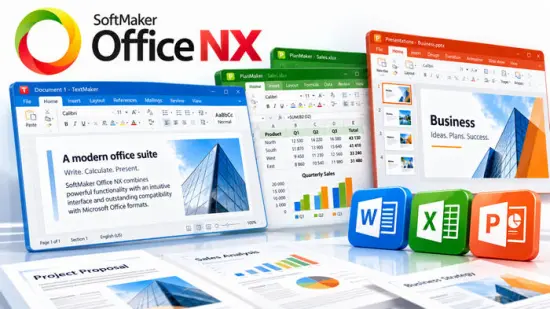
SoftMaker Office Portable is a powerful and feature-rich office suite designed to meet the demands of modern professionals, businesses, and organizations. With its robust set of applications, intuitive interface, and seamless compatibility with popular file formats, SoftMaker Office Portable empowers users to create, edit, and manage documents, spreadsheets, and presentations with utmost efficiency and precision. This comprehensive office suite comprises three main components: TextMaker, PlanMaker, and Presentations, each offering a wide range of advanced features tailored to specific tasks.
TextMaker: Create and Edit Professional Documents
TextMaker, the word processing application of SoftMaker Office Portable, provides a versatile platform for creating and editing documents with unparalleled ease. Its intuitive interface and comprehensive set of formatting tools enable users to craft professional-looking documents effortlessly. With support for popular file formats such as DOCX, ODT, and RTF, TextMaker ensures seamless compatibility and easy collaboration with colleagues and clients.
One of the standout features of TextMaker is its extensive template library, offering a wide array of pre-designed templates for various document types, including resumes, letters, reports, and more. Users can choose from these templates and customize them to suit their specific needs, saving valuable time and effort. Additionally, TextMaker supports advanced formatting options, such as styles, tables, graphics, and footnotes, allowing users to create visually appealing and structured documents.
PlanMaker: Powerful Spreadsheet Analysis and Calculation
PlanMaker, the spreadsheet application of SoftMaker Office Portable, equips users with a comprehensive set of tools for data analysis, calculation, and visualization. With its extensive range of mathematical functions, statistical tools, and formula auditing capabilities, PlanMaker enables users to perform complex calculations and generate accurate results. The intuitive interface, coupled with features like cell formatting, conditional formatting, and data sorting, enhances productivity and simplifies data management tasks.
Collaboration is made seamless through PlanMaker’s support for popular spreadsheet file formats, including XLSX, ODS, and CSV. Users can effortlessly exchange files with colleagues and partners, ensuring smooth workflows and efficient data sharing. PlanMaker also offers advanced charting options, allowing users to create visually engaging charts and graphs to present data in a meaningful and impactful manner.
Presentations: Engaging Slideshows for Effective Communication
SoftMaker Office Portable’s Presentations application empowers users to create captivating slideshows and deliver impactful presentations. With an extensive set of design templates, graphics, and multimedia integration options, Presentations enables users to craft visually stunning slides that effectively communicate their ideas and captivate their audience. The intuitive slide editor, coupled with features like slide transitions, animations, and multimedia playback, adds a touch of professionalism and interactivity to presentations.
Presentations supports popular file formats such as PPTX and ODP, ensuring compatibility and seamless collaboration with other presentation software. Users can effortlessly import and export presentations, making it easy to share and collaborate with colleagues and clients. The application also offers a presenter view, allowing presenters to view their notes, timers, and upcoming slides, facilitating a smooth and confident delivery.
Seamless Integration and Cross-Platform Support
SoftMaker Office Portable ensures seamless integration with other office suites, making it a versatile choice for users who work in diverse environments. The software supports file formats used by popular office suites, enabling smooth document exchange and collaboration. SoftMaker Office Portable is available for multiple platforms, including Windows, macOS, and Linux, ensuring cross-platform compatibility and flexibility.
Furthermore, SoftMaker Office Portable offers extensive language support, with dictionaries and spell-checkers available for numerous languages. This makes it an ideal choice for international users and multilingual environments, ensuring accurate and error-free documents in various languages.
Conclusion
SoftMaker Office Portable is a comprehensive office suite that combines powerful features, intuitive interfaces, and seamless compatibility to enhance productivity and streamline workflows. With its applications TextMaker, PlanMaker, and Presentations, SoftMaker Office Portable empowers users to create professional documents, perform complex calculations, and deliver engaging presentations. Whether you are a professional, a business owner, or an organization, SoftMaker Office Portable provides the tools you need to excel in your work and achieve optimal results. Experience the power and efficiency of SoftMaker Office Portable and take your productivity to new heights.
Features
General
– NEW: SoftMaker Office Portable now uses the Microsoft Office formats DOCX, XLSX and PPTX natively, obviating the need to convert documents for colleagues or business partners.
– Create PDF files directly out of every application
– NEW: 32-bit and 64-bit versions in the same package
– Support for high-resolution 4K screens
– NEW: Empty the file history with a single mouse click
– Version management that keeps a freely selectable number of versions of each file and enables you to revert to any previous version
– Can be installed to a USB flash drive so that it can be used on any PC without installation.
User interface
– NEW: You can use SoftMaker Office Portable either with modern ribbons or with classic menus and toolbars.
– NEW: Dozens of new dropdown controls with palettes of options, making document creation much easier (available with ribbons as well as in classic mode)
– NEW: Ribbons are customizable.
– NEW: “Quick-access toolbar” for frequently used commands
– Switch to “dark mode” to reduce eyestrain
– NEW: Touchscreen mode with larger icons and more generous spacing
– NEW: Open documents either in tabs or in separate windows – just like in a web browser
– NEW: Drag document tabs to the desktop to “undock” them to a separate window, or drag them to the tab bar to convert them to a document tab again.
– NEW: Rearrange document tabs using drag & drop
– NEW: Pin documents and templates in the file and template history for quick access to often-needed files
Key Features in the NX Cycle
If you are moving from an older version (like 2021), these are the core enhancements added to the current NX generation:
🤖 AI and Translation (NX Universal only)
-
SmartChat: Integrated ChatGPT functionality to summarize long texts, improve writing styles, and generate content directly within TextMaker.
-
DeepL Integration: One-click translation of entire documents while maintaining the original layout and formatting.
✍️ TextMaker (Word Processor)
-
Dark Mode Documents: Ability to set a dark background for the “paper” itself, not just the UI, to reduce eye strain.
-
QR & Barcodes: Create dynamic QR codes and barcodes (EAN-13, Code 128, etc.) directly in your documents.
-
Zotero Support: Integration with Zotero for academic citations and bibliographies.
📊 PlanMaker (Spreadsheet)
-
Database Import/Export: Native support for SQLite databases and improved CSV handling.
-
Visual Aids: Highlighting the current row and column for better orientation in large datasets.
-
Dynamic Charts: Chart titles and data labels can now be fetched dynamically from cell values.
📽️ Presentations
-
Dynamic Transitions: New, modern slide transitions compatible with PowerPoint.
-
Media on Linux: Improved playback support for music and video files in presentations on Linux systems.