Portable Room Arranger 11.2.3.806 (x64) Multilingual
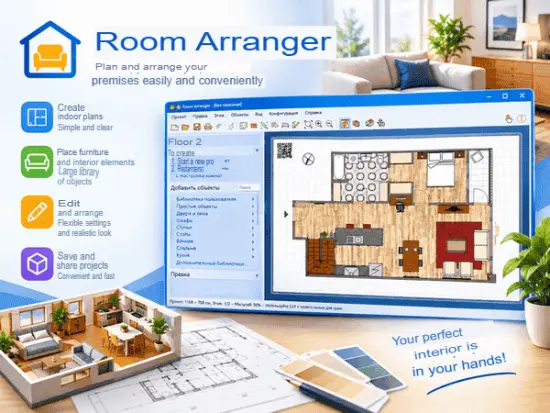
Room Arranger Portable is a desktop application designed for intuitive and flexible interior planning and 3D visualization. It serves a broad audience, from homeowners and renters planning room layouts to interior designers and small businesses seeking a straightforward tool for visualizing spaces. The software blends an accessible, drag-and-drop 2D interface with real-time 3D rendering, enabling users to create, modify, and evaluate room layouts quickly while keeping the experience approachable for users without advanced CAD skills.
Core concept and workflow
• Visual-first approach: Room Arranger Portable prioritizes direct manipulation of room elements. Users create or import floor plans, place furniture and fixtures, and immediately see how changes affect the layout. This direct visual feedback reduces the learning curve and accelerates idea iteration.
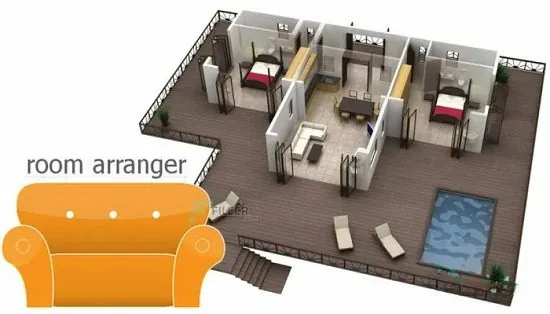
• 2D-to-3D continuity: The primary drawing environment is 2D, which simplifies placement and measurement tasks. At any time, users can switch to a 3D view that reflects the 2D plan, providing an accurate perspective of how the space will look in three dimensions. Edits in one view update the other in real time.
• Object-centric editing: Furniture and architectural elements are modeled as distinct objects with editable properties (dimensions, materials, rotation, and height). Objects are manipulated through handles for resizing and rotating, or via numeric input for precise control.
User interface and usability
• Clean, minimal UI: The interface presents essential tools and panels without overwhelming the user. A central drawing canvas occupies most of the window, flanked by contextual toolbars and property panels. Icons and visual affordances are used liberally so users can perform common tasks without extensive menu navigation.
• Tool palettes and panels: Typical panels include object library, properties inspector, layers manager, and a project navigator. The object library contains a categorized selection of furniture, appliances, windows, doors, and architectural primitives that can be dragged into the plan.
• Keyboard and mouse efficiency: Common actions support keyboard shortcuts and mouse gestures for power users. Dragging, snapping, duplicating (copy/paste or drag-with-modifier), and alignment aids speed up repetitive tasks.
• Guides and snapping: Alignment guides, grid snapping, and measurement hints help create accurate layouts. Snap settings are configurable so users can choose between freeform placement and strict, grid-aligned positioning.
Drawing and modeling capabilities
• Room creation: Users can draw room boundaries manually using polyline or rectangle tools, or generate rooms by entering precise dimensions. Multi-room plans are supported; rooms can be combined or subdivided easily.
• Walls and openings: Walls are represented with editable thickness, height, and materials. Doors and windows are parametric, allowing users to set width, height, swing direction, and position along a wall. Wall segments can be joined, split, or moved, with adjacent geometry updating automatically.
• Floors, ceilings, and levels: The software allows customization of floor finishes and ceiling heights per room. For multi-level projects, users can create separate floors and switch between levels for focused editing.
• Furniture and fixtures: The included library covers a wide array of household and commercial items—beds, sofas, tables, chairs, kitchen cabinets, appliances, bathroom fixtures, lighting fixtures, and storage units. Each item has editable dimensions and orientation.
• Custom objects: Users can create custom objects by composing primitives or by importing external models. Basic editing tools let users modify shapes or group items into reusable components.
• Imported floor plans: Room Arranger Portable supports importing raster images (e.g., scans or photos of hand-drawn plans) to trace over, providing an easy way to digitize existing layouts. Users scale and align the image and then draw the plan on top, using the image as a background guide.
3D visualization and rendering
• Real-time 3D view: The 3D engine provides immediate visual feedback as the plan is edited. Users can orbit, pan, and zoom in the 3D view, inspect details, and evaluate spatial relationships from various vantage points.
• Materials and textures: Surfaces—walls, floors, furniture—can be assigned finishes and textures. The material system supports custom textures and basic material properties like color, repeat/scale, and orientation to create realistic representations of finishes.
• Lighting and shadows: The 3D view simulates directional lighting and cast shadows to enhance depth perception. Light properties are adjustable to approximate different times of day or lighting scenarios.
• Camera presets and walkthroughs: Camera presets allow users to save specific viewpoints for presentations. Some versions include simple walkthrough tools to create a sequential tour through the 3D scene, which is useful for showcasing layouts to clients or family members.
• Snapshots and exports: High-resolution snapshots of the 3D scene can be exported as images. Exported images are suitable for inclusion in project documentation or for sharing on social media and in presentation materials.
Precision, measurements, and documentation
• Accurate measurements: The software emphasizes dimensional accuracy. Distance and area measurements are displayed in-context and can be shown or hidden. When precise control is needed, numeric input fields allow setting exact lengths, angles, and coordinates.
• Dimensioning tools: Dimension lines, labels, and annotations can be added to plans for clarity. These are useful when preparing installation guides, contractor notes, or shopping lists.
• Layers and visibility control: Layer management enables organization of elements by category (e.g., furniture, electrical, plumbing). Layers can be toggled for visibility or locked to prevent unintentional edits, helping manage complex projects.
• Bill of materials and lists: Some workflow features generate lists of furniture and fixtures used in the project, including counts and dimensions. These lists assist with budgeting, procurement, and moving logistics.
• Print and layout: Users can prepare printable layouts with configurable scales and page templates. Print-aware features ensure that dimensions and annotations are legible at chosen print sizes.
Customization and extensibility
• Object editing and parametrics: Many objects are parametric—users can alter their dimensions and the object redraws accordingly. Parametric doors, windows, and furniture allow users to adapt standard items to fit nonstandard spaces.
• Import/export formats: Room Arranger Portable supports common formats for exchange. Users can import background images and external 3D models in supported formats and export 2D plans or 3D snapshots for sharing. Interoperability with other software is considered, allowing users to move between tools where necessary.
• User-created libraries: Users can save custom objects or grouped sets to their own libraries for reuse across projects. This speeds up work for recurring design elements and personalizes the tool to each user’s needs.
• Localization and units: Unit systems and measurement formats are configurable, supporting metric and imperial systems. The interface can be localized for different languages, accommodating international users.
Performance and cross-platform considerations
• Lightweight and responsive: Room Arranger Portable aims to run smoothly on typical consumer hardware. The application focuses on practical modeling rather than computationally heavy rendering, which ensures responsive editing even on modest systems.
• Platform availability: The software is distributed for major desktop operating systems. Installers and version updates are provided with clear instructions for installation and license activation.
• File size and portability: Project files are compact, making them easy to archive or transfer between machines. Backward compatibility across versions is a design consideration, with project formats kept stable when possible.
Target users and use cases
• Homeowners and renters: Individuals use Room Arranger Portable to test furniture layouts, plan renovations, or stage rooms virtually before buying new pieces or rearranging existing ones. The ability to import room photos and trace plans makes it accessible for users working from existing conditions.
• Interior designers and decorators: Professionals use Room Arranger Portable for quick conceptual layouts, client presentations, and to verify that selected furniture will fit and relate properly within a space.
• Contractors and tradespeople: The dimensioning and annotation features help tradespeople plan installations and communicate measurements and material choices.
• Small retailers and event planners: Stores and event planners can prototype floor plans for showrooms, pop-up events, or temporary installations to optimize circulation and display placement.
• Educational uses: The software provides a hands-on tool for teaching basics of spatial layout, ergonomics, and design principles in classroom settings.
Design principles and practical strengths
• Simplicity over complexity: The product emphasizes ease of use and speed of iteration rather than offering every advanced CAD feature. This design choice lowers the barrier for entry and keeps workflows efficient for everyday tasks.
• Immediate feedback loop: Tight coupling between 2D editing and 3D visualization gives users confidence that the plan accurately represents the intended built result. This reduces errors and the need for external validation.
• Visual communication: Room Arranger Portable helps users communicate ideas visually, whether for personal decision-making or client presentations. The clear visuals, annotation tools, and export options support effective communication.
• Incremental fidelity: Users can work rapidly with simple blocking layouts and then refine materials, lighting, and details as needed. This incremental approach avoids unnecessary upfront effort while enabling polished outputs when required.
Limitations and trade-offs
• Not a full CAD/BIM solution: Room Arranger Portable is not intended to replace professional CAD or BIM tools used for construction documentation, structural analysis, or complex MEP coordination. It focuses on layout and visualization rather than extensive technical detailing.
• Rendering sophistication: The rendering quality balances realism with performance. While the 3D view is helpful for spatial understanding and visual decisions, it does not match the photorealistic rendering engines used in high-end visualization platforms. Users needing ultra-realistic imagery may export scenes to specialized renderers.
• Complex geometry constraints: The tool excels at rectangular and orthogonal spaces and standard furniture forms. Exceptionally complex custom geometry or organic forms may be less straightforward to create compared with polygon-modeling tools.
• Collaborative editing: Real-time multi-user collaboration features are typically limited or absent; projects are usually edited by one user at a time and shared through exported files. Teams may adopt file-based workflows for version control and coordination.
Practical workflows and tips
• Start with the footprint: Begin by accurately drawing the room’s outer walls and openings. Setting correct wall thicknesses, door locations, and window heights early prevents layout problems later.
• Use object libraries for speed: Populate the plan using library items for standard furniture; tweak dimensions as necessary to match real-world pieces.
• Layer management: Place non-structural items on separate layers (furniture, lighting, annotations) so you can hide them when focusing on structural edits.
• Measure frequently: Keep measurement display enabled while placing objects to rapidly check clearances, door swings, and circulation paths.
• Iterative refinement: Block in layouts with simplified furnishings, then progressively refine object details, materials, and camera views for presentation.
• Export early and often: Save snapshots and export backups at key milestones to document decisions and share intermediate options with stakeholders.
Presentation and client communication
• Annotated plans: Create annotated 2D drawings with dimensions and notes to explain design decisions or installation requirements.
• 3D viewpoints: Use saved camera views to present a sequence of perspectives that tell a coherent design story—entry, main living area, kitchen, master bedroom, etc.
• Before-and-after scenarios: Duplicate projects to compare different layouts or finishes, showing clients alternative solutions side-by-side.
• Material swatches: Prepare a small set of material options and swap them on key surfaces to help clients visualize finish choices without changing the layout.
Features
Easy to Use
Room Arranger Portable is small and compact piece of software. Still it lets you design nearly anything you imagine. Once you understand the basics it’s easy to bring it to next level.
Nearly all functions have keyboard shortcuts, so you can learn to be pretty fast in Room Arranger Portable.
3D Visualization
3D can give you a better impression of your design. Room Arranger Portable will not only let you fly around the scene, but you can also walk through it like in reality.
Wide Object Library
There are nearly 300 objects in the standard object library. Furniture, and other equipment. For each of them, you can modify their dimensions exactly as you need – you are not limited to what we think is the most common.
Additionally you can quickly and easily design all your special objects directly in Room Arranger Portable, there is a set of 3D objects just for such needs. Some users contributed to our On-line object library and shared their work.
Measurement
There is a measurement tool in Room Arranger Portable that helps you to check if there is enough space left for other objects, or just visualize the dimensions in the project.
The software also measures the room areas, wall areas and other useful values. It will let you copy – paste them to Excel for further processing.
Print in Scale
Printing is the integral part of designer’s work. We try to make this output precisely and in high quality. Professional architects usually require printouts in exact 1:50 or 1:100 scale, which is possible in Room Arranger Portable.
In case you have only small A4 printer, the software manages to print the project over more pages. You will just glue all sheets of paper together.
Build on Floor Plan Image
Drawing walls can be quite time consuming for apartment or house design. So there is a way to make it easier in case you have an image or photo of the floor plan.
Just load the image of the floor plan into the Wall Editor, calibrate it, and draw walls on top of it.
Other Notable Features
- Each wall and floor can have separate color / material
- Annotations
- Snap objects to near walls while moving them with mouse
- Baseboards and crown moldings
- Doorframe has editable thickness and color
- Picture can have frame with editable thickness and color
- Groups within groups of objects, option to forbid ungrouping (with password)
What’s New in Room Arranger Portable 11
 - Added: Bench, Horse, Dental chair and 5 new chair models
 - Improved: Cat, Dog, Piano 3D models
 - Added: Double Folding Door, Double Sliding Door, Double Pocket Door, Double Asymmetrical Door
 - Added: Bengali, Hindi, Japanese, Korean, and Urdu translations
 - Added: Select All in Wall Editor - enable copying walls to another project
 - Added: Tilted Surface supports thickness (to help make simple roofs)
 - Added: Copy & Paste in Terrain editor
 - Improved: Use modern X3D instead of VRML for 3D
 - Added: Use custom 3D objects in glTF (binary or json), OBJ, STL, PLY, X3D
 - Added: Add custom 3D objects by drag&drop model file to project
 - Added: Import custom 3D prototypes in X3D and X3DV next to old VRML format
 - Improved: Removed possibility to open 3D in our ActiveX window, as Cortona does not support X3D and BS Contact is no longer available.
   Added web browser options with dynamic X_ITE or X3DOM scripts.
 - Improved: Option to use X_ITE 3D browser in exported webpage with 3D
 - Fixed: Crash when detecting custom VRML object size
 - Improved: Open objects and 3D models directly from menu Project - Open
 - Improved: Search for objects ignores diacritics
 - Improved: Add Object menu and Change Type menu includes object thumbnails
 - Fixed: Remove multi-selected control points in Wall Editor context menu
 - Fixed: (win) Possible bug when reading text files
 - Fixed: One text expression got corrupted in a few localization files
 - Improved: (win) Use VC redist, not DLLs in folder, may fix some issues
 - Note: Updated Qt framework (LGPL v3 license) on Windows to Qt 6.10