
Portable Speedy Duplicate Finder 1.6.0
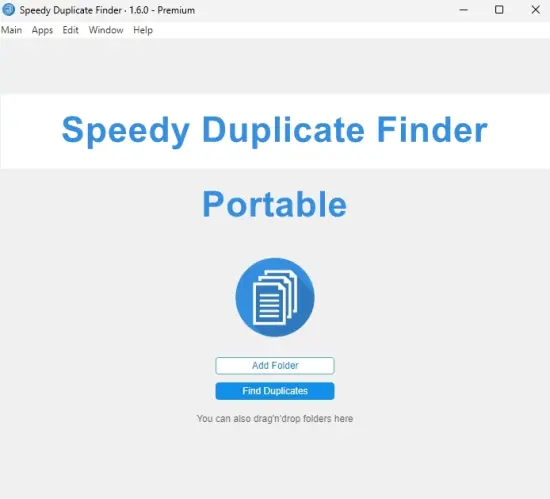
Speedy Duplicate Finder Portable is a practical file-management utility designed to help users locate and organize duplicate files on Windows computers. Over time, repeated files can appear in many different folders as a result of downloads, backups, file transfers, photo imports, software installations, and everyday document management. Some copies are created intentionally, while others remain by accident and consume valuable storage space. Speedy Duplicate Finder Portable provides a focused way to identify these repeated files and review them before deciding what to do.
The software is intended for users who want a straightforward method of reducing unnecessary duplication without manually opening every folder and comparing files one by one. It can help bring order to large collections of documents, photographs, videos, music, archives, installers, and other personal or professional data.
The Portable format adds flexibility to the program. Speedy Duplicate Finder Portable can be kept in a convenient folder or carried as part of a personal computer-maintenance toolkit. This makes it suitable for users who work with multiple compatible computers, manage removable storage, organize shared systems, or need a duplicate-file utility available only when required.
Rather than treating every repeated file as something that should automatically be deleted, Speedy Duplicate Finder Portable supports a review-based process. It helps users discover possible duplicates, examine the results, and choose the action that best matches their needs. This approach is useful because duplicate files are not always unnecessary. A user may deliberately keep several versions of a project, maintain a backup copy, or store the same photograph in different collections.
A Focused Tool for File Organization
Speedy Duplicate Finder Portable concentrates on one of the most common challenges in digital file management: repeated data. Many computers contain duplicate files that have accumulated gradually and gone unnoticed. A folder may contain several downloaded copies of the same document, a photo library may include repeated images, or a project directory may hold multiple versions of identical resources.
Finding these files manually can be time-consuming. File names may differ slightly, folders may be stored in separate locations, and repeated files may have been created at different times. The software provides a more organized way to search through selected locations and identify files that may be identical or closely related.
By focusing on duplicate discovery, the program can help users make better decisions about storage and organization. Instead of deleting files at random, users can first see which items are repeated and where they are located. They can then retain the most useful copy, move files into a better folder structure, or remove unnecessary items after reviewing their contents.
The software can be useful for both small and large collections. A casual user may scan a downloads folder, while a professional may examine years of project material spread across several directories. The same general process applies: select locations, perform a scan, review the results, and take appropriate action.
Reducing Unnecessary Storage Usage
Duplicate files occupy storage space just like unique files. When a computer contains many repeated videos, images, archives, or document collections, the total amount of wasted space can become significant. Speedy Duplicate Finder Portable helps users identify potential storage savings by showing where repeated files exist.
Removing unnecessary duplicates may be useful when a drive is approaching capacity. It can create room for new documents, applications, media files, or work projects. It may also make it easier to complete backups and transfer important data to another storage location.
The potential space savings depend on the number and size of duplicate files discovered. A scan may reveal a large collection of repeated photographs or several oversized video files stored in multiple folders. In other cases, the software may find smaller duplicates that still contribute to overall clutter.
The program can help users prioritize cleanup. Large repeated files may be reviewed first when the immediate goal is to recover storage space. Smaller duplicates may be addressed later as part of a broader organization project.
Storage management is not only about deleting data. Users may choose to move repeated files to an archive, consolidate folders, or retain copies in a dedicated backup location. Speedy Duplicate Finder Portable supports the discovery process so users can select the solution that fits their file-management habits.
Useful for Photos and Media Collections
Photo and media folders are common sources of duplicate data. Pictures may be imported from phones, cameras, memory cards, and messaging applications. The same image may be copied into several folders, saved under different names, or downloaded more than once.
Speedy Duplicate Finder Portable can assist users in reviewing large collections of images and other media. By locating repeated files, it can help reduce the confusion caused by multiple copies of the same photograph or recording.
This is particularly useful for users who have accumulated several years of personal memories. A large image library can become difficult to navigate when it includes repeated imports, edited copies, resized versions, and files stored in temporary folders. A duplicate scan can provide a clearer view of how the collection is arranged.
Users should review image results carefully. Two photographs may appear similar while containing different edits, resolutions, or metadata. A file that seems repetitive may be an original version needed for future editing. The program helps present possible duplicates, but users should determine which copies are genuinely unnecessary.
The same principle applies to music, videos, podcasts, presentations, and other media. A repeated media file may be removed, archived, or retained depending on how the user manages the collection.
Document and Project Organization
Duplicate files can also affect work and study materials. Documents may be copied between departments, saved into several project folders, or downloaded repeatedly from email and online services. Multiple copies can make it unclear which version is current.
Speedy Duplicate Finder Portable helps users identify repeated documents so they can improve folder organization. This can be useful for reports, spreadsheets, presentations, contracts, manuals, research materials, and other files that are frequently copied or revised.
Before removing a document, users can examine its location, name, date, and other available details. An older copy may contain information that was removed from a newer version, or a file in one folder may be part of a separate project. Reviewing the context of each duplicate helps prevent accidental removal of valuable work.
For students, the software can help organize downloaded reading material, assignments, research documents, and presentation resources. For professionals, it can support project cleanup and reduce repeated files stored across working directories.
The program can also assist with the final stages of a project. Once a project has been completed, users may scan its folders to identify repeated resources, exported drafts, and temporary copies that are no longer needed.
Scanning Selected Locations
A useful duplicate-file tool should allow users to decide where searches take place. Speedy Duplicate Finder Portable is designed around a user-selected scanning process, allowing users to focus on specific folders, drives, or storage locations according to their goals.
A focused scan can be helpful when users already know where duplication is likely to exist. For example, they may search a downloads folder, a photo library, a project directory, or a removable drive. This can produce results more quickly than examining every available location.
A broader scan may be appropriate when the user wants to conduct a complete storage review. However, broader searches should be planned carefully, particularly on drives containing system files, application data, backups, or shared resources. Users can begin with personal folders and expand the search as needed.
Selective scanning also supports privacy-conscious file management within a household or office environment because users can focus on areas they are authorized to inspect. It provides a practical balance between broad discovery and precise control.
Organized Results for Easier Review
The usefulness of a duplicate scanner depends heavily on how clearly it presents its findings. Speedy Duplicate Finder Portable organizes potential duplicates into groups or result categories, helping users understand which files may be related.
Grouped results can make it easier to compare files that appear to be identical. Users may review names, locations, sizes, and other available details before choosing what to retain. Seeing repeated files together can also reveal how duplication occurred.
For example, users may discover that the same document exists in a downloads folder, a desktop folder, and a project archive. They may find that photographs were imported into both a date-based folder and a device-based folder. These patterns provide useful information for improving organization in the future.
Clear results also reduce the likelihood of removing the wrong file. Rather than viewing a long, unorganized list, users can work through groups and make decisions one set at a time.
Reviewing File Details
Duplicate-file cleanup should involve more than comparing names. Files with the same name may contain different information, while files with different names may be identical. Speedy Duplicate Finder Portable helps users examine the details associated with potential duplicates so they can make better decisions.
Useful information may include file name, location, size, extension, and modification date. These details can help users identify the original, the newest version, or the copy stored in the most appropriate folder.
Location is particularly important. A file in a personal archive may be more valuable than a copy in a temporary download directory. A file in a project folder may need to remain even if another copy exists elsewhere. Reviewing the surrounding folder structure can help users understand the purpose of each item.
File size can also be helpful. Files that share a name but differ in size may not be identical. Similarly, matching sizes alone do not necessarily mean that files should be removed. The more information users review, the more confidently they can make cleanup decisions.
Flexible Cleanup Choices
After identifying duplicate files, users may have several possible actions. They can delete unnecessary copies, move files to another folder, rename items for clarity, or retain all files for future reference.
Speedy Duplicate Finder Portable supports a flexible decision-making process rather than forcing users into one approach. A user who wants to recover storage may remove confirmed duplicates. Someone concerned about losing information may first move selected files into an archive. Another user may simply use scan results to understand how files are distributed without making immediate changes.
This flexibility makes the software suitable for cautious users. It can be used as an analysis tool first and a cleanup tool later. Users can perform a scan, review the findings, and return to the results after deciding how they want to organize their data.
Important files should always be preserved before deletion. Users may choose to create a backup or copy valuable materials to a separate location before removing any duplicates. This is especially important for work projects, family photographs, financial records, and other irreplaceable files.
Portable Design and Convenience
The Portable format is one of the practical qualities of Speedy Duplicate Finder Portable. Users can keep the program available in a dedicated utilities folder or carry it on removable storage for use when needed.
This can be helpful for users who manage more than one computer. A person may want to scan a desktop computer, a laptop, an external drive, or a family member’s system without maintaining a separate copy of the utility in every location.
The portable approach is also suitable for technicians, consultants, and support personnel who need a duplicate-file tool as part of a broader maintenance collection. It can be accessed during organization and troubleshooting tasks without requiring users to prepare a new workflow for each computer.
Users can also use the software during specific projects. For example, it may be kept available while consolidating photo libraries, preparing a drive for backup, organizing an archive, or clearing space on a removable device.
Suitable for Personal and Professional Use
Speedy Duplicate Finder Portable can serve a variety of file-management needs. Home users can apply it to photographs, downloaded files, music folders, and family documents. Students can use it to organize assignments, research materials, and course resources. Professionals can scan project directories, office documents, reports, presentations, and archived work.
The software may also be useful for users who regularly transfer data between devices. Copying files from one computer to another can create repeated folders, especially when the same material is transferred more than once. A duplicate scan can help identify redundant data after the transfer is complete.
Small businesses and home offices may benefit from reviewing shared document collections. Repeated files can make it harder for users to determine which version is current. A planned cleanup can improve folder clarity and make frequently used resources easier to locate.
The program is not limited to one type of file. Duplicate documents, images, audio recordings, videos, archives, installers, and other data can all contribute to storage clutter. Users can select the areas and file categories that matter most to them.
Improving Backup Preparation
Duplicate files can increase the size of backups and make backup collections more difficult to manage. When repeated files are stored in several folders, a backup may contain unnecessary copies of the same data.
Speedy Duplicate Finder Portable can help users review their files before creating a backup. By identifying repeated items, users may be able to consolidate data and create a more organized backup structure.
This does not mean that every duplicate should be deleted before backup. Some copies may serve as deliberate protection against data loss, and users should consider their backup strategy before making changes. However, identifying accidental duplication can help reduce unnecessary repetition and clarify which files are intended to be preserved.
A well-organized backup is easier to browse and restore. When users know where important files are located and which copies are current, recovering data becomes a more straightforward process.
A Practical File-Management Routine
Speedy Duplicate Finder Portable can be incorporated into a regular file-organization routine. Users may schedule a scan after importing a large collection of photos, completing a project, transferring files between devices, or downloading substantial amounts of data.
A simple routine can begin with personal folders that are known to grow quickly. The downloads folder, desktop, documents directory, and media libraries are often useful starting points. Users can then expand to external drives, archives, or project locations.
After each scan, users can group files into categories such as confirmed duplicates, possible duplicates, intentional backups, and files requiring further review. This creates a more thoughtful cleanup process and reduces the chance of removing important data.
The software can also support periodic organization. A monthly or quarterly review may prevent duplicate files from accumulating indefinitely. Short, regular maintenance sessions are often easier to manage than a large cleanup after several years of unorganized storage.
Simple File Organization After Cleanup
Finding duplicates is only one part of long-term file management. After a cleanup, users can improve their folder structure so that new copies are less likely to become confusing.
Meaningful folder names, consistent date formats, project-based directories, and clearly labeled archive locations can make files easier to manage. Users may also choose to separate originals from edited versions or distinguish active projects from completed work.
Speedy Duplicate Finder Portable can help reveal where an organization system needs improvement. If repeated files appear across many unrelated locations, users may benefit from consolidating them into a clearer structure.
The program can therefore be useful not only for deleting files but also for understanding file-management habits. The results of a scan may show where downloads are being stored, how backups are being created, or which folders contain repeated copies.
Safe and Deliberate Use
Duplicate-file cleanup should always be performed with care. A file that appears to be repeated may have a different purpose, may belong to another user, or may represent a separate version of a project.
Speedy Duplicate Finder Portable supports deliberate review by helping users inspect potential duplicates before taking action. Users should consider file location, date, size, content, and personal importance before deleting anything.
System folders and application directories should be treated carefully. Users may wish to begin with personal documents and media rather than scanning or modifying unfamiliar system locations. Important data should be backed up before significant cleanup.
This careful approach allows users to benefit from the convenience of automated discovery without surrendering control over their files.
Conclusion
Speedy Duplicate Finder Portable is a focused and flexible utility for discovering repeated files and improving storage organization. It helps users search selected folders and drives, group potential duplicates, review file details, estimate possible storage savings, and choose appropriate cleanup actions.
The software can be useful for photos, documents, downloads, music, videos, archives, project folders, and other collections where repeated data can accumulate. Its Portable format adds convenience for users who work with multiple computers, removable storage, shared systems, or technical-support tasks.
By making duplicate files easier to find, Speedy Duplicate Finder Portable helps users reduce clutter and develop a clearer understanding of their digital collections. It supports a review-based process, giving users the flexibility to remove unnecessary copies, archive selected files, consolidate folders, or simply gather information before making a decision.
Whether used for a one-time storage cleanup or as part of a recurring file-management routine, Speedy Duplicate Finder Portable provides a practical way to bring order to crowded folders and make better use of available storage space.
Features at a Glance
– Portable duplicate-file management utility
– Designed for compatible Windows computers
– Helps locate repeated files
– Scans selected folders and storage locations
– Supports focused and broader file searches
– Identifies potential duplicate documents
– Identifies repeated images and photographs
– Helps review duplicate music and video files
– Supports examination of archives and downloaded files
– Groups potential duplicates for easier comparison
– Displays useful file information
– Helps compare file names and locations
– Helps compare file sizes and extensions
– Shows file modification details where available
– Assists with storage-space analysis
– Helps identify unnecessary copies
– Supports manual review before cleanup
– Allows users to decide which files to retain
– Supports deletion of unwanted duplicates
– Can assist with file consolidation
– Useful for organizing personal folders
– Useful for managing project directories
– Helpful for cleaning download folders
– Supports photo-library organization
– Assists with backup preparation
– Helps reduce unnecessary storage usage
– Suitable for home and professional users
– Useful for students and office workers
– Convenient for multiple compatible computers
– Suitable for removable-storage maintenance
– Can be included in a technical-support toolkit
– Supports occasional and recurring file cleanup
– Helps improve folder organization
– Gives users greater control over duplicate data
– Portable format for convenient access when needed